eclipse中TestNG的安装配置
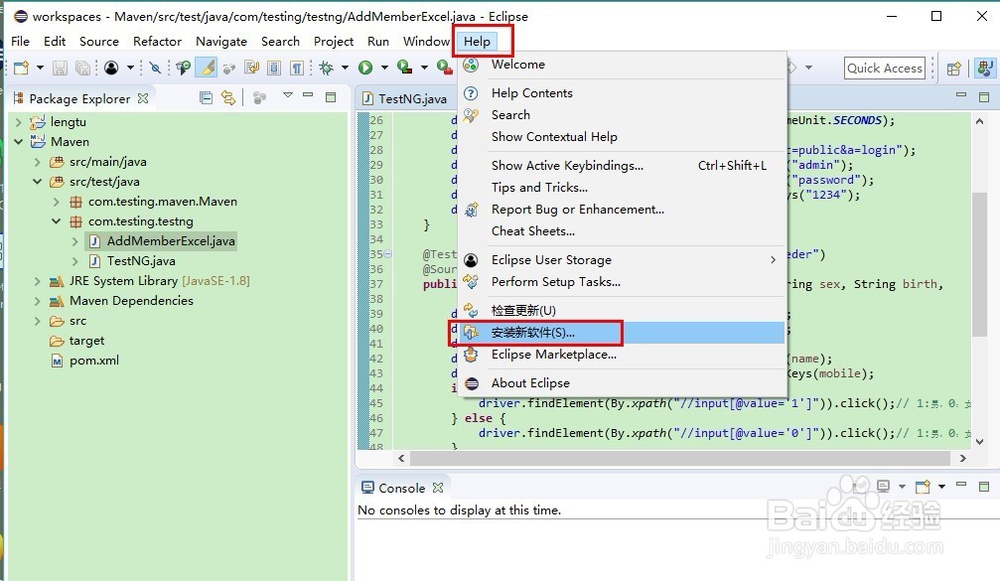
1、1.Eclipse点击右上方Help->Install new software
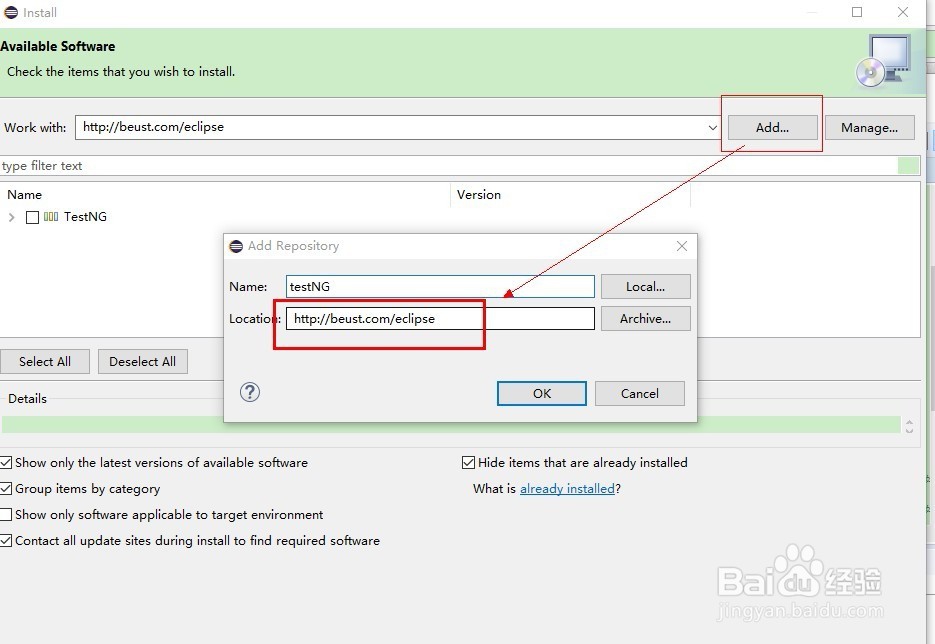
2、点击Add 在Location输入 http://beust.com/eclipse
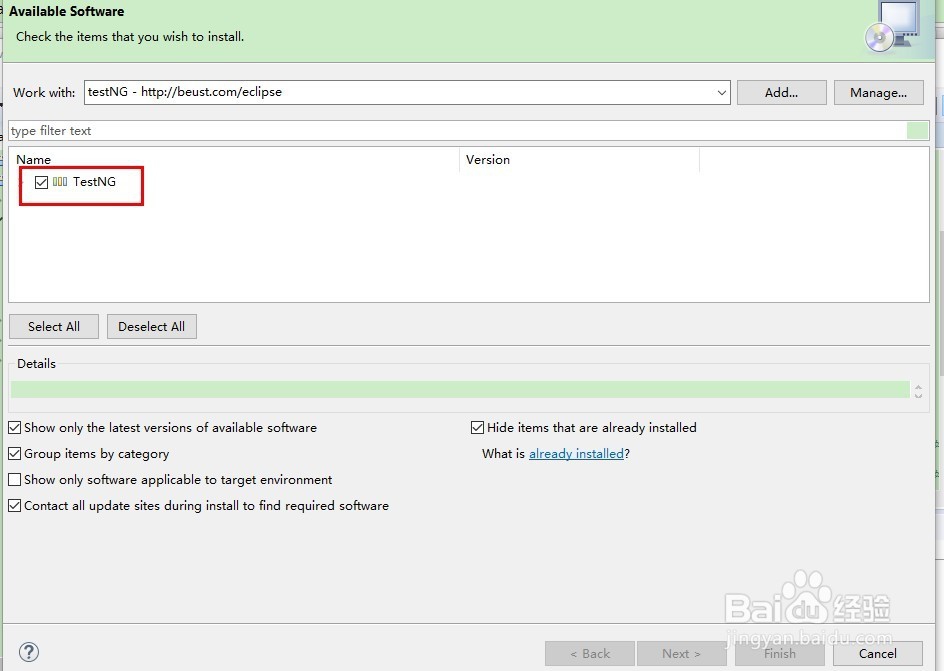
3、选择TestNG进行安装!一路下一步,点接受!看网速了,此处略过
4、安装成功后此处,file→new→other
会看到TestNG

阅读量:89
阅读量:85
阅读量:85
阅读量:155
阅读量:34
1、1.Eclipse点击右上方Help->Install new software
2、点击Add 在Location输入 http://beust.com/eclipse
3、选择TestNG进行安装!一路下一步,点接受!看网速了,此处略过
4、安装成功后此处,file→new→other
会看到TestNG