一点经验网
首页
美食营养
生活百科
知识问答
生活知识
返回
一点经验网
首页
美食营养
游戏数码
手工爱好
生活知识
生活百科
健康养生
运动户外
职场理财
情感交际
母婴教育
时尚美容
知识问答
更多知识
搜索
EPIC Games如何编辑保管库缓存位置
2026-05-01 11:59:27
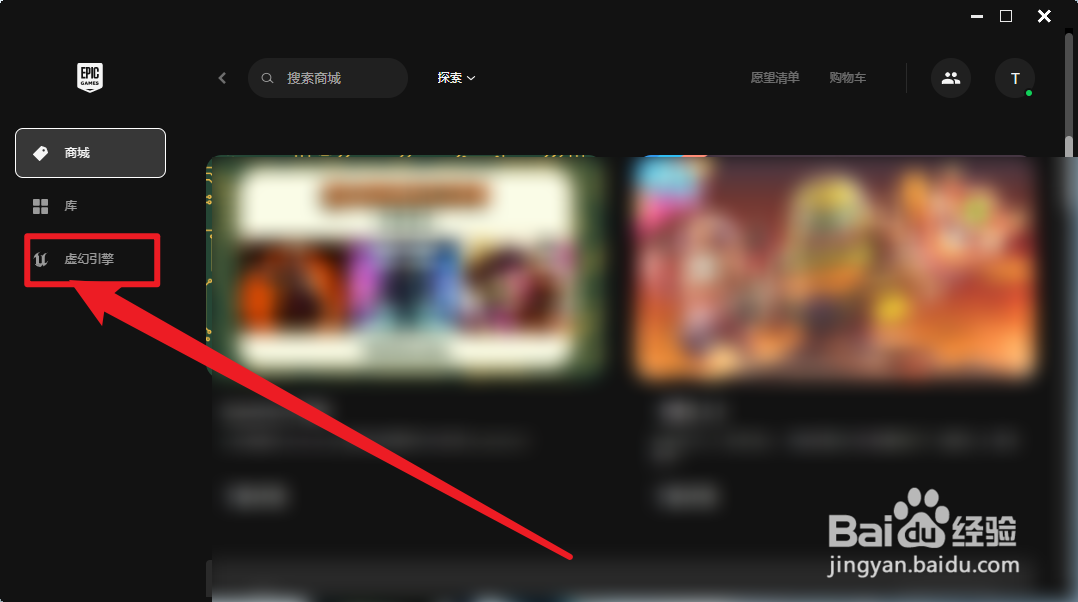
1、打开软件,商城界面左侧点击进入虚幻引擎。
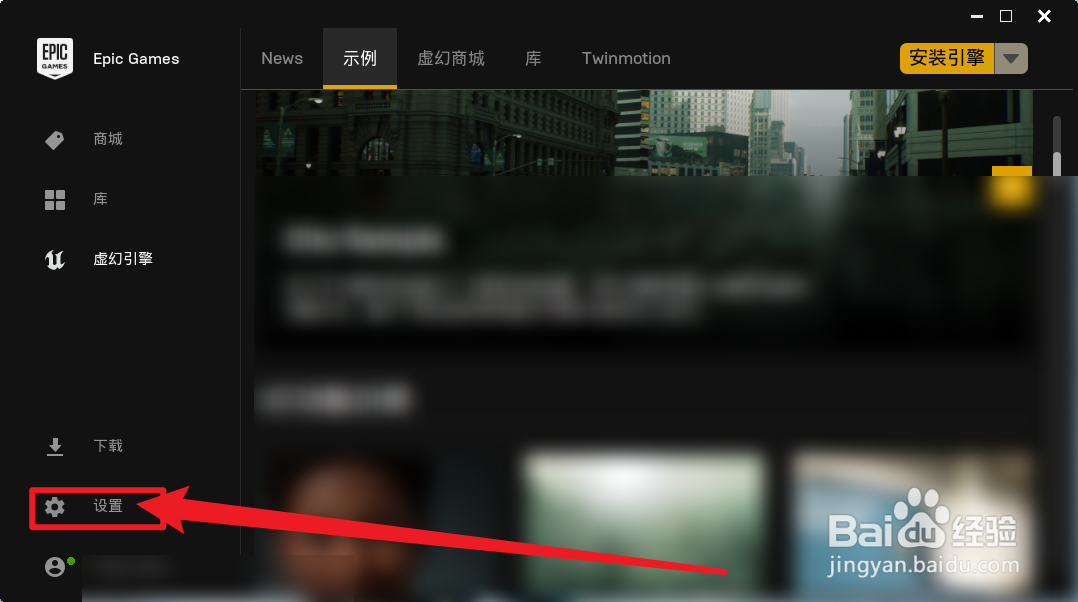
2、然后在虚幻引擎界面点击查看【设置】
3、最后,在设置界面点击【编辑保管库缓存位置】。
相关推荐
Steam下载位置怎么修改
阅读量:106
如何解决Win11安全中心驱动程序不兼容问题?
阅读量:155
steam怎么设置开机自启动
阅读量:81
win10c盘users文件夹找不到
阅读量:54
怎么让Win10在睡眠模式下继续下载东西
阅读量:96
猜你喜欢
烙饼怎么和面
光大信用卡怎么样
感冒了怎么办才好得快
口红怎么涂好看
牙髓炎怎么快速止痛
老打嗝怎么办
南方科技大学怎么样
死亡游戏怎么玩
嘌呤高怎么办
电子相册怎么做
猜你喜欢
大连海事大学怎么样
小孩积食怎么办
冬笋怎么处理
房产税怎么计算
心脏扩大是怎么回事
电脑关不了机怎么办
饥荒夏天怎么过
孕妇嗓子疼怎么办
电脑共享怎么设置
打印机碳粉怎么加