卸载Internet Explorer
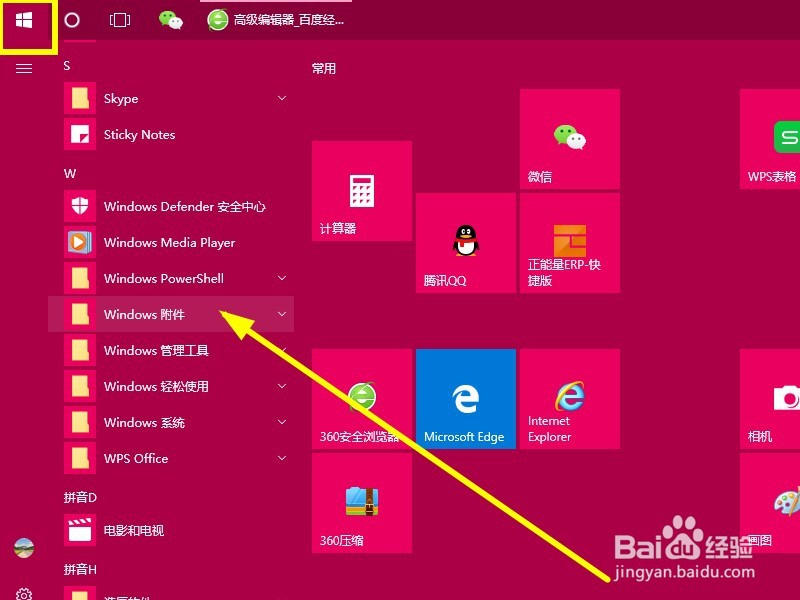
1、点击开始,找到并点击 “ Windows 附件 ”
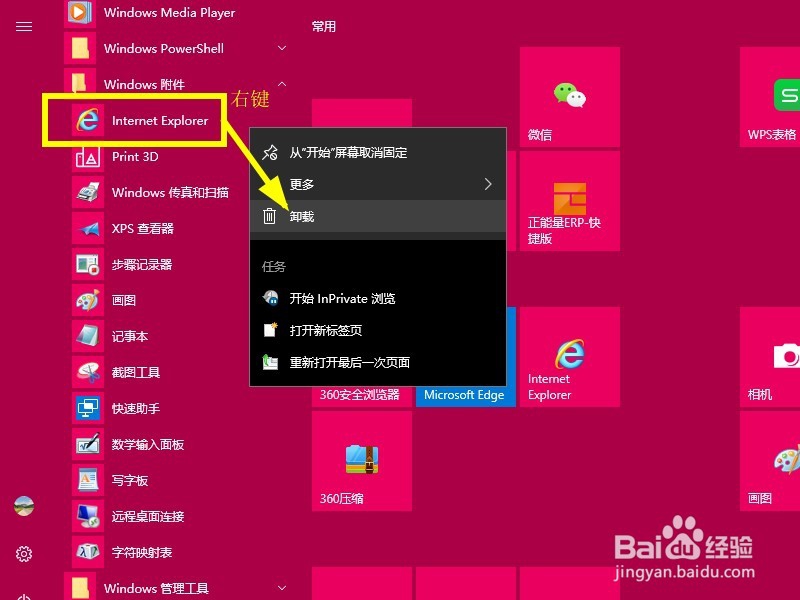
2、右键 Internet Explorer
点击 “ 卸载 ”
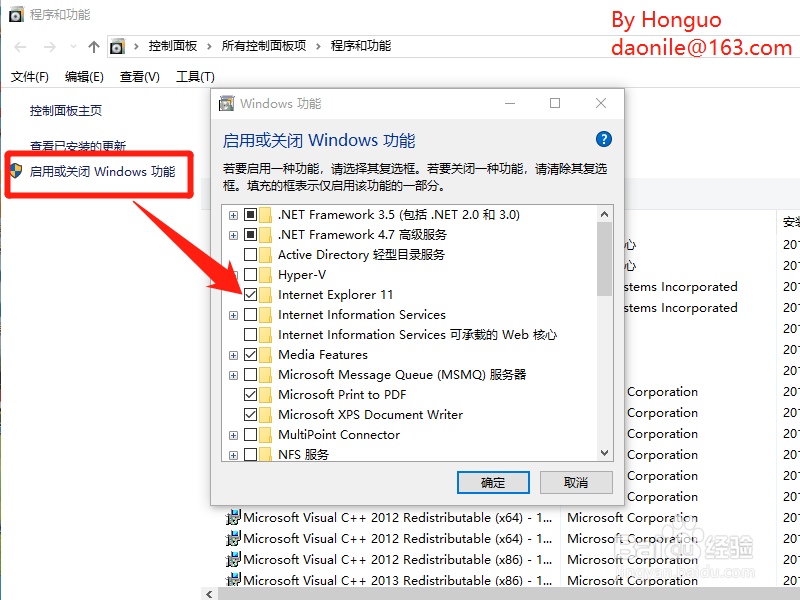
3、点左侧的 " 启用或关闭 Windows 功能 "
去掉 Internet Explorer 前面的 √
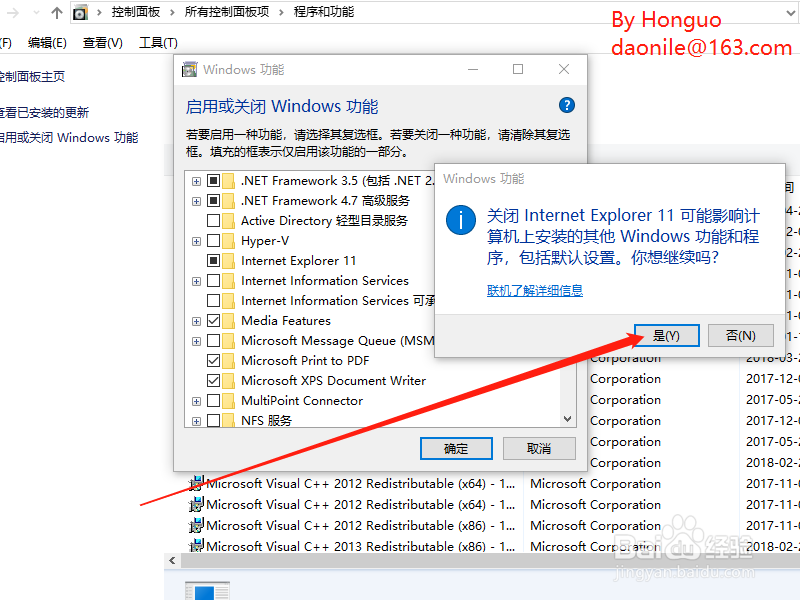
是→确认 很快就卸载了
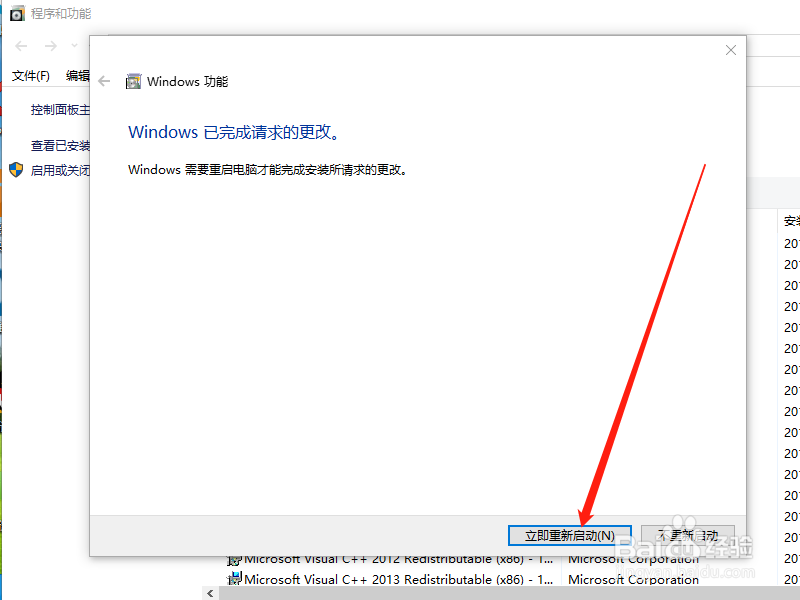
4、重启或下次开机之后,Internet Explorer就没有了。
阅读量:24
阅读量:50
阅读量:125
阅读量:118
阅读量:30
1、点击开始,找到并点击 “ Windows 附件 ”
2、右键 Internet Explorer
点击 “ 卸载 ”
3、点左侧的 " 启用或关闭 Windows 功能 "
去掉 Internet Explorer 前面的 √
是→确认 很快就卸载了
4、重启或下次开机之后,Internet Explorer就没有了。