office 2016如何隐藏excel功能区
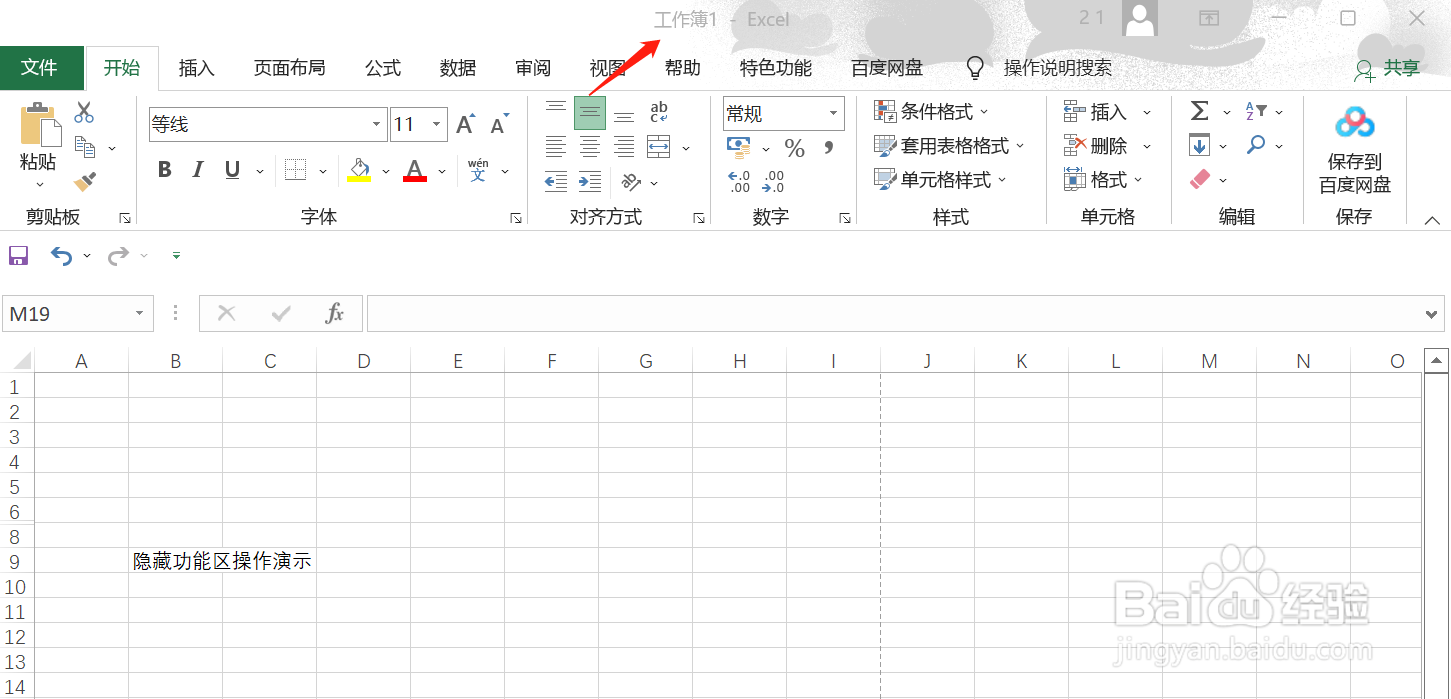
1、打开excel
打开要隐藏功能区的excel
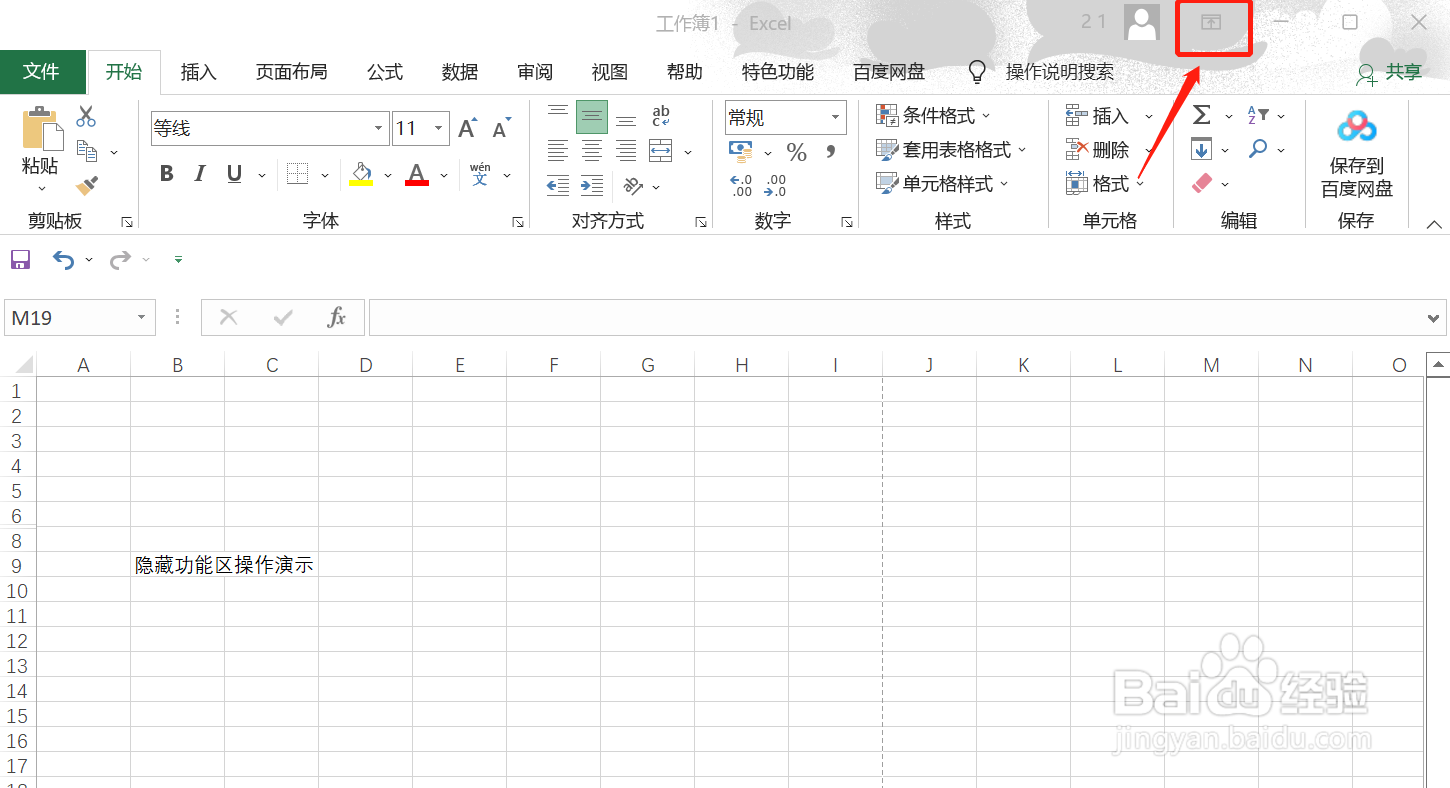
2、点击头像右侧的上箭头
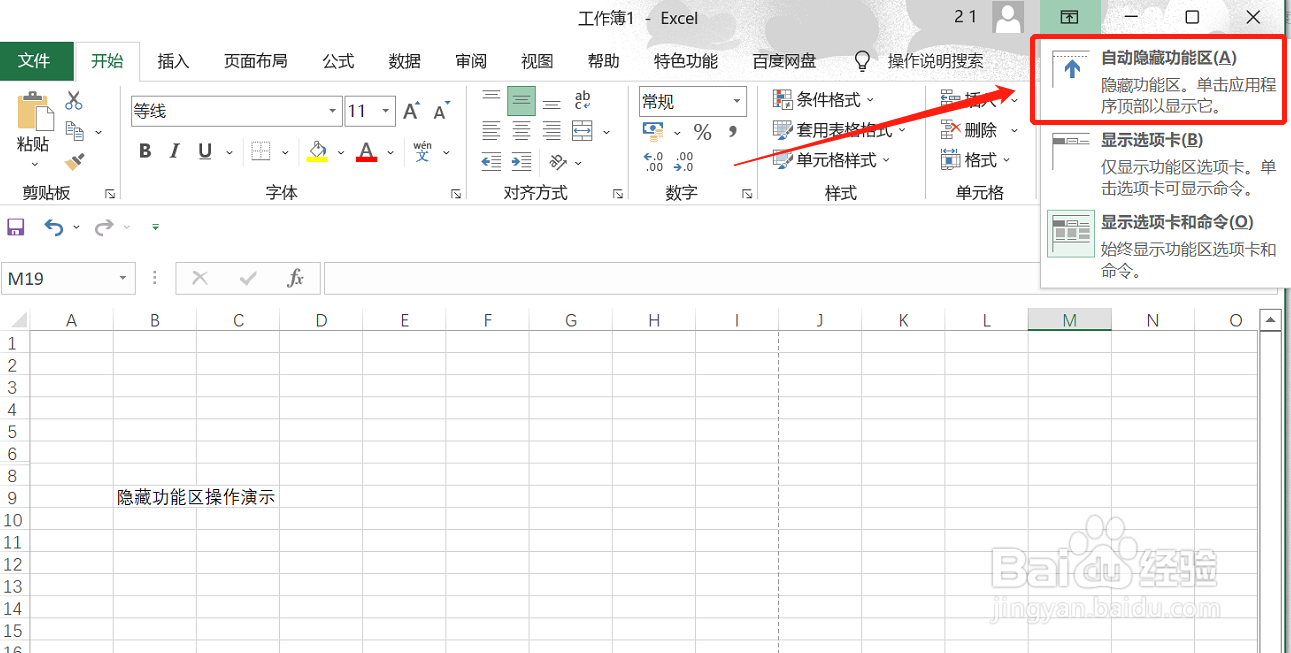
3、点击自动隐藏功能区
点击第一个选项,自动隐藏功能区
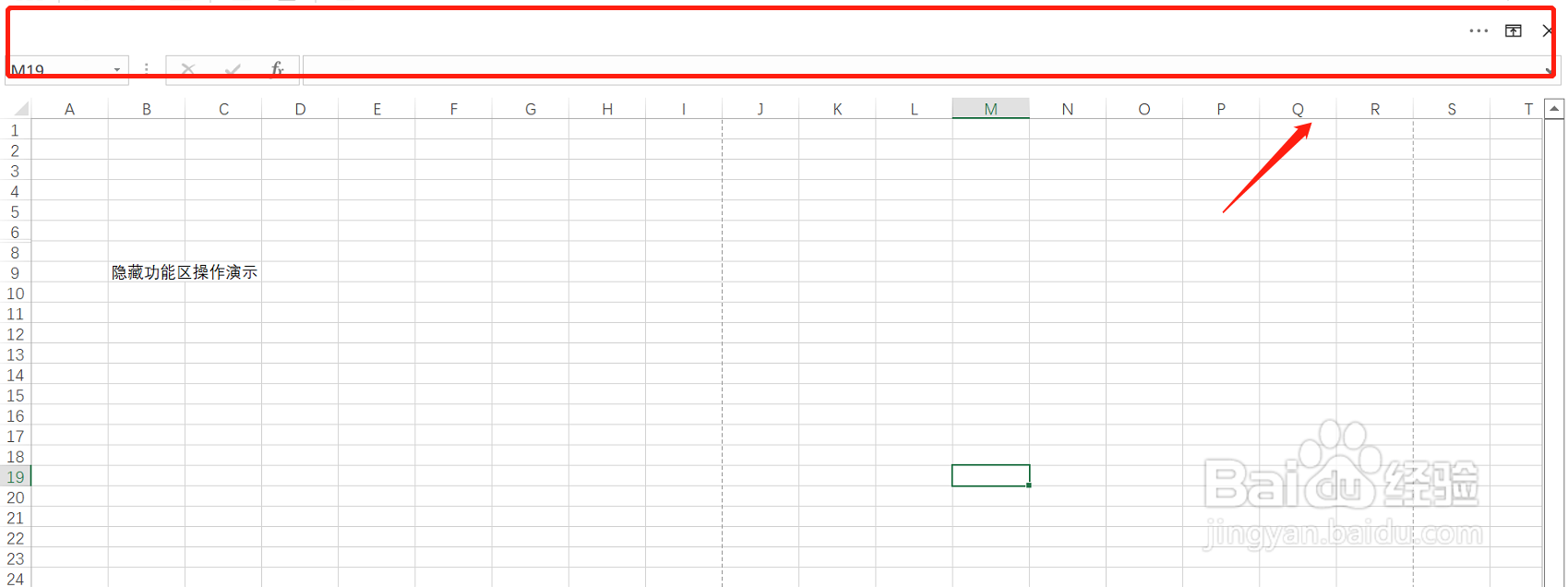
4、功能区被隐藏
完成操作,可以看到excel的功能区都被隐藏起来了
阅读量:51
阅读量:144
阅读量:109
阅读量:179
阅读量:69
1、打开excel
打开要隐藏功能区的excel
2、点击头像右侧的上箭头
3、点击自动隐藏功能区
点击第一个选项,自动隐藏功能区
4、功能区被隐藏
完成操作,可以看到excel的功能区都被隐藏起来了