Adobe Illustrator怎么设置出血尺寸?
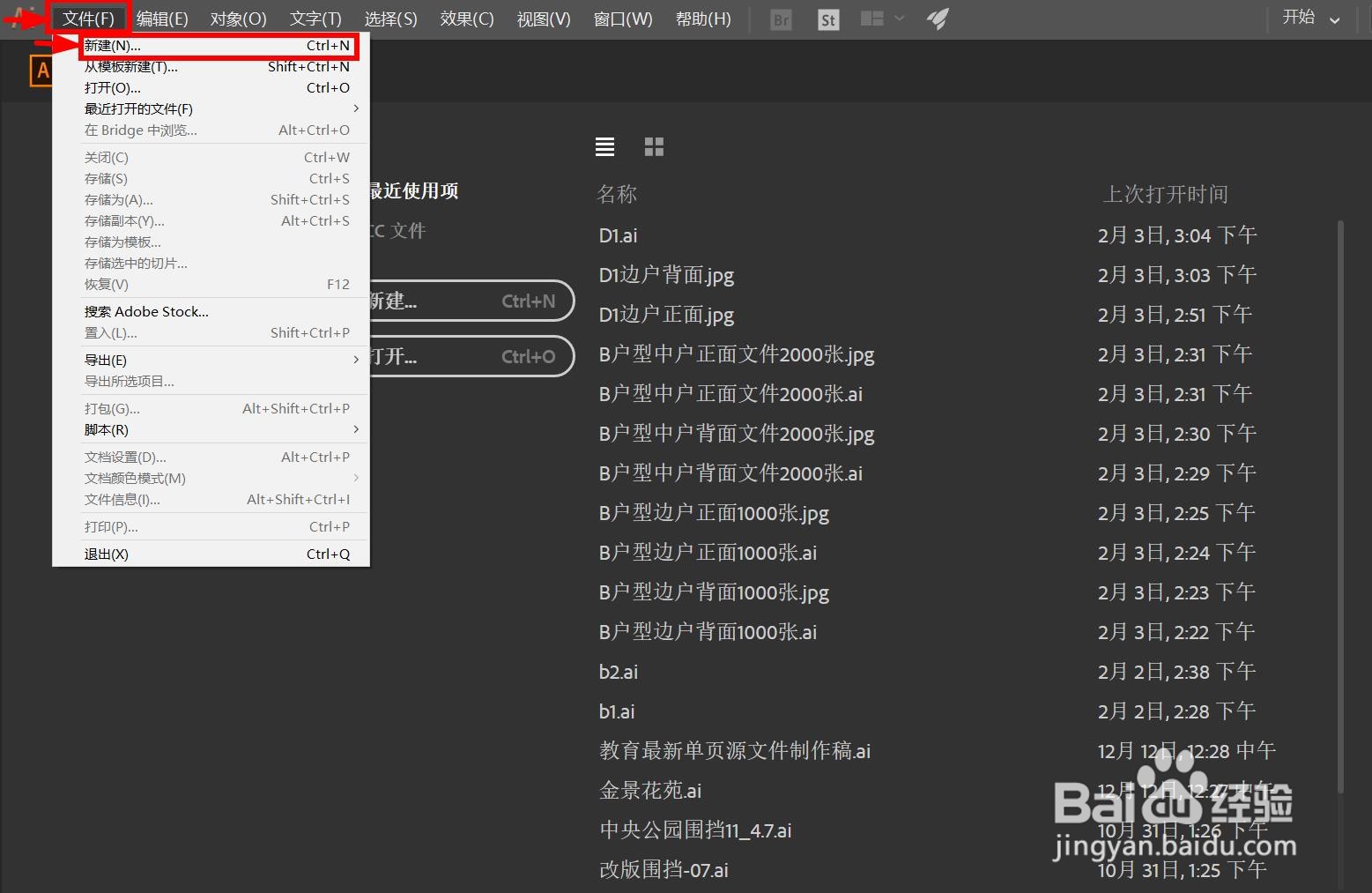
1、第一步,点击菜单栏中的【文件】按钮,选择【新建】选项
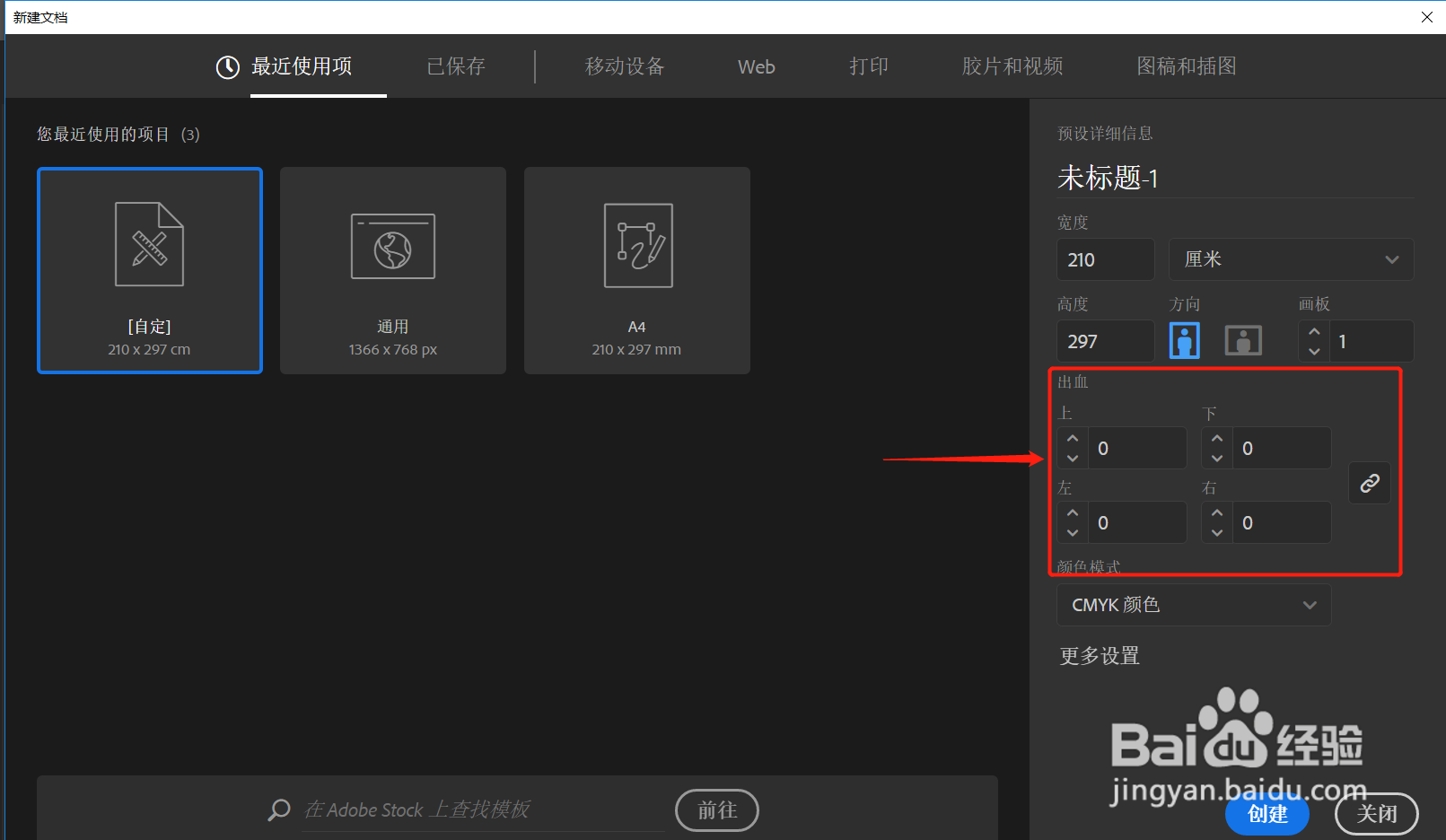
2、第二步,在对话框中输入需要设置的出血尺寸。
环节注意事项:上下左右出血尺寸数据为0.5CM。
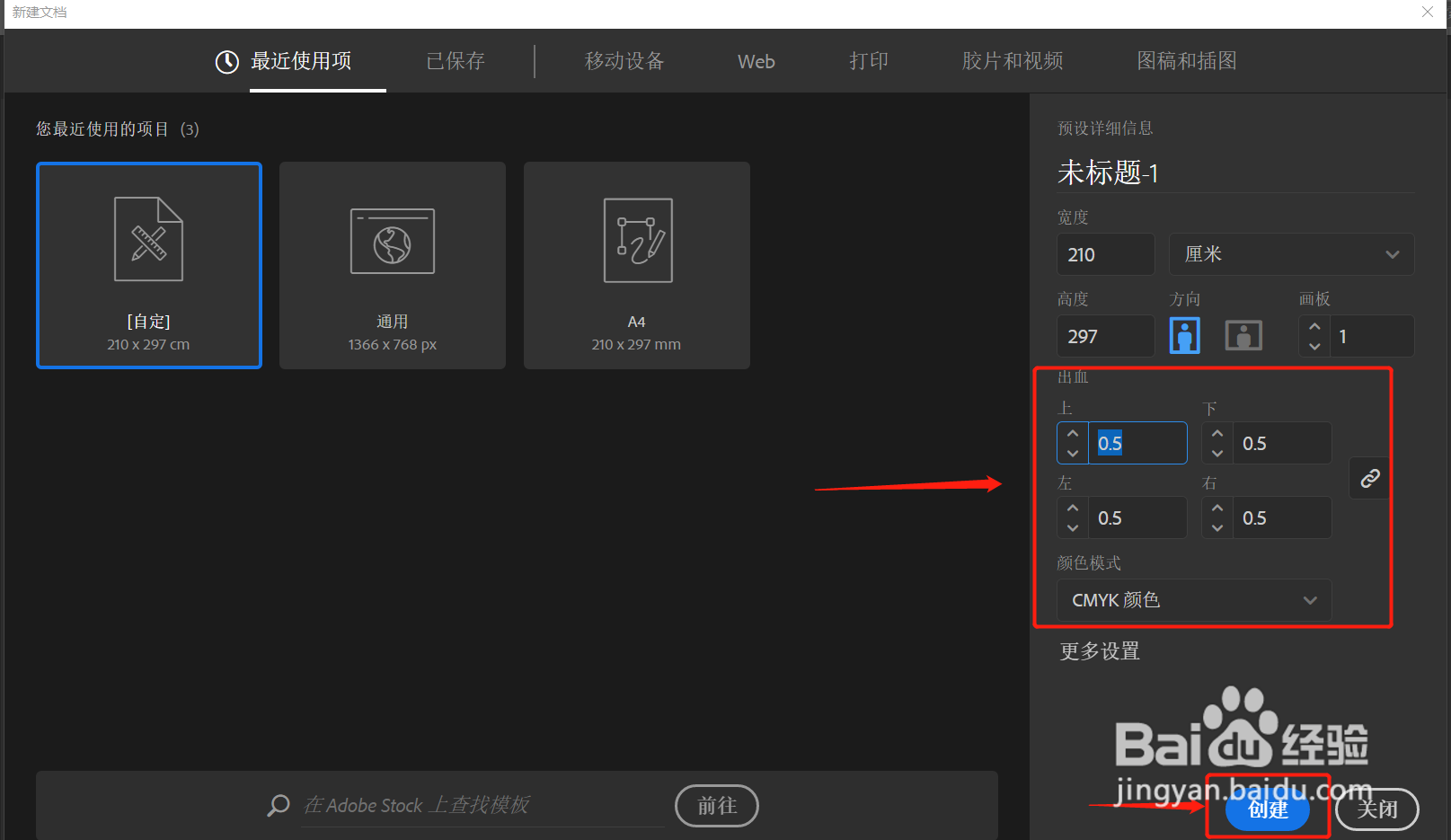
3、第三步,点击【创建】就可以了。
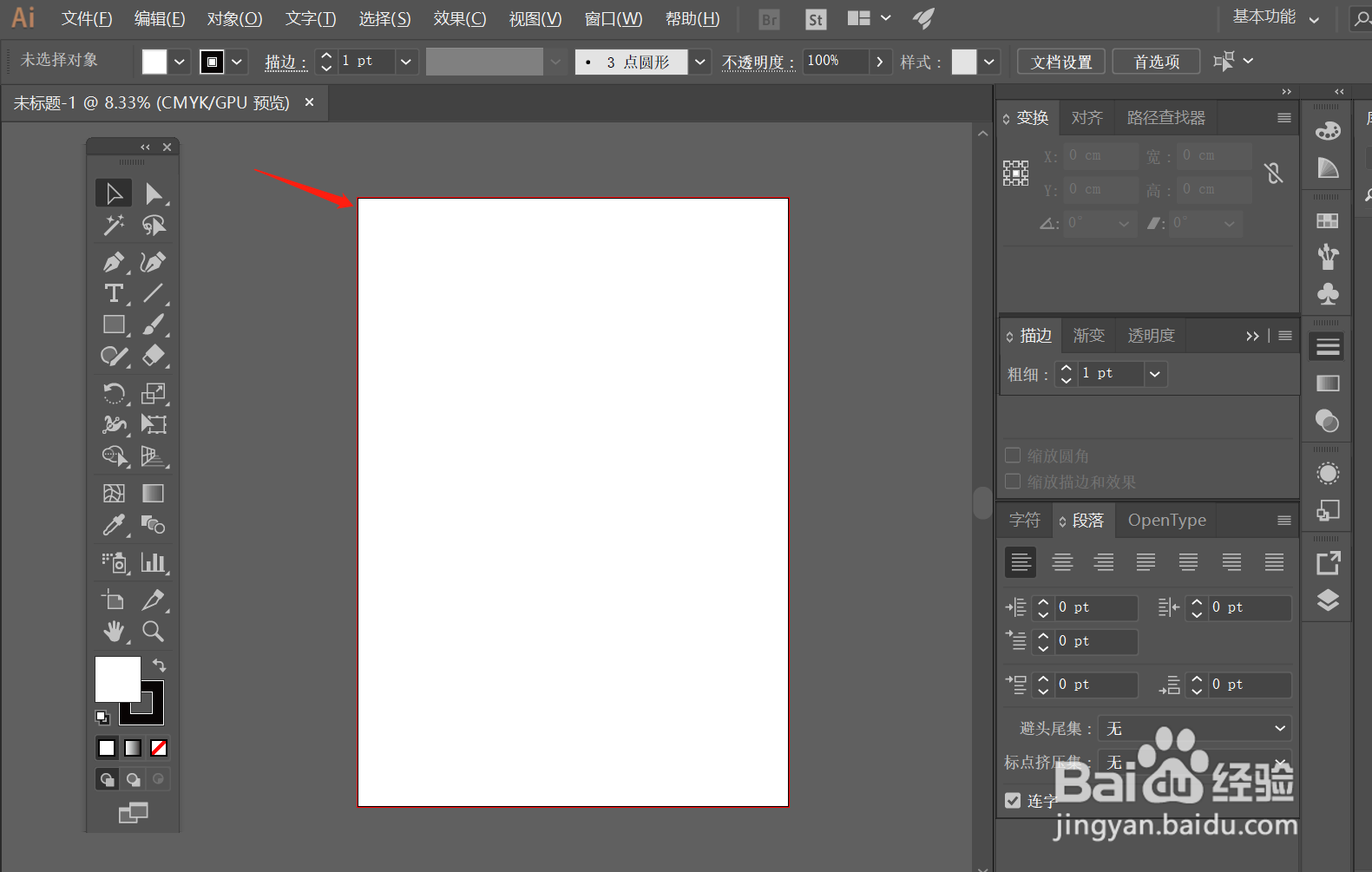
环节注意事项:出血尺寸会通过红色线条明显。

1、第一步,点击菜单栏中的【文件】按钮,选择【新建】选项
2、第二步,在对话框中输入需要设置的出血尺寸。
环节注意事项:上下左右出血尺寸数据为0.5CM。
3、第三步,点击【创建】就可以了。
环节注意事项:出血尺寸会通过红色线条明显。