notepad++设置Celtic编码格式?
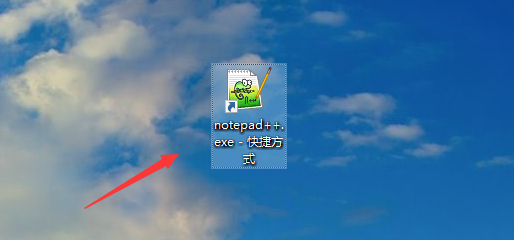
1、点击打开“notepad++”。
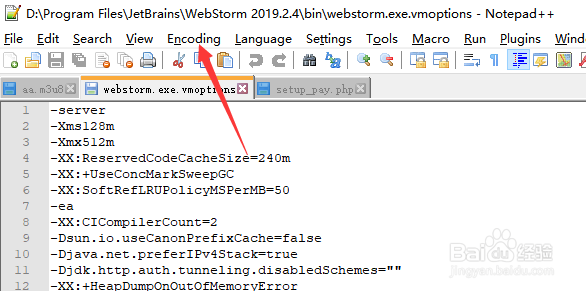
2、点击“Encoding”。
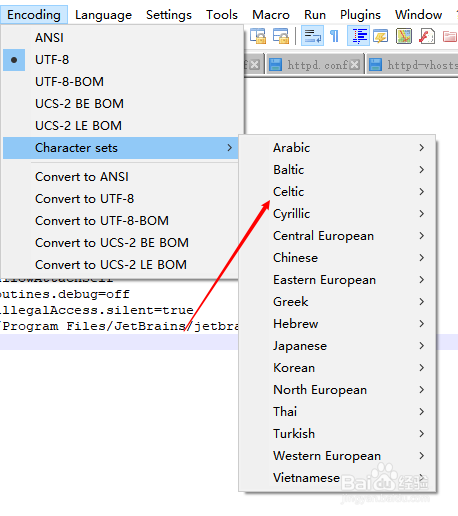
3、点击“character sets”

4、点击“Celtic”。
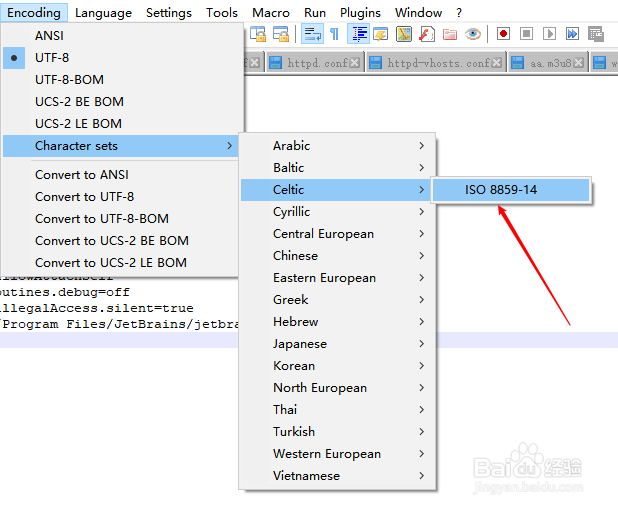
5、点击“ISO 8859-14”。
6、总结:
1、打开【notepad++】。
2、点击“Encoding”。
3、选择“编码格式”
4、点击“Celtic”。
5、点击“ISO 8859-14”。
阅读量:59
阅读量:94
阅读量:62
阅读量:29
阅读量:156
1、点击打开“notepad++”。
2、点击“Encoding”。
3、点击“character sets”
4、点击“Celtic”。
5、点击“ISO 8859-14”。
6、总结: