Auto CAD比例尺怎么设置

2026-02-15 12:30:15

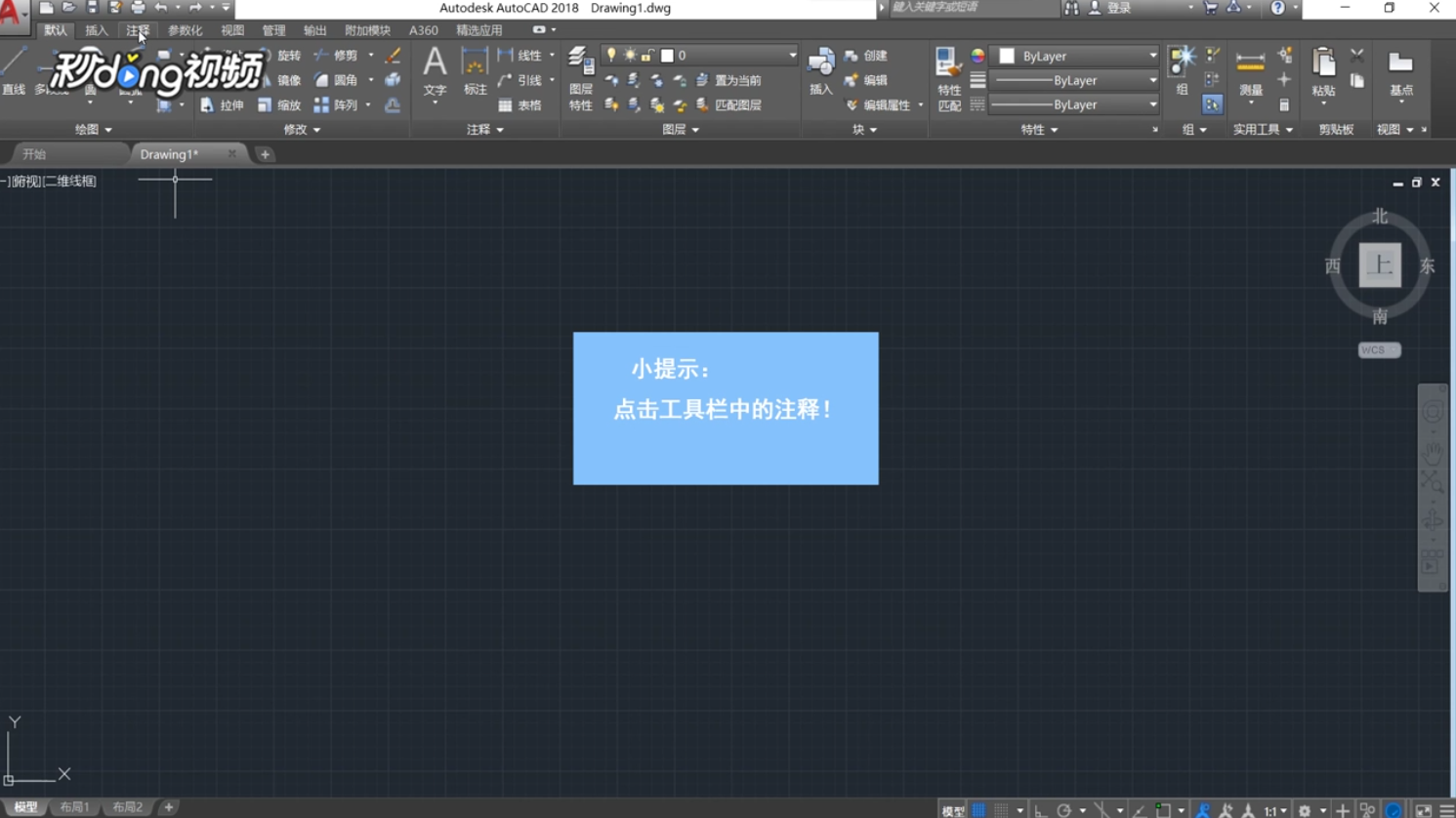
1、打开CAD软件,点击工具栏中的“注释”。

Auto CAD比例尺怎么设置

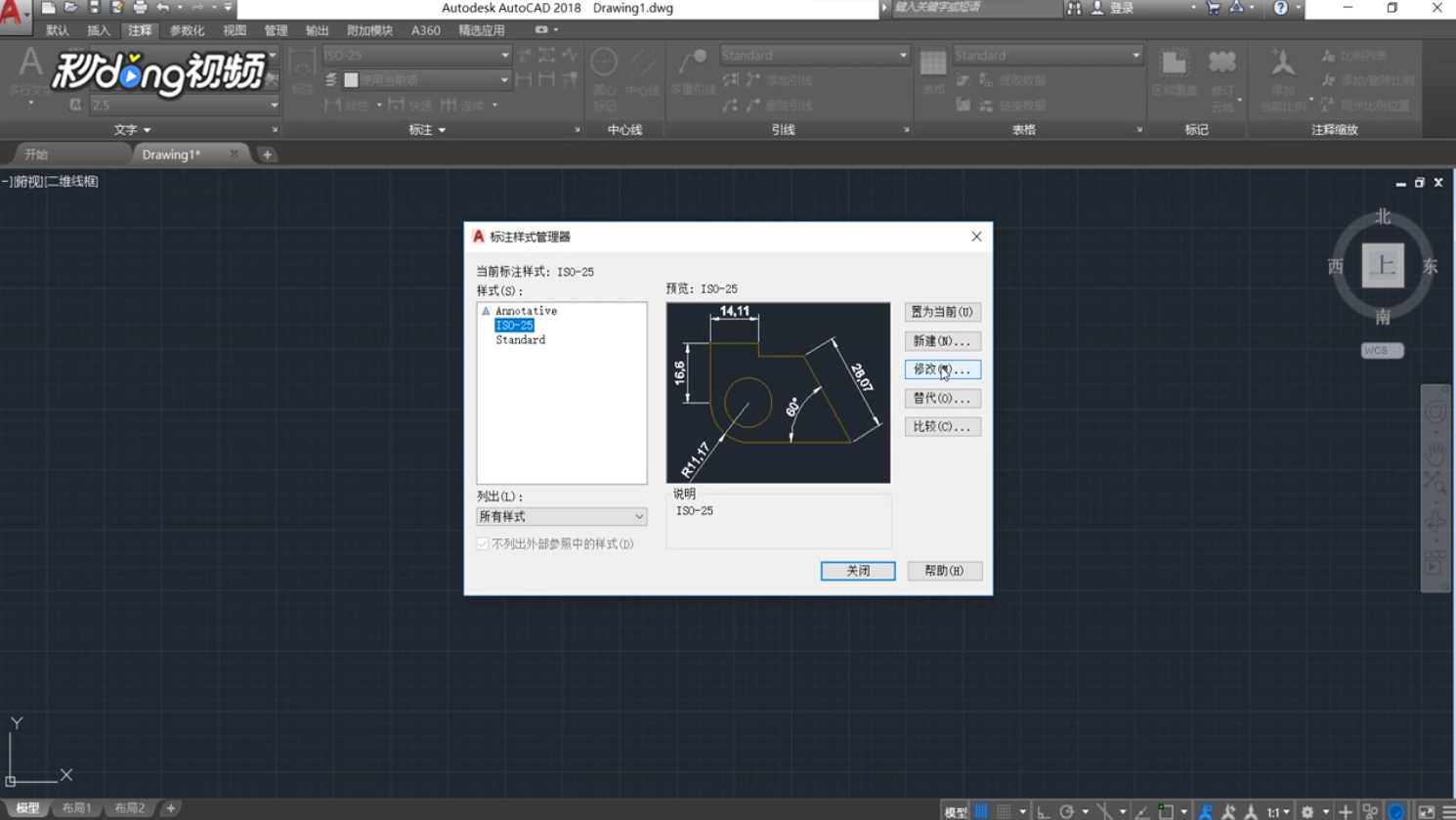
2、点击“标注”右下角的箭头,点击“修改”。

Auto CAD比例尺怎么设置

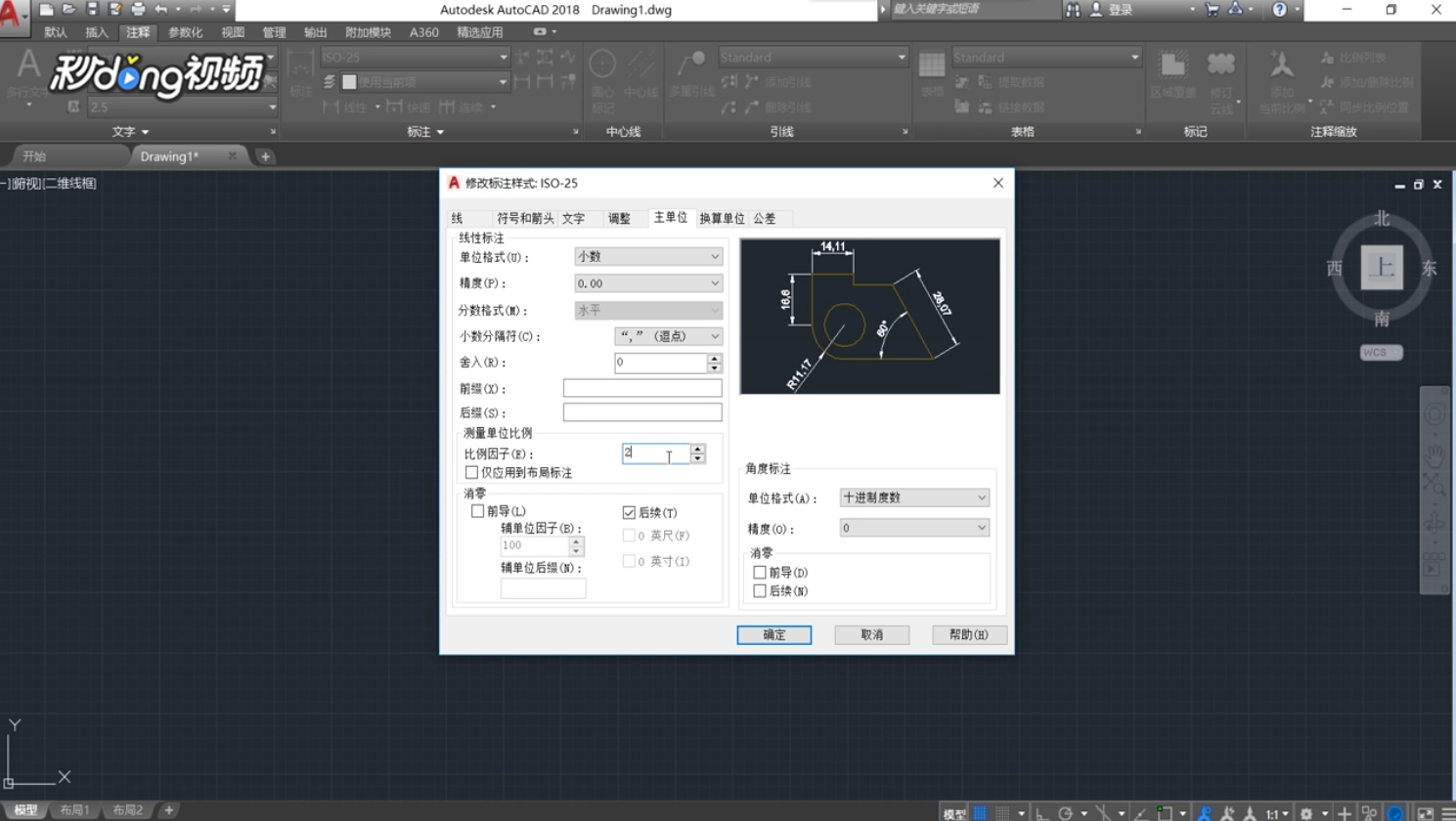
3、找到“比例因子”,系统默认为1,修改为2。

Auto CAD比例尺怎么设置

4、点击“确定”,点击“置为当前”,点击“关闭”,关闭窗口即可。

Auto CAD比例尺怎么设置

相关推荐
  • 阅读量:87
  • 阅读量:132
  • 阅读量:112
  • 阅读量:128
  • 阅读量:150
  • 猜你喜欢