如何在 Windows 10 中启动 Internet Explorer
1、方法一:点击任务栏搜索框,输入IE,点击搜索结果打开 Internet Explorer。

2、方法二:点击开始按钮,在菜单中选择Windows 附件>Internet Explorer。

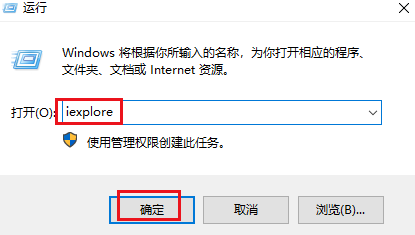
3、方法三:按 Windows 键 + R 打开"运行"框。键入iexplore,然后按 Enter 键。这将快速打开 Internet Explorer。
阅读量:110
阅读量:67
阅读量:138
阅读量:179
阅读量:167