Win7如何解决电脑桌面图标不停刷新闪烁
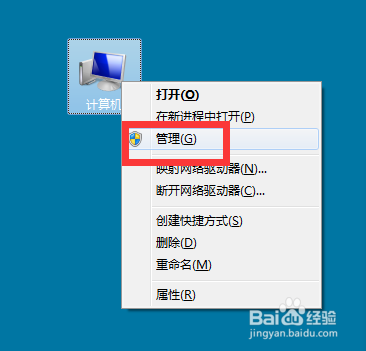
1、在计算机上右击,点击管理。
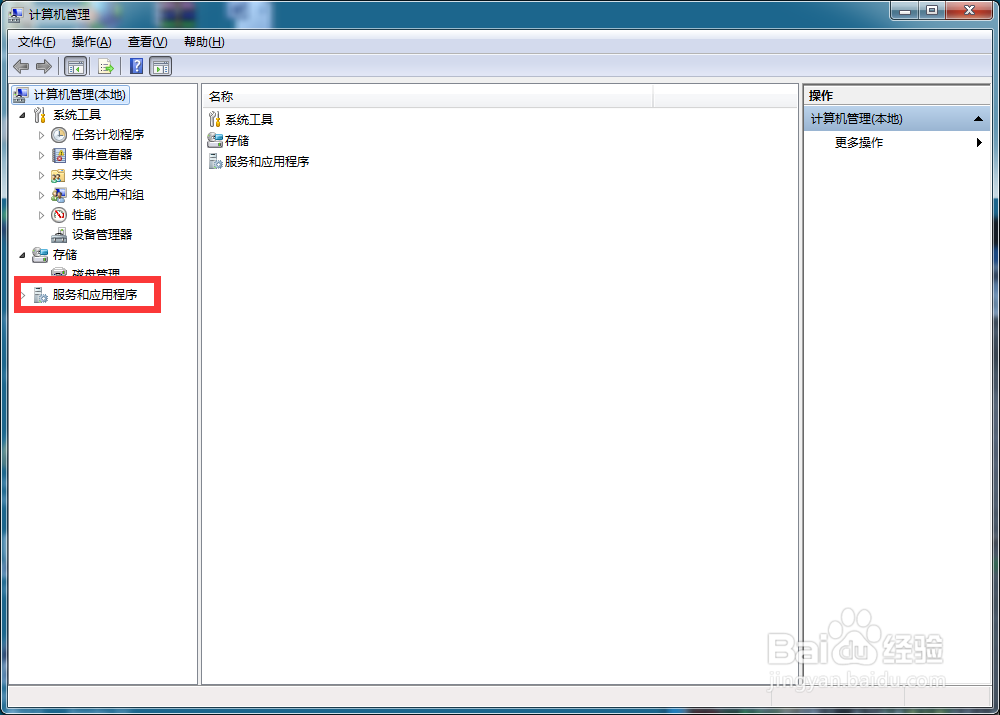
2、弹出对话框,展开服务和应用程序。
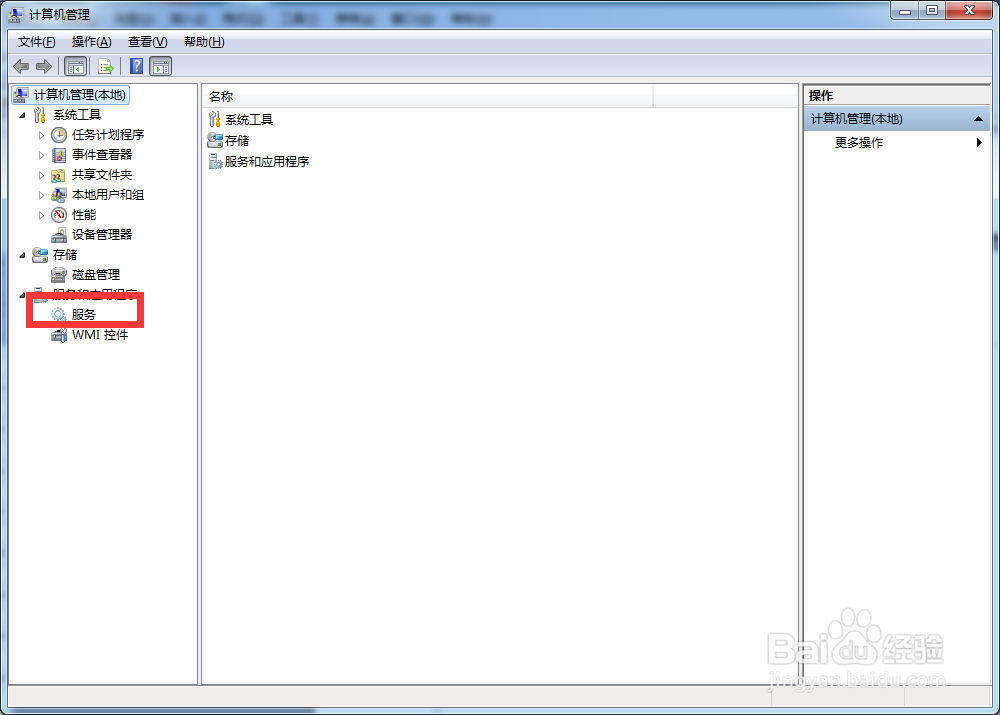
3、选中服务。
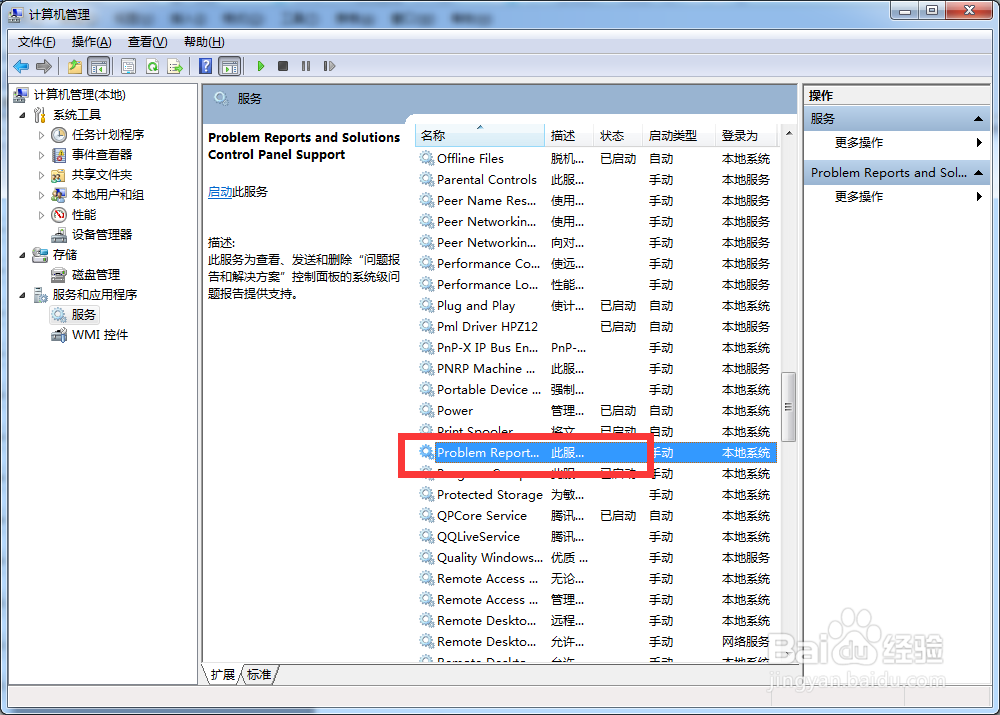
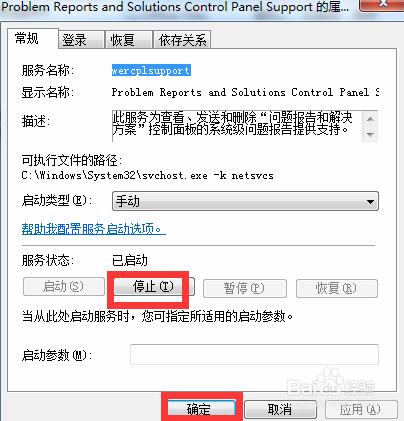
4、在右侧找到Problem Reports and Solutions Control Panel Support,双击打开。
5、点击停止,确定。
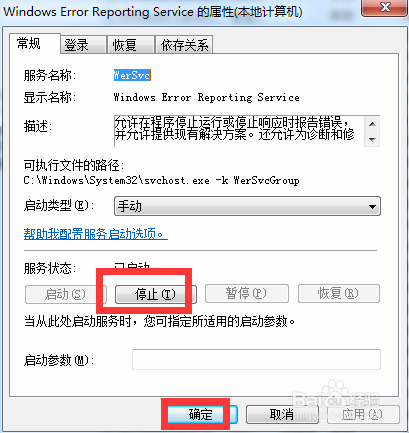
6、再找到Windows Error Reporting Service服务,点击停止,点击确定,设置完成。
阅读量:185
阅读量:192
阅读量:176
阅读量:55
阅读量:195
1、在计算机上右击,点击管理。
2、弹出对话框,展开服务和应用程序。
3、选中服务。
4、在右侧找到Problem Reports and Solutions Control Panel Support,双击打开。
5、点击停止,确定。
6、再找到Windows Error Reporting Service服务,点击停止,点击确定,设置完成。