Windows 7怎样创建新的电源计划
1、单击“开始”菜单,单击“控制面板”
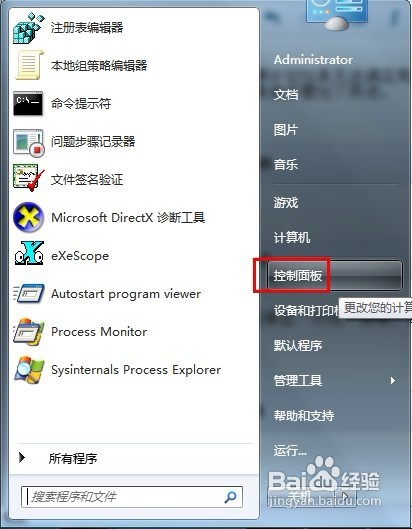
2、在控制面板中单击“电源选项”

3、左侧的蓝色区域单击“创建电源计划”
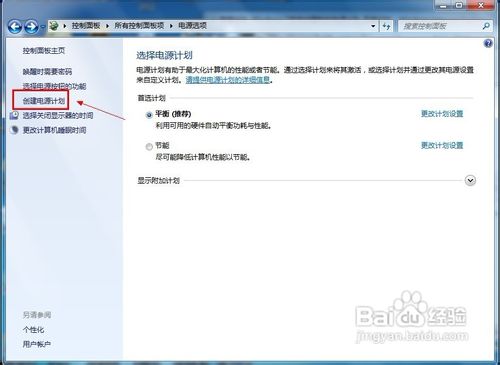
4、选择电源计划,单击“下一步”继续
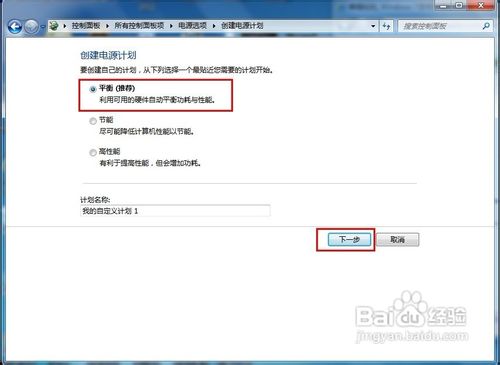
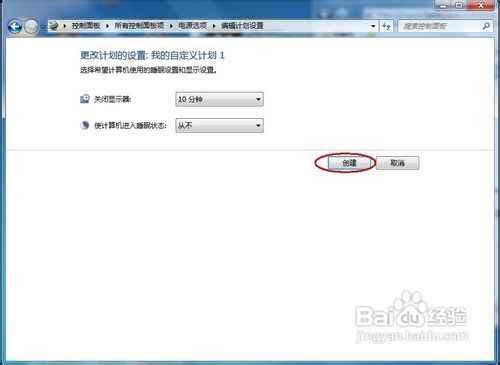
5、选择关闭显示器和使计算机进入睡眠状态的设置,单击“创建”按钮
阅读量:142
阅读量:185
阅读量:137
阅读量:180
阅读量:112
1、单击“开始”菜单,单击“控制面板”
2、在控制面板中单击“电源选项”
3、左侧的蓝色区域单击“创建电源计划”
4、选择电源计划,单击“下一步”继续
5、选择关闭显示器和使计算机进入睡眠状态的设置,单击“创建”按钮