Foxmail邮箱怎么设置使用地址簿姓名?
1、第一步,下载一个Foxmail;
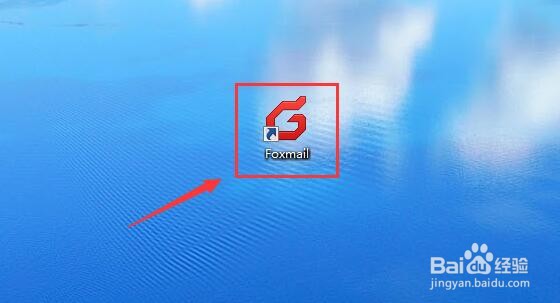
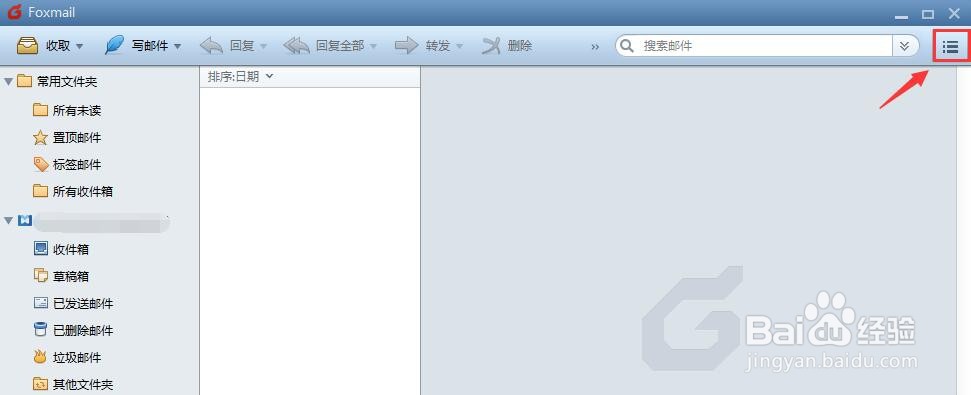
2、第二步,进入Foxmail首页点击右侧设置图标;
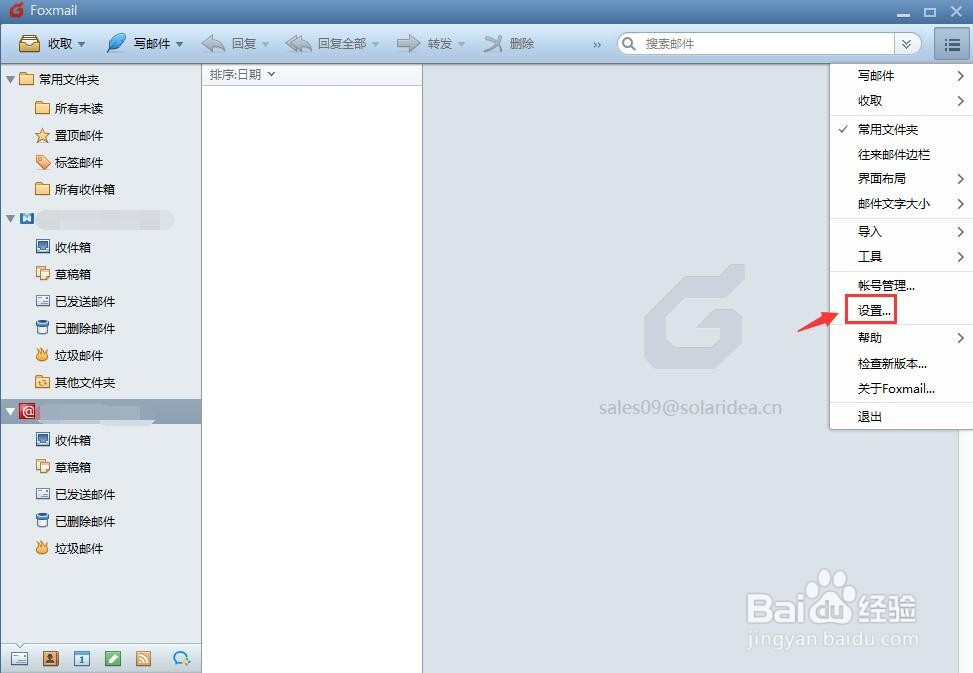
3、第三步,在如下图弹出菜单中选择“设置”进入;
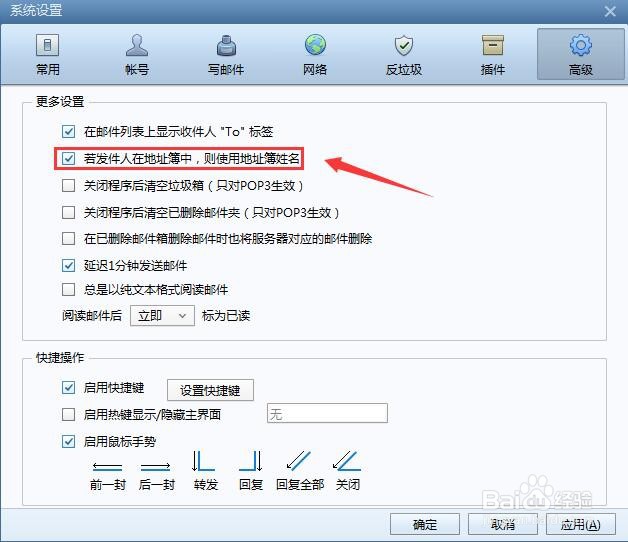
4、第四步,如下图所示进入系统设置页面-高级;
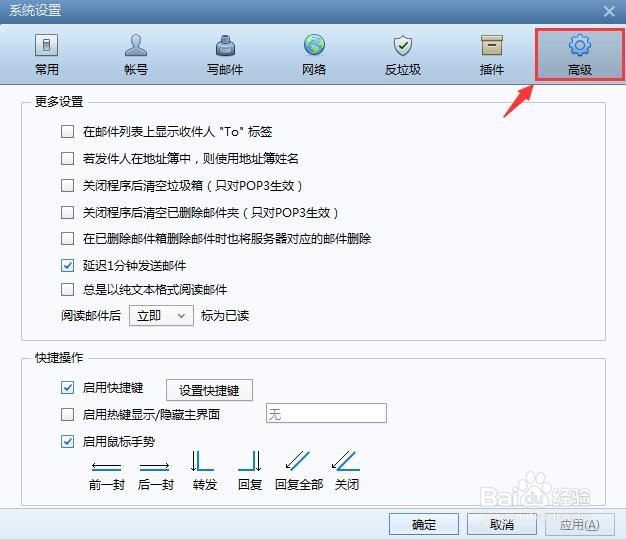
5、第五步,勾选使用地址簿姓名;
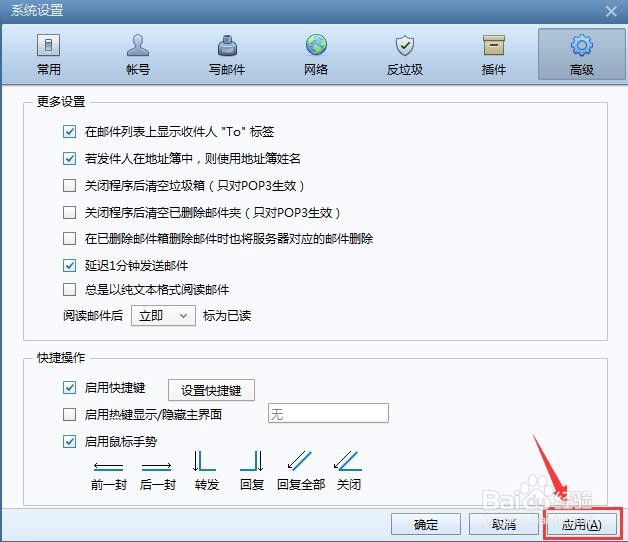
6、第六步,如下图所示,点击下方应用即可设置成功。
阅读量:192
阅读量:154
阅读量:137
阅读量:77
阅读量:24
1、第一步,下载一个Foxmail;
2、第二步,进入Foxmail首页点击右侧设置图标;
3、第三步,在如下图弹出菜单中选择“设置”进入;
4、第四步,如下图所示进入系统设置页面-高级;
5、第五步,勾选使用地址簿姓名;
6、第六步,如下图所示,点击下方应用即可设置成功。