如何在SecureCRT设置缓存区允许滚动的列数
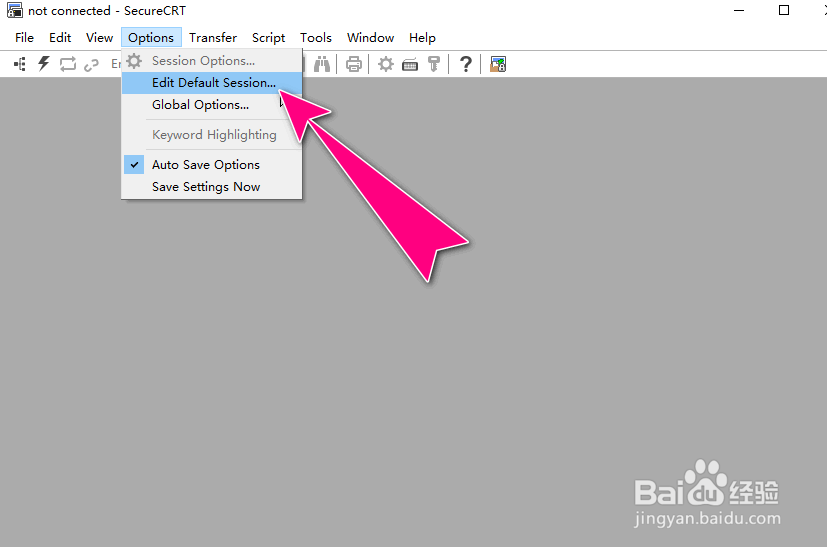
1、进入到"SecureCRT"的操作主界面窗口。

2、选择"Options"->"Edit Default Session..."菜单选项。
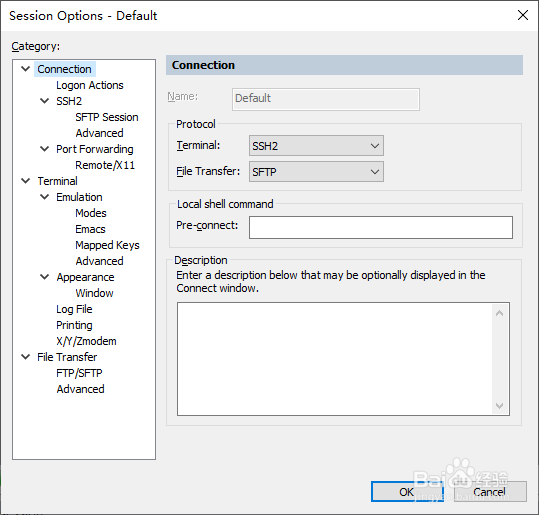
3、之后,会弹出"Session Options-Default"操作对话框。
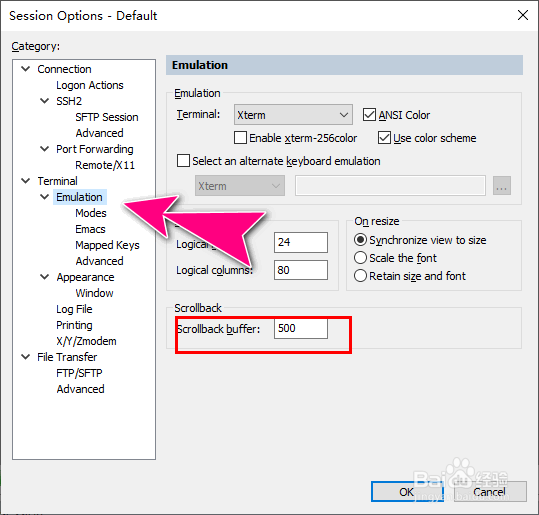
4、选择"Emulation"菜单栏,默认情况下, "Scrollback buffer"参数值是"500行"。
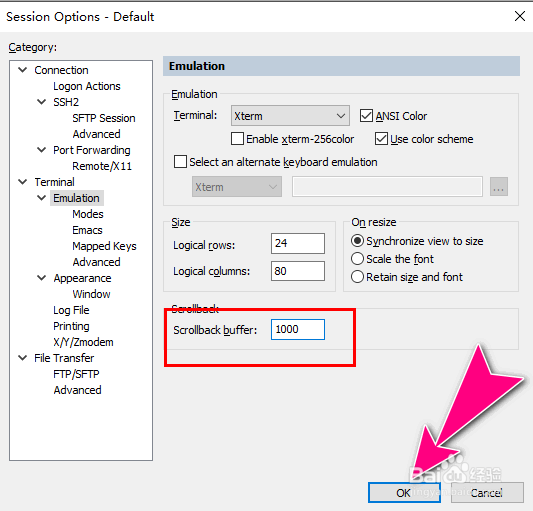
5、自定义Scrollback buffer缓存区大小,再点击"OK"按钮应用生效。
阅读量:184
阅读量:106
阅读量:82
阅读量:32
阅读量:36