procreate怎么抠图透明背景
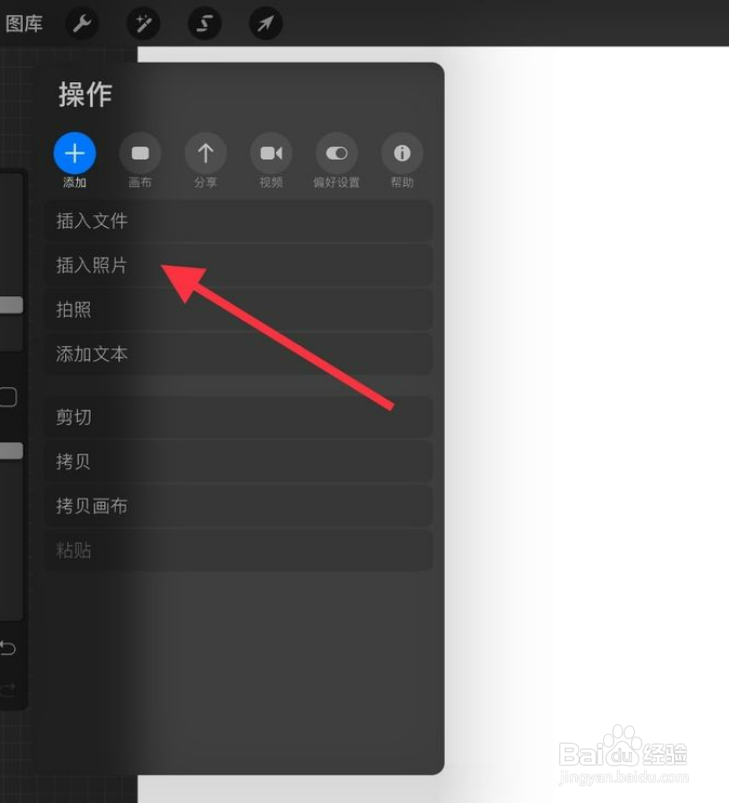
1、打开软件,点击操作--插入照片,选取需要抠图的照片导入进来.
2、选择上方的S标记,下方选择手绘,将人物边缘画出来;

3、在下方选择添加;选择复制内容。


4、选择上方的箭头,也就是移动工具;将人物移出来,就看到人物抠出来了。


阅读量:30
阅读量:45
阅读量:159
阅读量:156
阅读量:101
1、打开软件,点击操作--插入照片,选取需要抠图的照片导入进来.
2、选择上方的S标记,下方选择手绘,将人物边缘画出来;
3、在下方选择添加;选择复制内容。
4、选择上方的箭头,也就是移动工具;将人物移出来,就看到人物抠出来了。