一点经验网
首页
美食营养
生活百科
知识问答
生活知识
返回
一点经验网
首页
美食营养
游戏数码
手工爱好
生活知识
生活百科
健康养生
运动户外
职场理财
情感交际
母婴教育
时尚美容
知识问答
更多知识
搜索
iPhone日历提醒铃声选定为按键铃声
2026-04-21 17:31:15
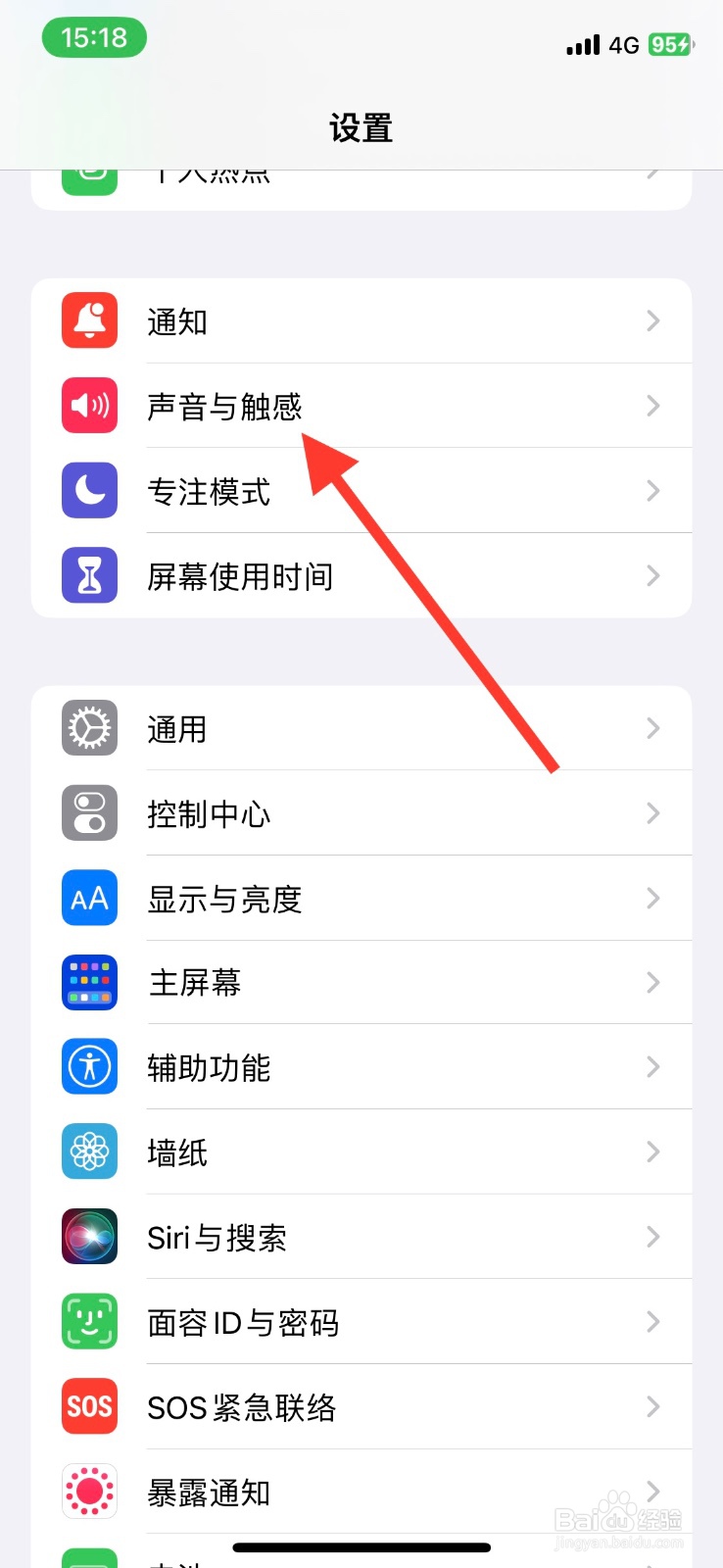
1、手机iPhone【设置】页面,下滑点击【声音与触感】。
2、【声音与触感】显示页面,下滑点击【日历提醒】。
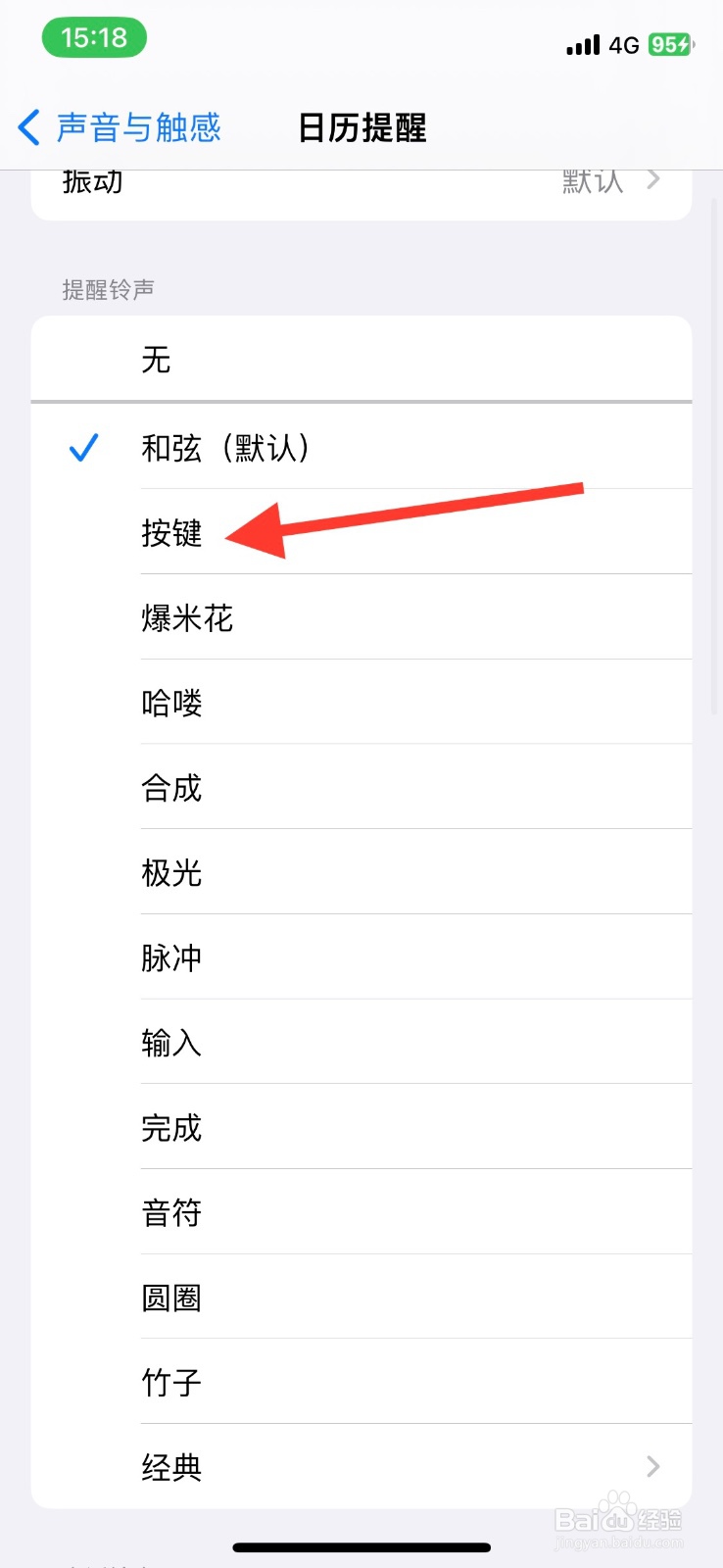
3、最后显示页面下滑找到【按键】铃声,点击选定此铃声。
相关推荐
手机iPhone日历提醒更改为“按键”铃声
阅读量:49
iphone手机在哪设置铃声和提醒不受按键影响?
阅读量:87
手机iPhone日历提醒更改为“哈喽”铃声
阅读量:177
iPhone“日历提醒”铃声设定为“脉冲”
阅读量:33
iphone自定义闹钟铃声
阅读量:195
猜你喜欢
植物大战僵尸无尽版攻略
苏州三山岛旅游攻略
武汉户部巷小吃攻略
健康减肥早餐
怎么丰胸效果好
脸上有红血丝怎么回事
仙三攻略
面瘫后遗症怎么治疗
轻微烫伤怎么办
周佛海简介
猜你喜欢
花茶搭配
攻城掠地潼关之战攻略
岳飞传攻略
孕妇感冒头疼怎么办
法语我爱你怎么读
凝光圣遗物及武器搭配
红警2攻略
田老师红烧肉官网
减肥计划月瘦20斤
西安自驾游攻略