如何为SharpDevelop更换代码高亮黑色背景
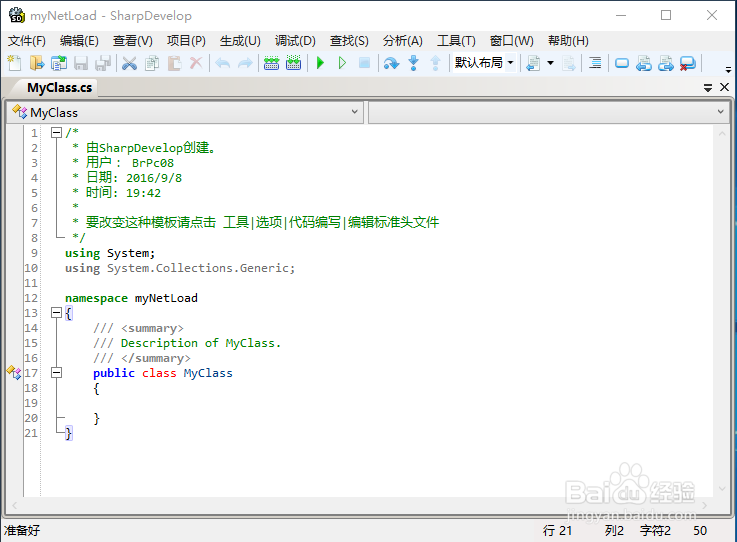
1、打开SharpDevelop,我们可以看到默认背景是白色的。
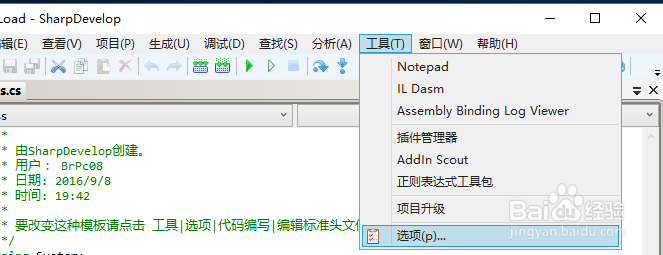
2、点击菜单中的工具->选项
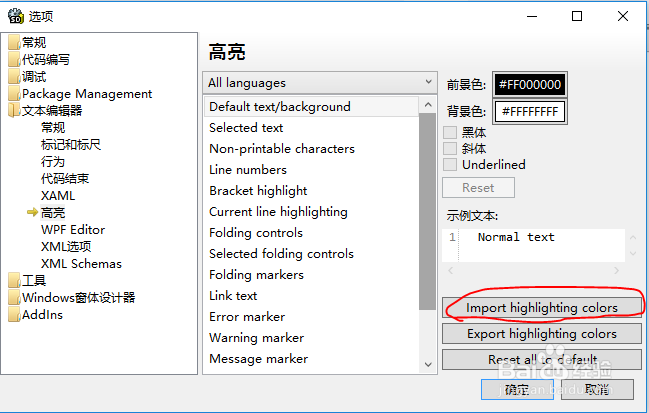
3、找到文本编辑器->高亮。点击Import highlighting colors.
导入下载好的son-of-obsidian.vssettings,这是Visual Studio系列的背景和高亮设置文件。
请自行搜索下载。
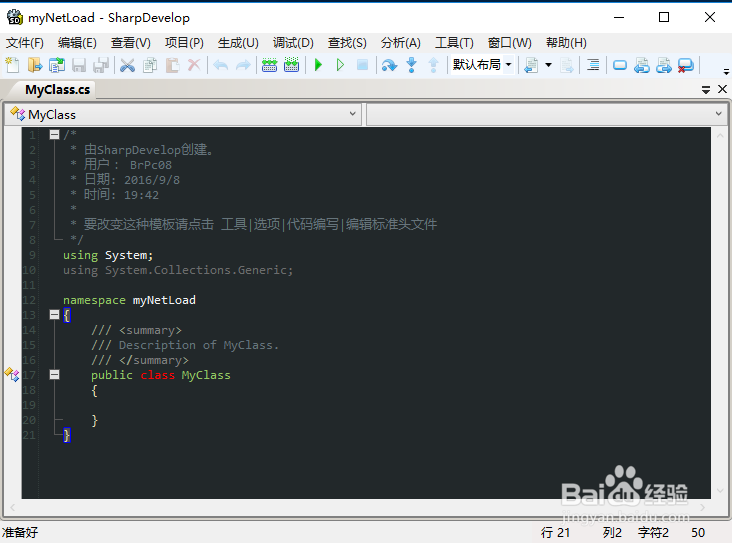
4、成功。
阅读量:85
阅读量:32
阅读量:103
阅读量:195
阅读量:163
1、打开SharpDevelop,我们可以看到默认背景是白色的。
2、点击菜单中的工具->选项
3、找到文本编辑器->高亮。点击Import highlighting colors.
导入下载好的son-of-obsidian.vssettings,这是Visual Studio系列的背景和高亮设置文件。
请自行搜索下载。
4、成功。