一点经验网
首页
美食营养
生活百科
知识问答
生活知识
返回
一点经验网
首页
美食营养
游戏数码
手工爱好
生活知识
生活百科
健康养生
运动户外
职场理财
情感交际
母婴教育
时尚美容
知识问答
更多知识
搜索
win10提示音响个不停
2026-04-21 23:51:26
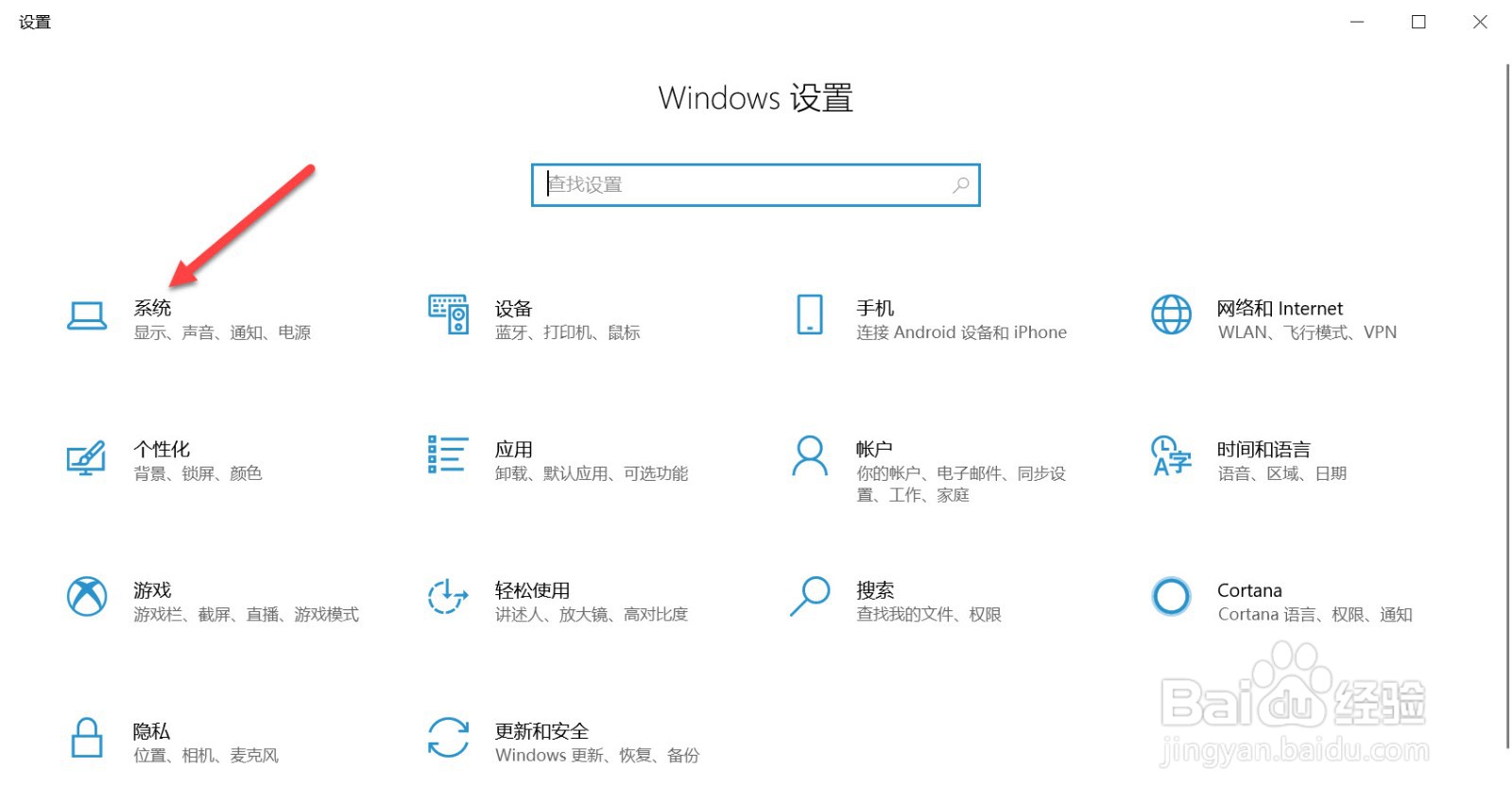
1、打开电脑设置,点击系统。
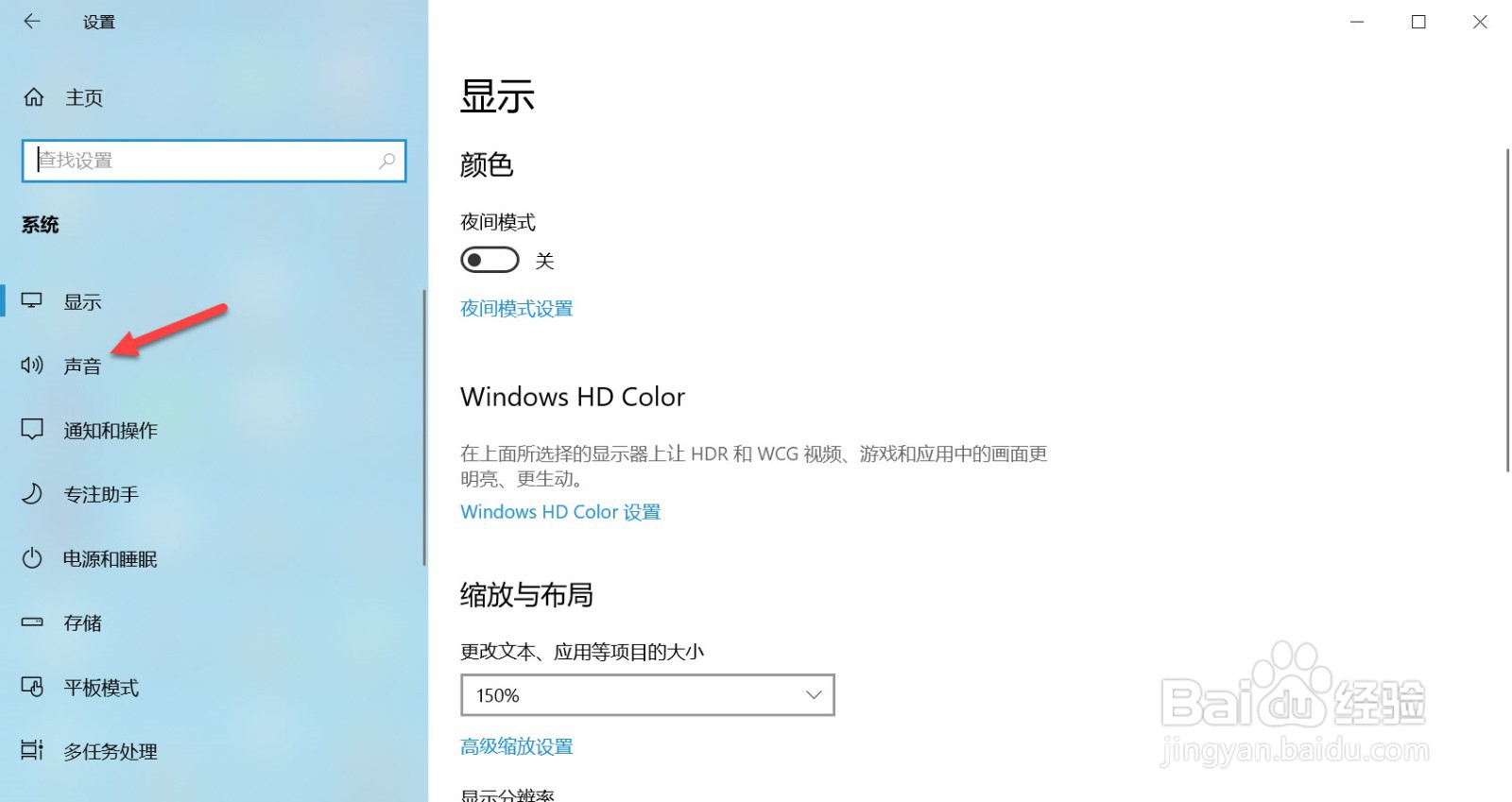
2、点击声音。
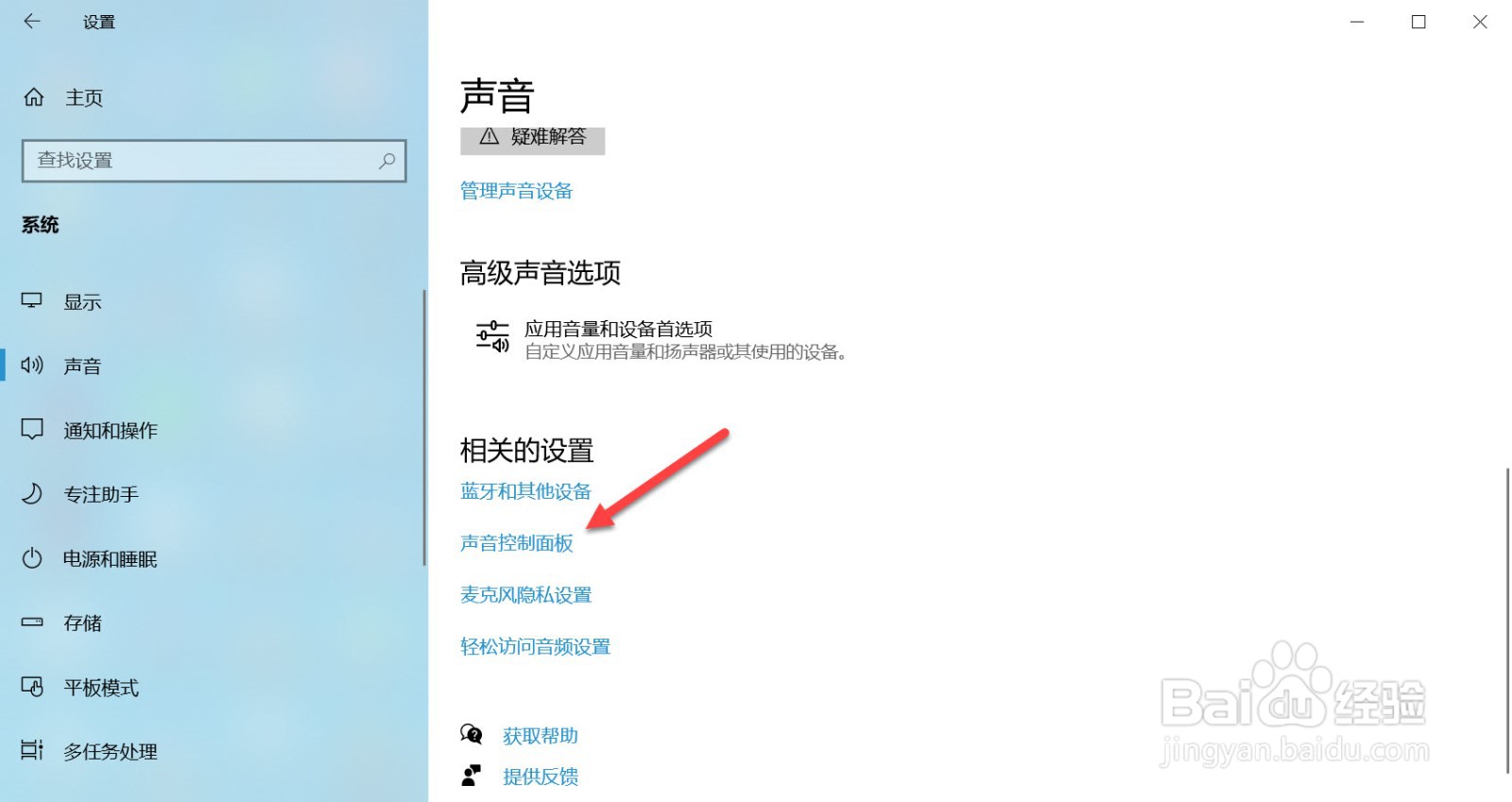
3、点击声音控制面板。
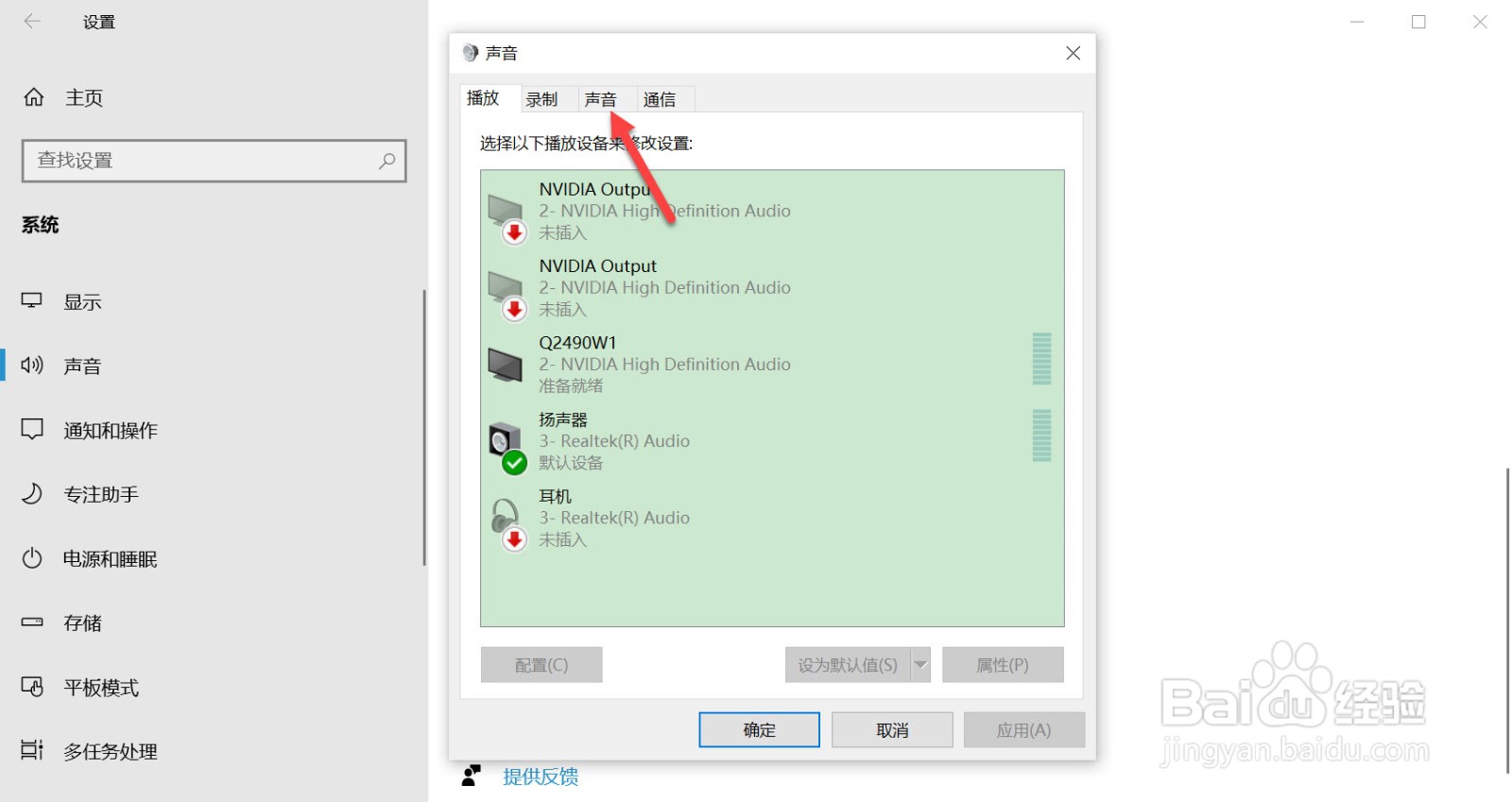
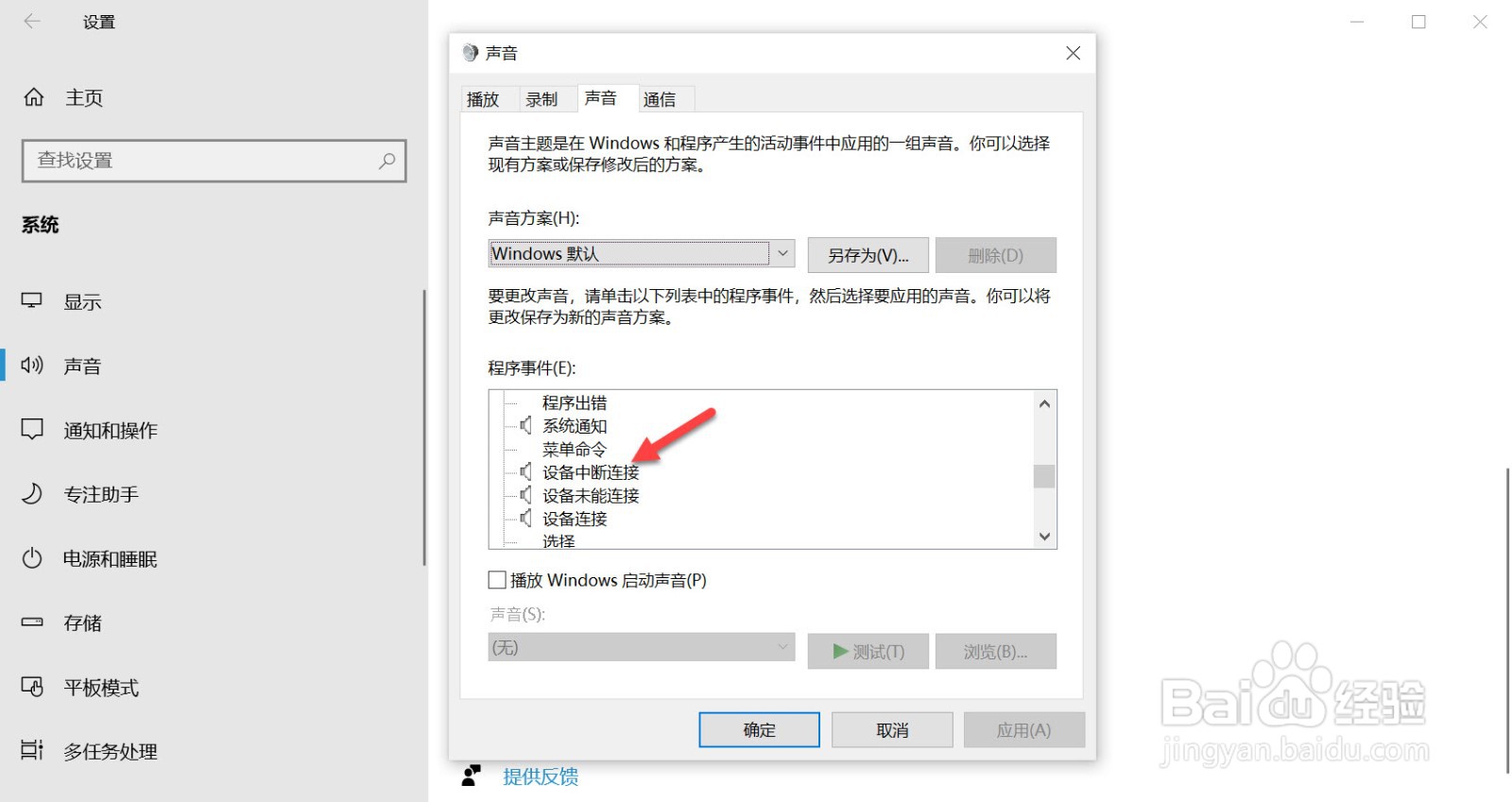
4、点击声音。
5、点击设备中断连接。
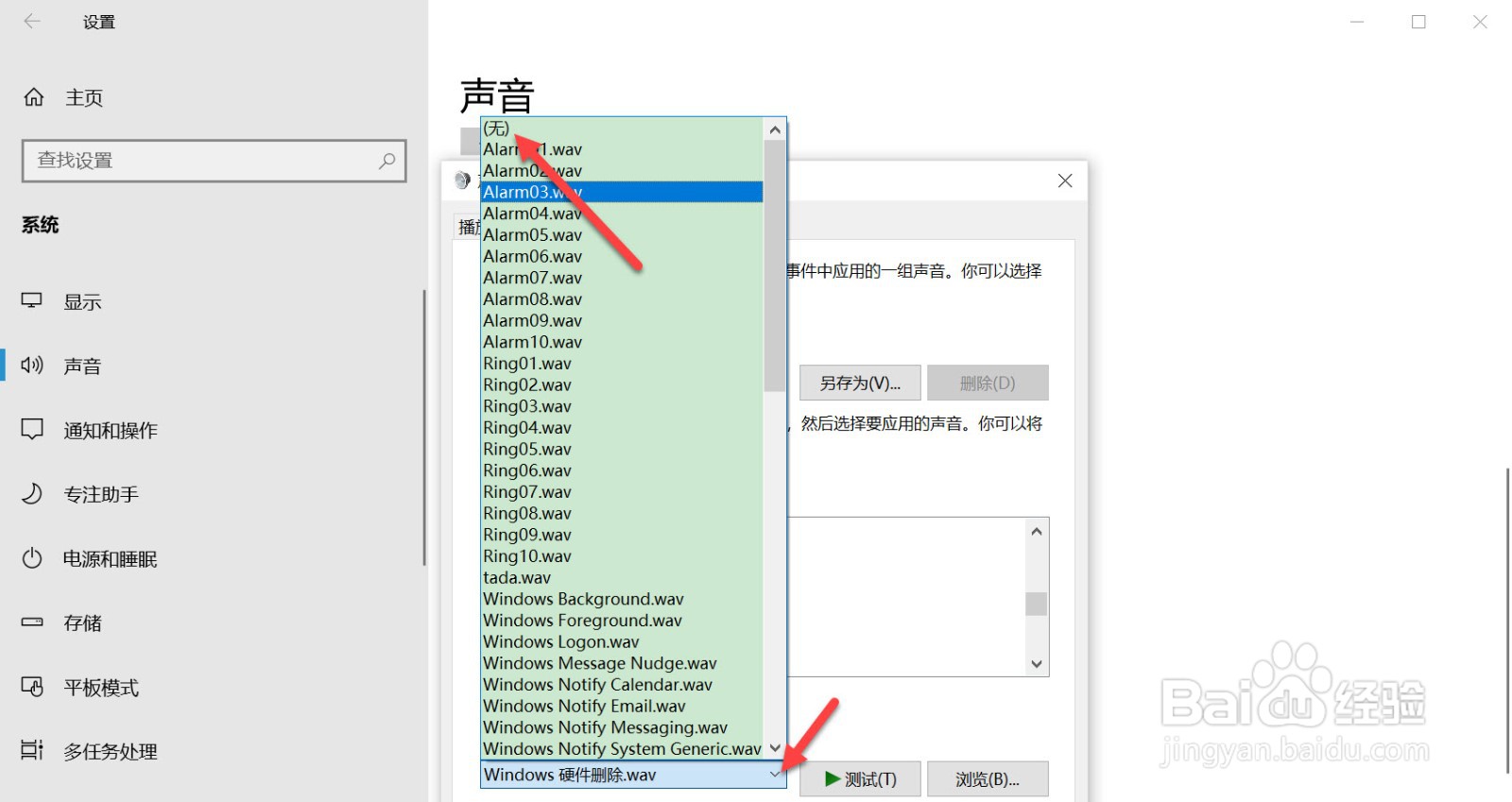
6、点击声音下拉箭头,在弹出的菜单栏选择无。
相关推荐
怎么找到360浏览器基本设置选项?
阅读量:69
win10系统没有兼容性选项怎么办
阅读量:90
禁止IE浏览器修改主页
阅读量:89
如何锁定IE浏览器主页
阅读量:130
QQ浏览器如何删除搜索引擎
阅读量:42
猜你喜欢
什么是同位素
怀孕什么不能吃
什么是生产资料
人生是什么
慢性宫颈炎用什么药
way什么意思
不以为然是什么意思
2016是什么年
舌字加一笔是什么字
规费是什么
猜你喜欢
满五唯一是什么意思
什么的桃花
世界观是什么
马铃薯是什么
移动侦测是什么意思
叶黄素是什么
ojbk是什么意思
起诉离婚需要什么材料
尿不出来是什么病
小孩流口水是什么原因