一点经验网
首页
美食营养
生活百科
知识问答
生活知识
返回
一点经验网
首页
美食营养
游戏数码
手工爱好
生活知识
生活百科
健康养生
运动户外
职场理财
情感交际
母婴教育
时尚美容
知识问答
更多知识
搜索
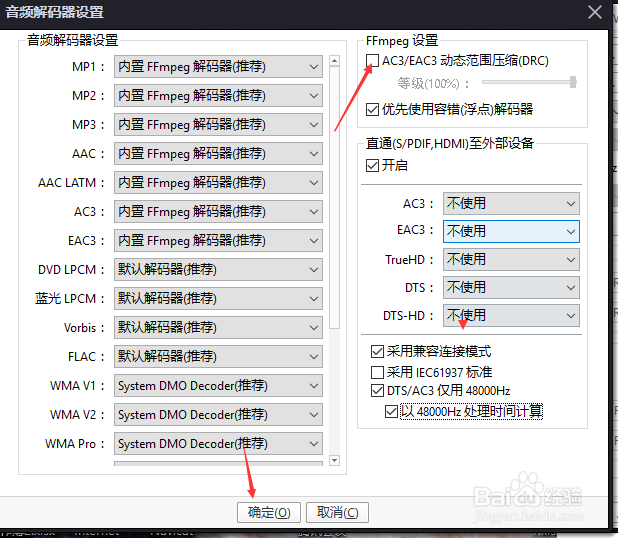
PotPlayer怎么关闭AC3动态范围压缩
2026-05-05 05:23:24
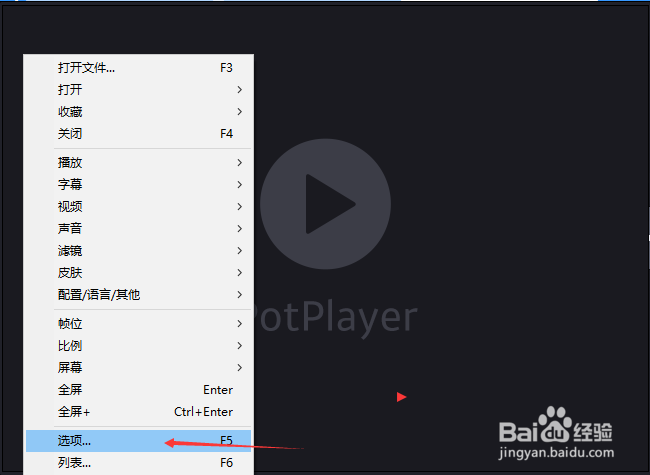
1、点击左上角中更多选项
2、弹出了下拉菜单选择为选项
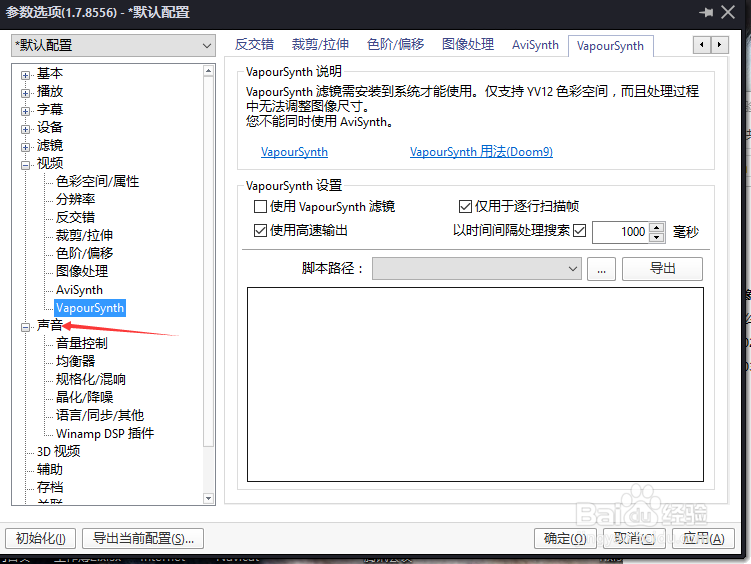
3、点击左侧中声音选项
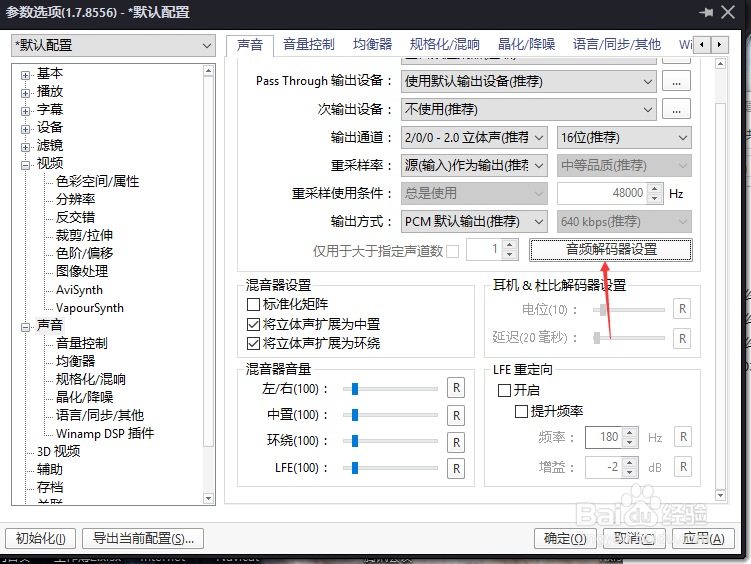
4、点击屏幕选项设置
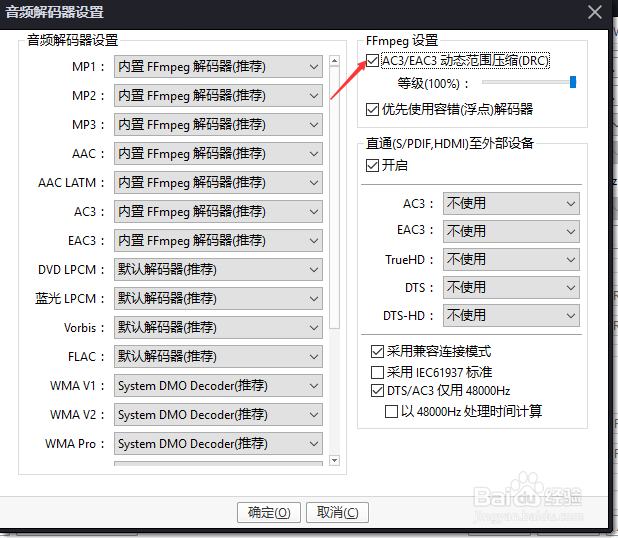
5、去掉勾选AC3动态范围压缩
6、去掉勾选AC3动态范围压缩选项之后,点击确定
相关推荐
特别简单的重装系统方法(不用U盘/光盘)
阅读量:95
神奇浏览器app怎么开启沉浸式浏览效果
阅读量:48
CentOS7.4 怎么升级到CentOS 7.5
阅读量:65
Powerbuilder解析json
阅读量:66
新版驾驶证A或B照年审新规定
阅读量:92
猜你喜欢
高血脂怎么治疗
怎么让咬肌变小
怎么清理缓存
邓丽君你怎么说
澳门航空怎么样
开机密码怎么修改
孕妇嗓子疼怎么办
晚上睡觉出汗是怎么回事
皮衣怎么洗
怎么清除缓存
猜你喜欢
多愁善感怎么办
下眼袋浮肿怎么办
工作周报怎么写
飞机打多了肾虚怎么办
炒饼怎么做好吃
微信视频号怎么申请
怎么查社保号
干海参怎么保存
怎么玩股票
怎么样能丰胸