PSPad editor怎么工具栏图标集为pspad
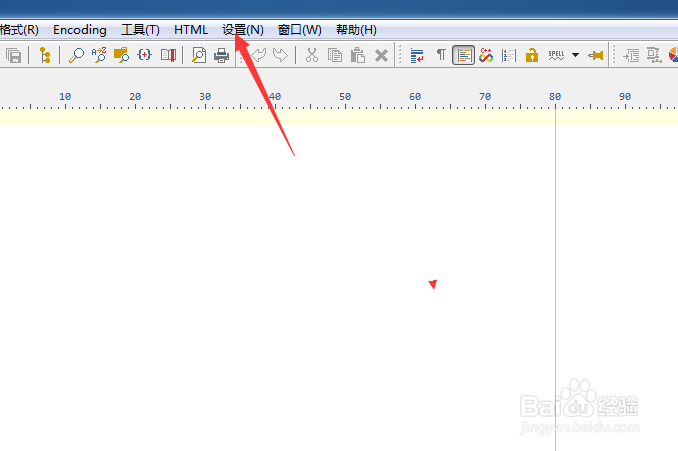
1、点击PSPad editor菜单中的设置菜单
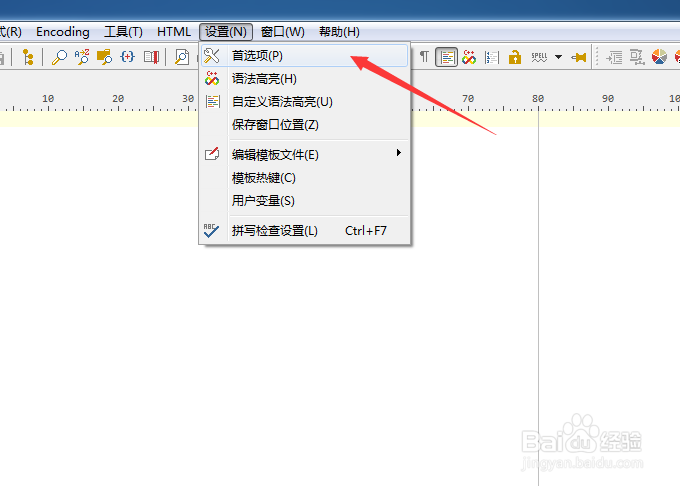
2、弹出了下拉菜单选中为首选项
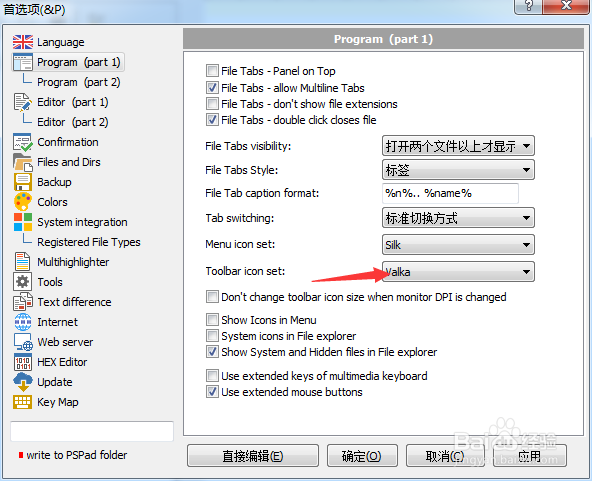
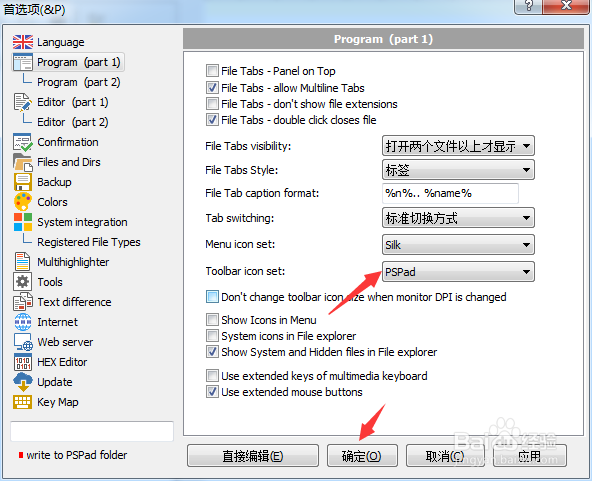
3、点击toobar icon set选项
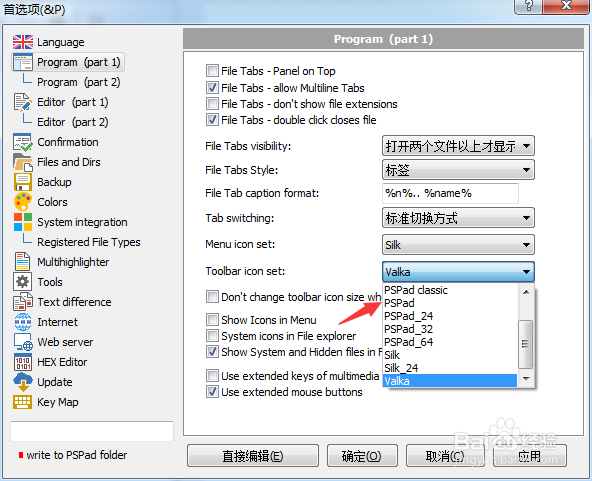
4、弹出了下拉菜单选择为pspad选项
5、选择为pspad选项之后,点击确定
阅读量:152
阅读量:66
阅读量:184
阅读量:115
阅读量:101
1、点击PSPad editor菜单中的设置菜单
2、弹出了下拉菜单选中为首选项
3、点击toobar icon set选项
4、弹出了下拉菜单选择为pspad选项
5、选择为pspad选项之后,点击确定