Crimson editor怎么高亮度有源线关闭
1、点击Crimson editor菜单中tools菜单
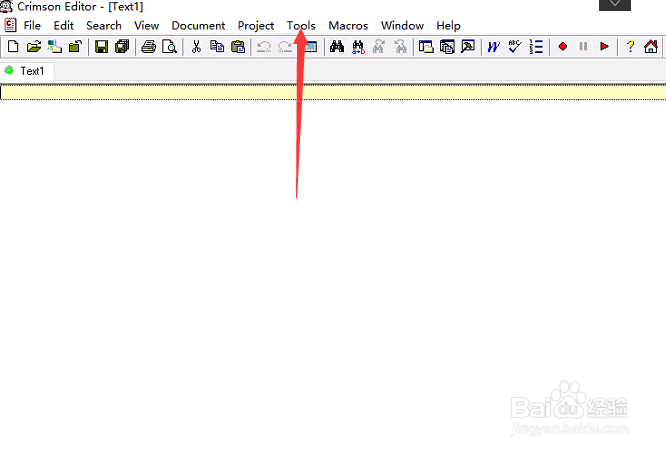
2、弹出了下拉菜单选中为preferences选项

3、点击左侧中visaul选项
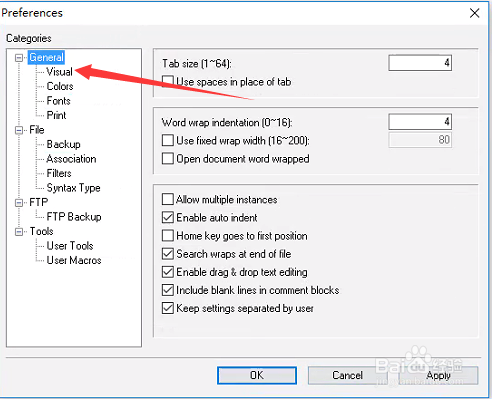
4、去掉highlight active line选项
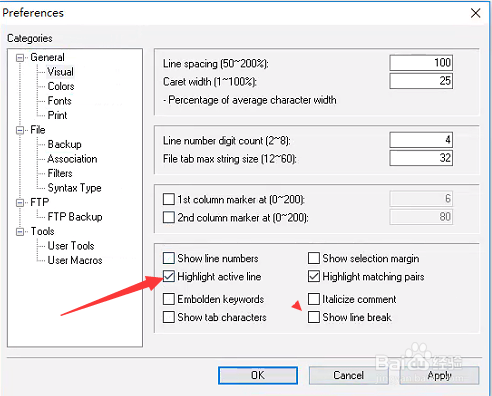
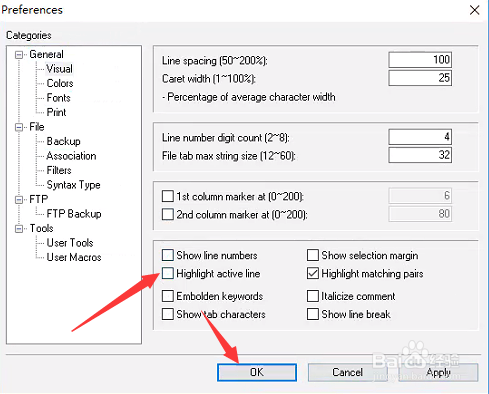
5、去掉highlight active line选项之后,点击ok
阅读量:193
阅读量:89
阅读量:119
阅读量:99
阅读量:181
1、点击Crimson editor菜单中tools菜单
2、弹出了下拉菜单选中为preferences选项
3、点击左侧中visaul选项
4、去掉highlight active line选项
5、去掉highlight active line选项之后,点击ok