open camera怎么关闭声音
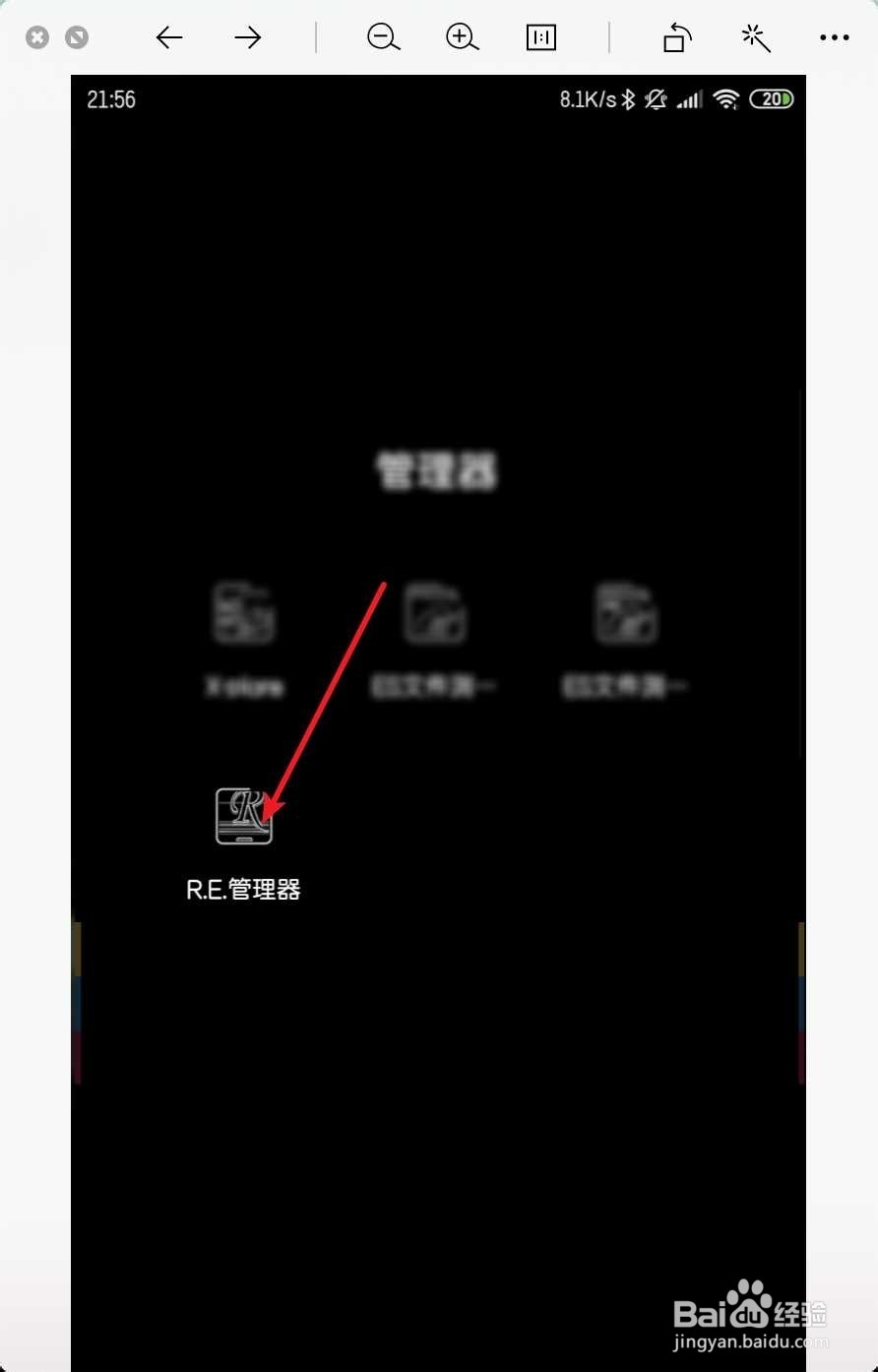
1、强调一遍,手机需要root,点击re,然后点击三。
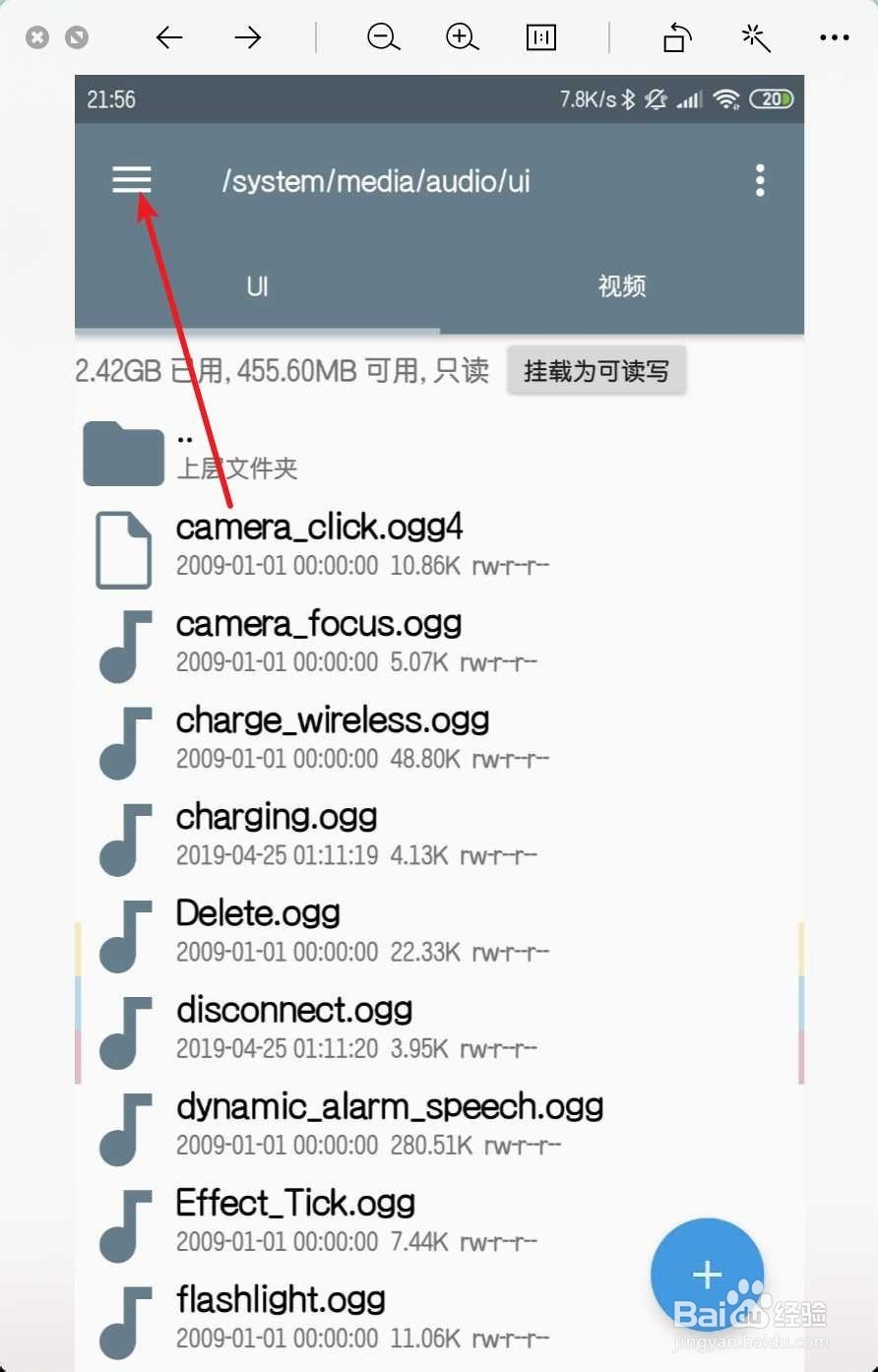
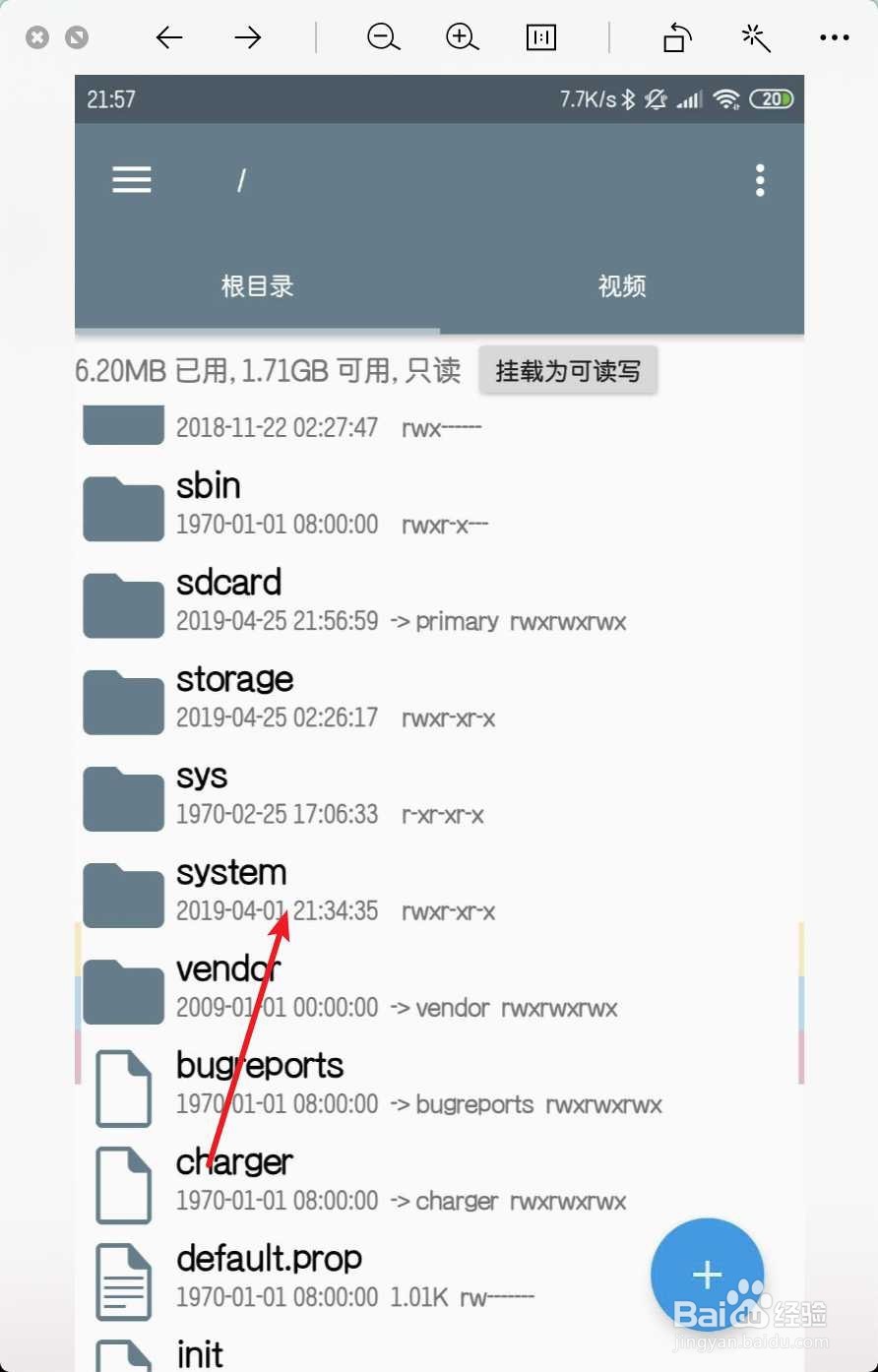
2、点击主文件夹,点击system。

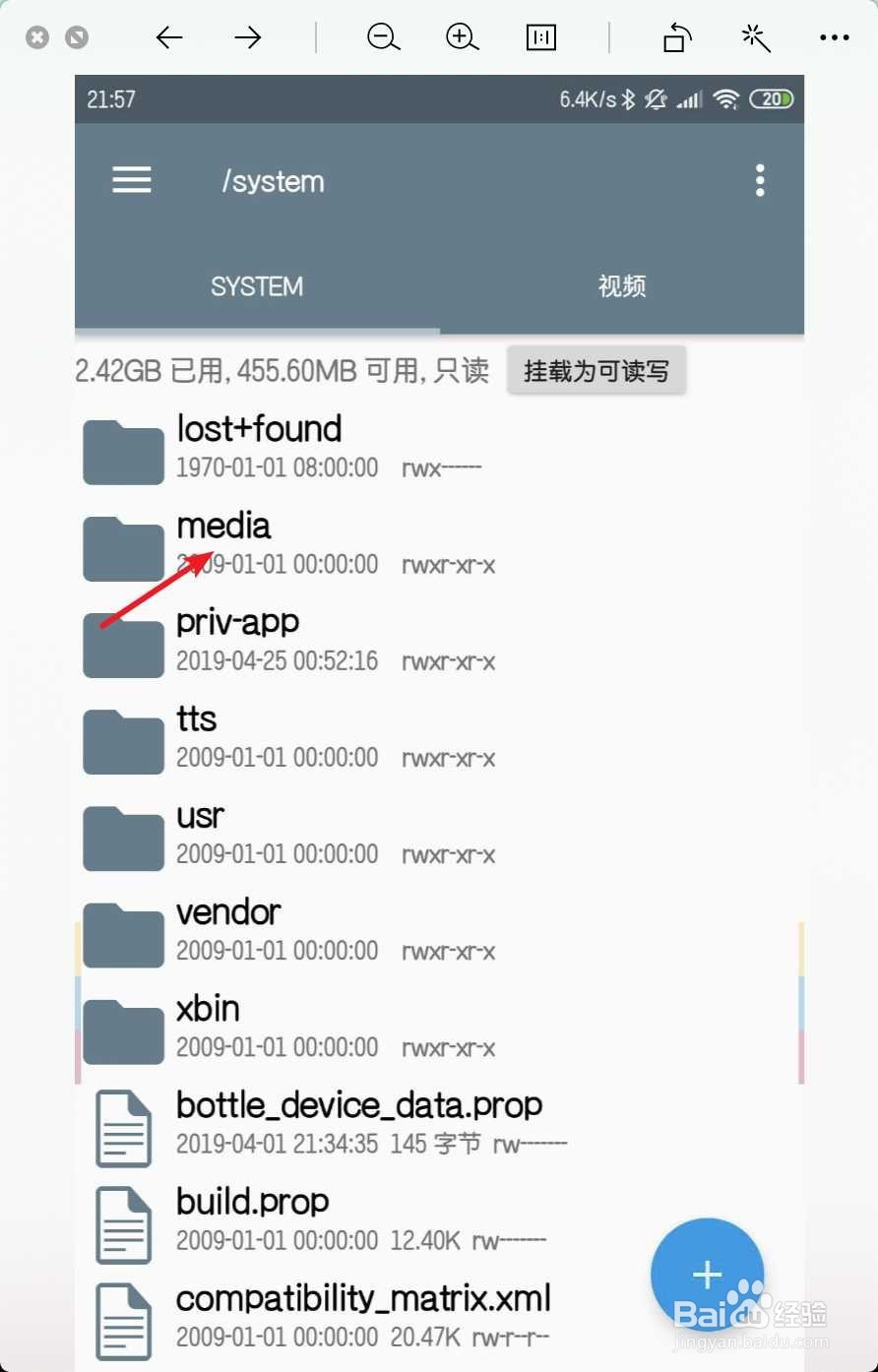
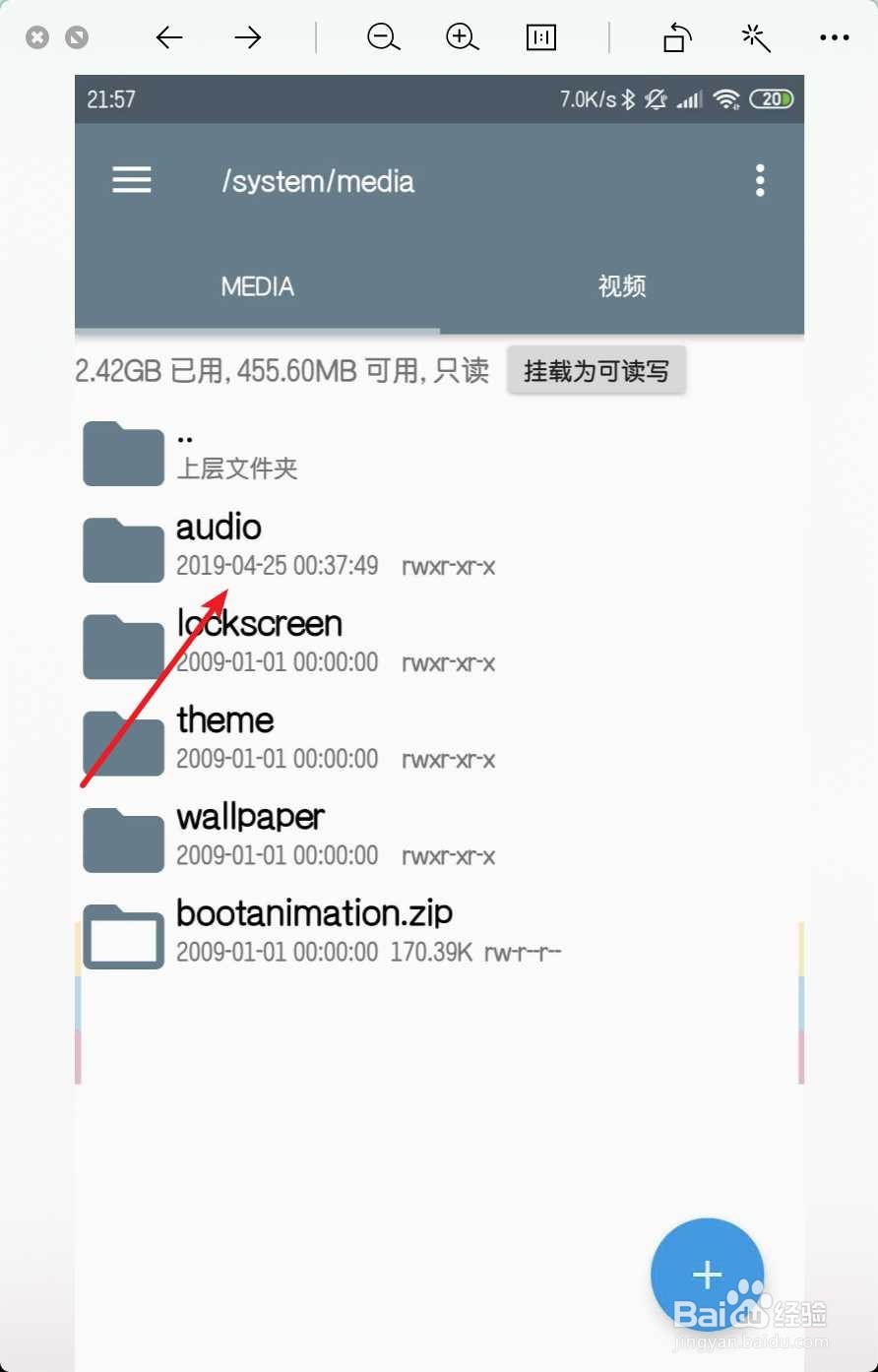
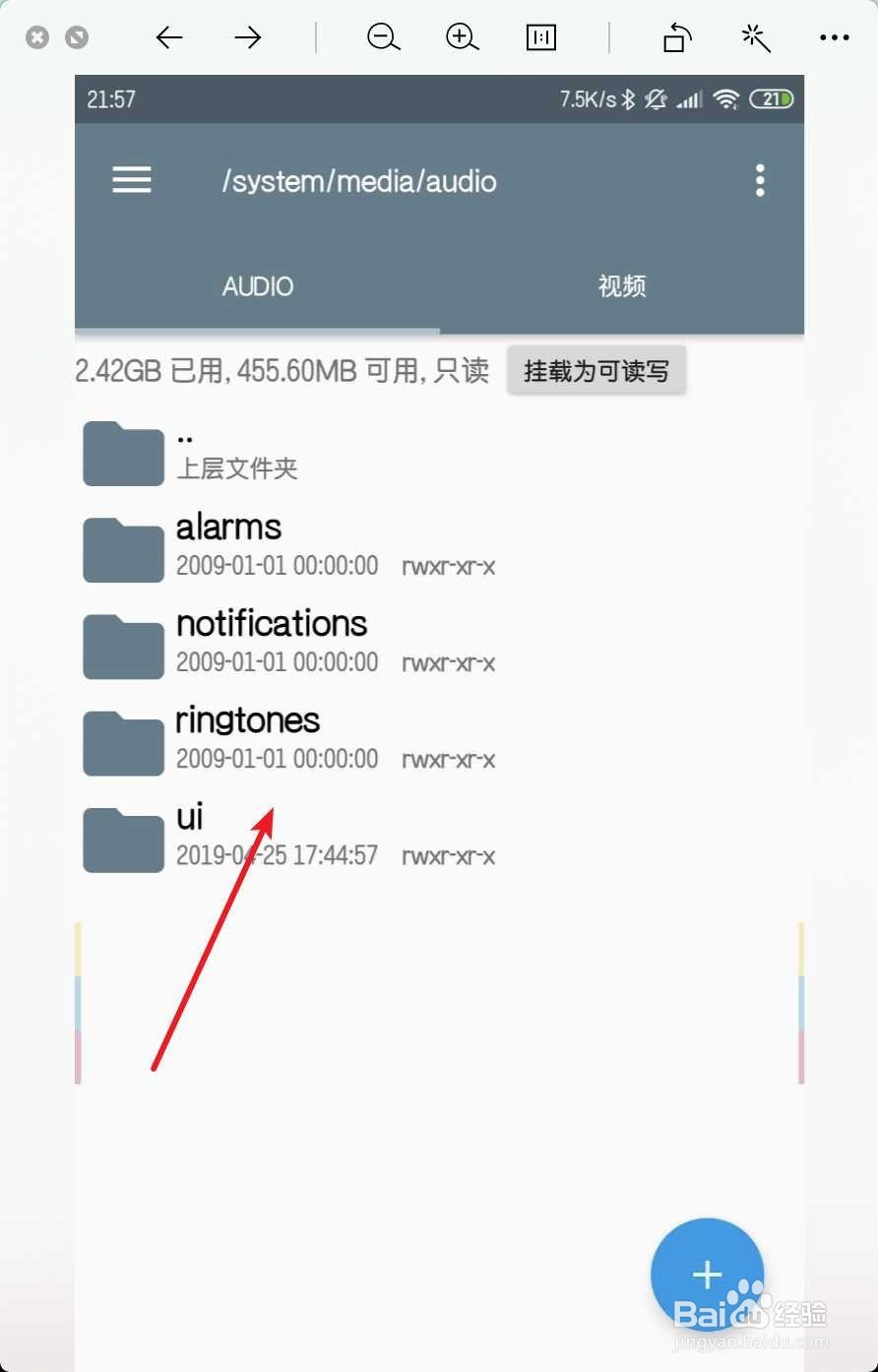
3、依次打开media→audio→ui目录。
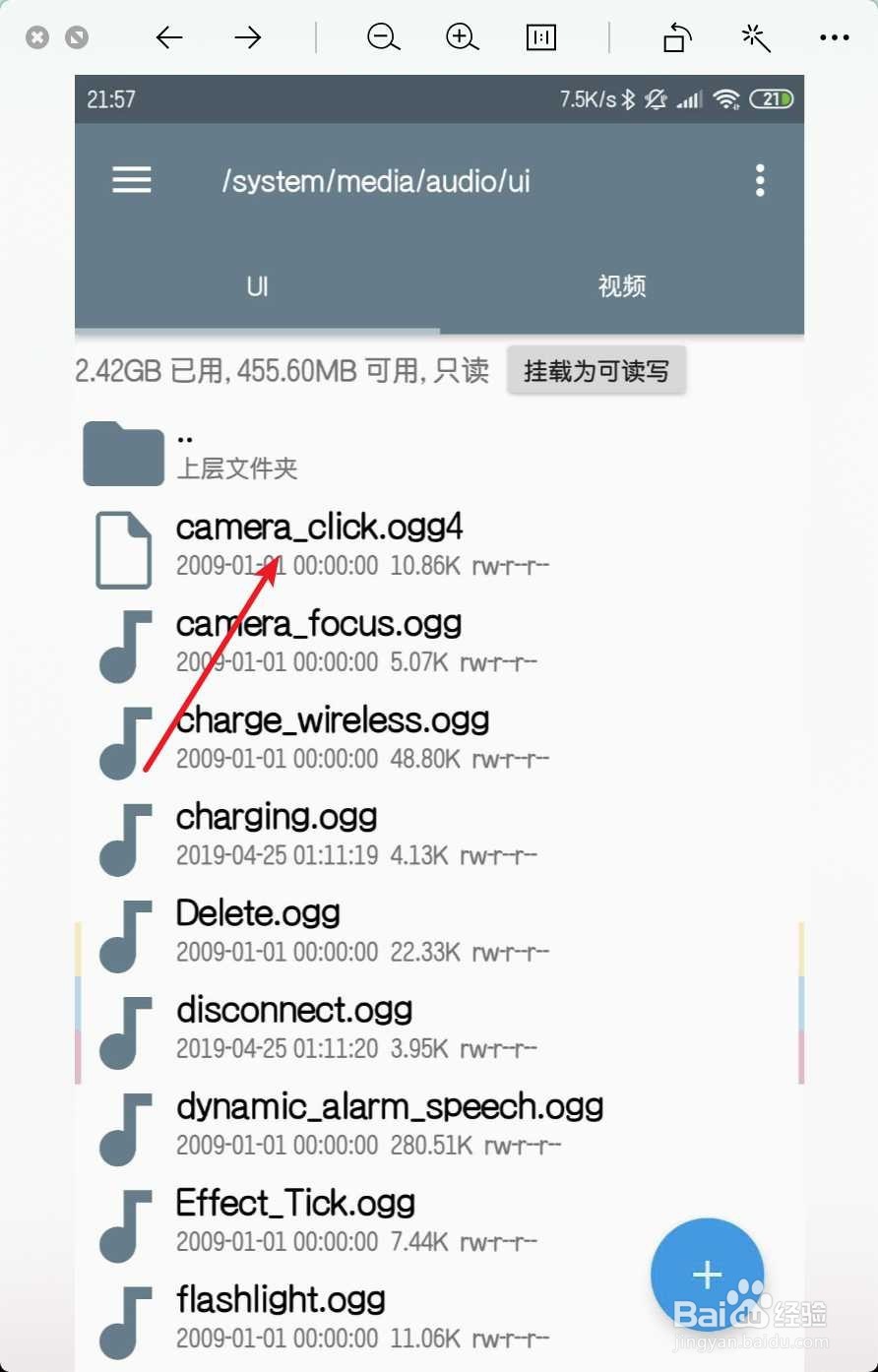
4、找到相机声音文件,选择,选择点。
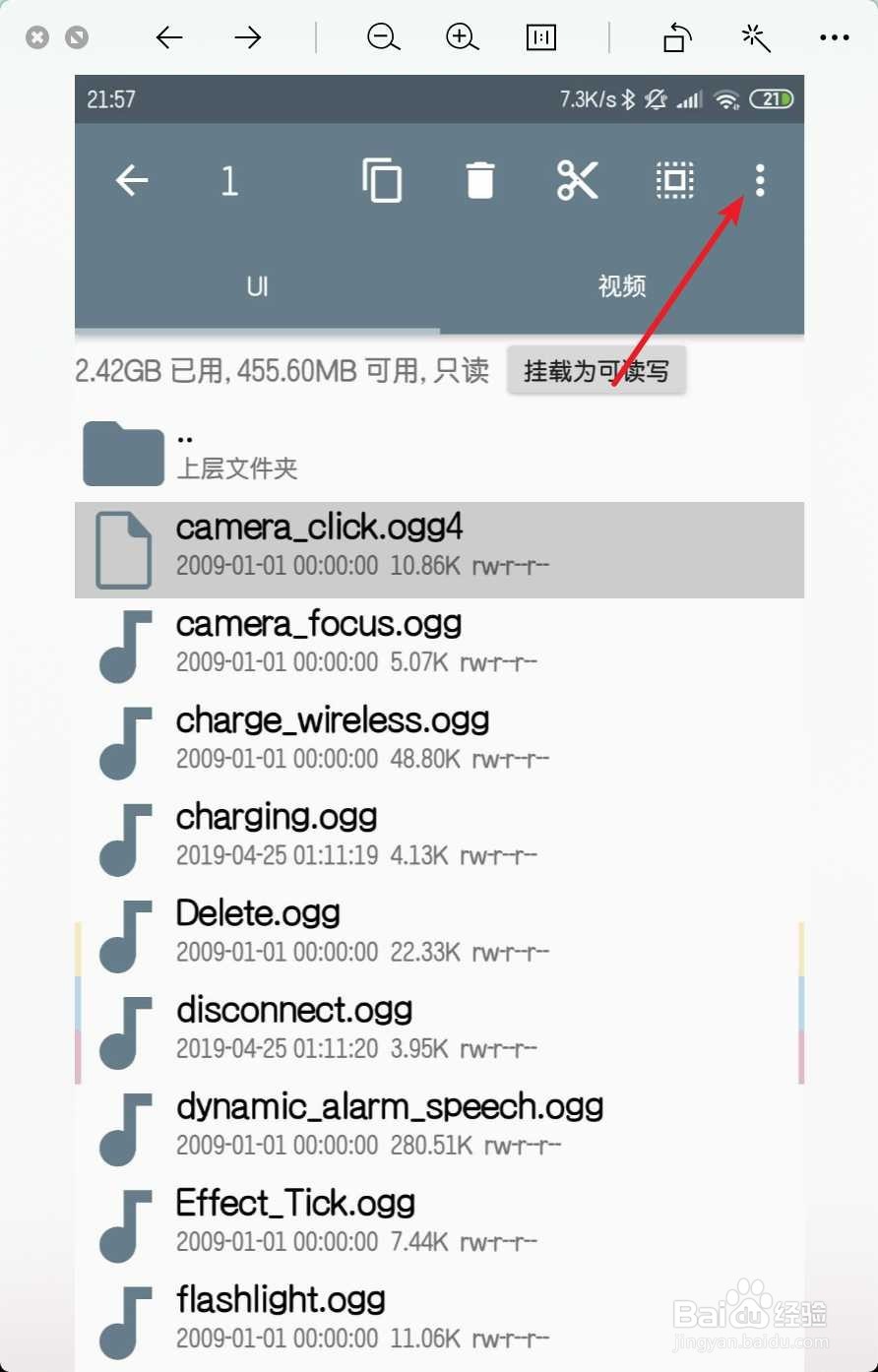
5、点击重命名,然后点击确定。
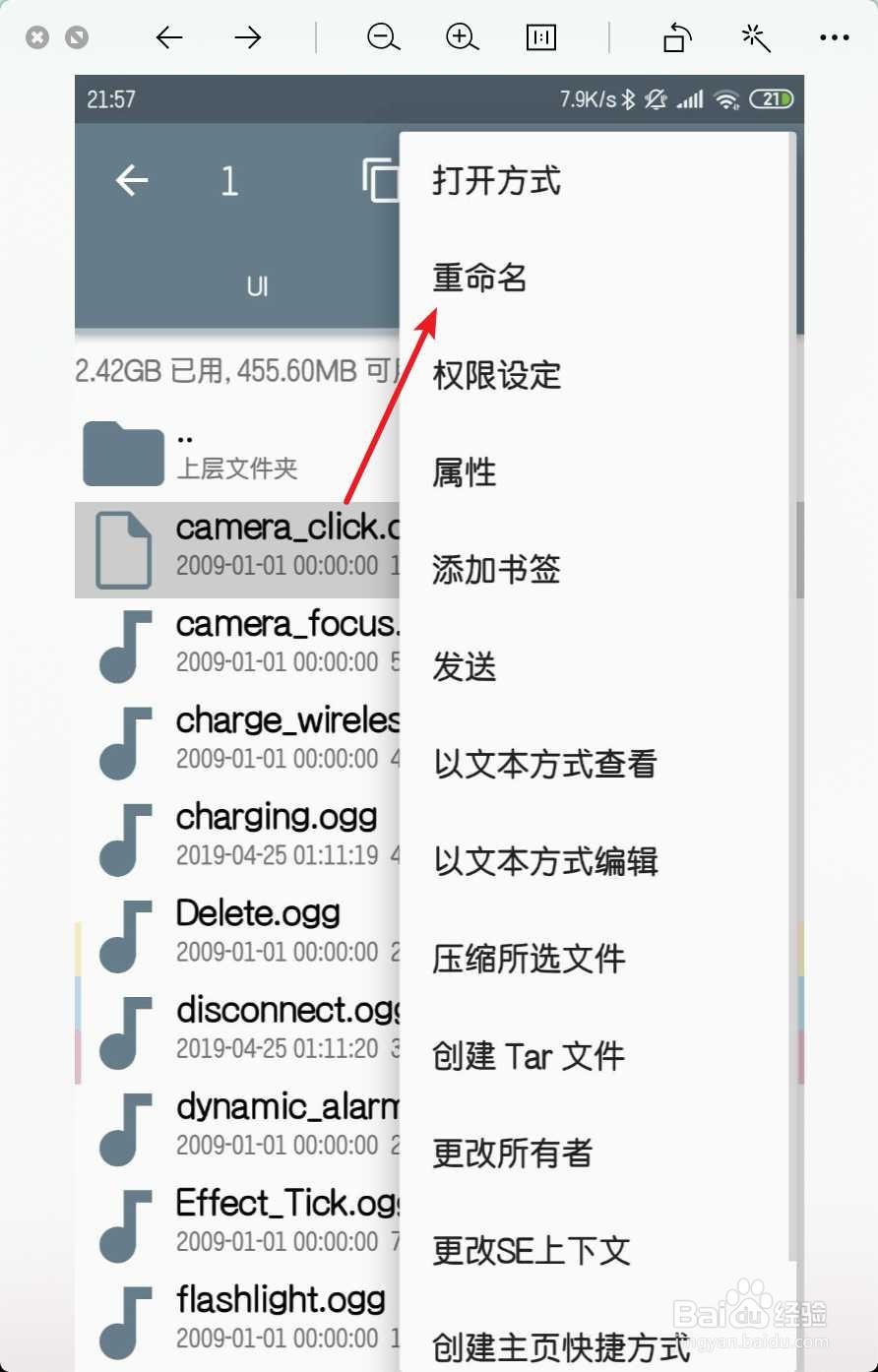
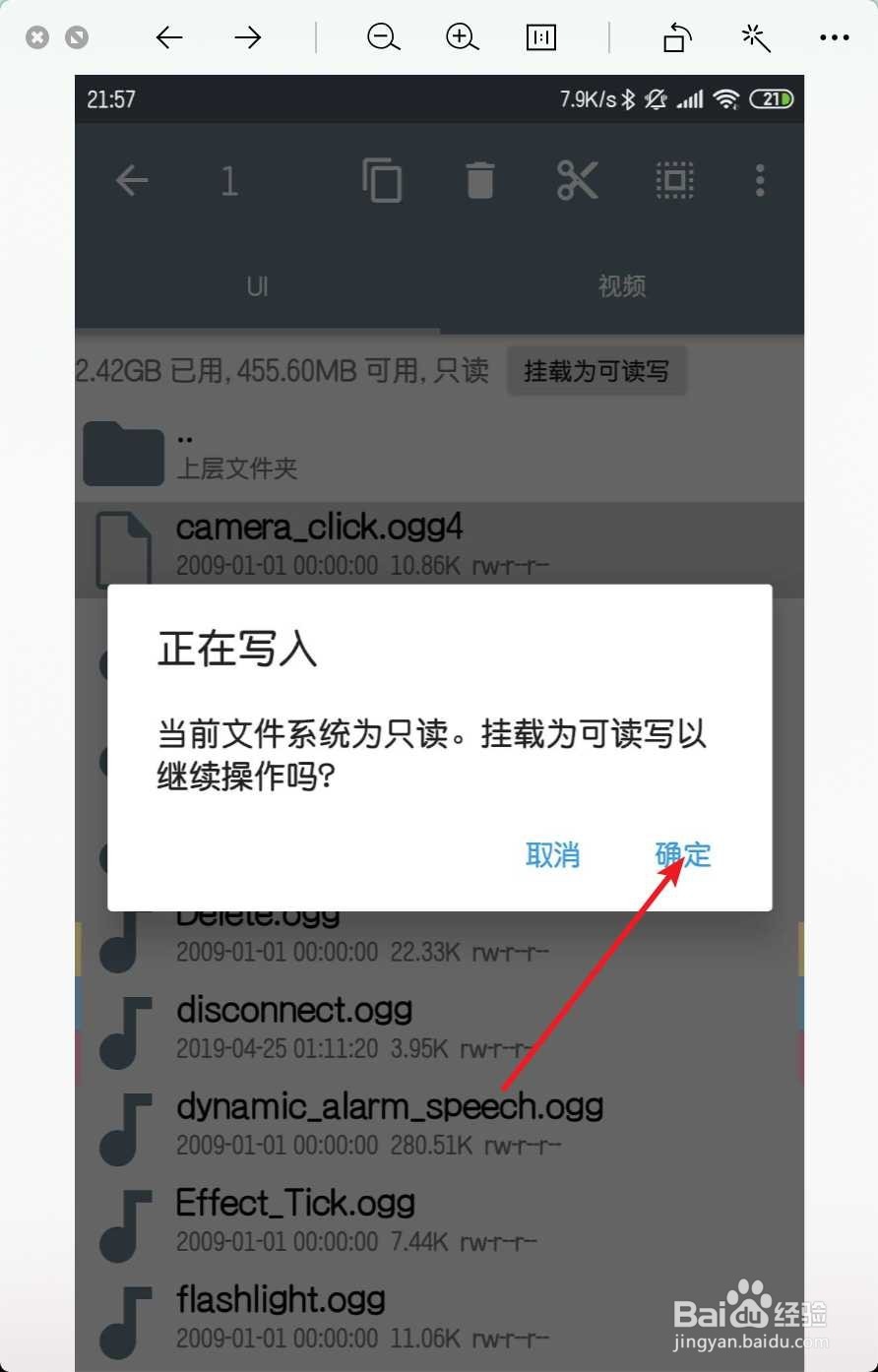
6、然后在ogg之后,加入一个数字,点击确定。

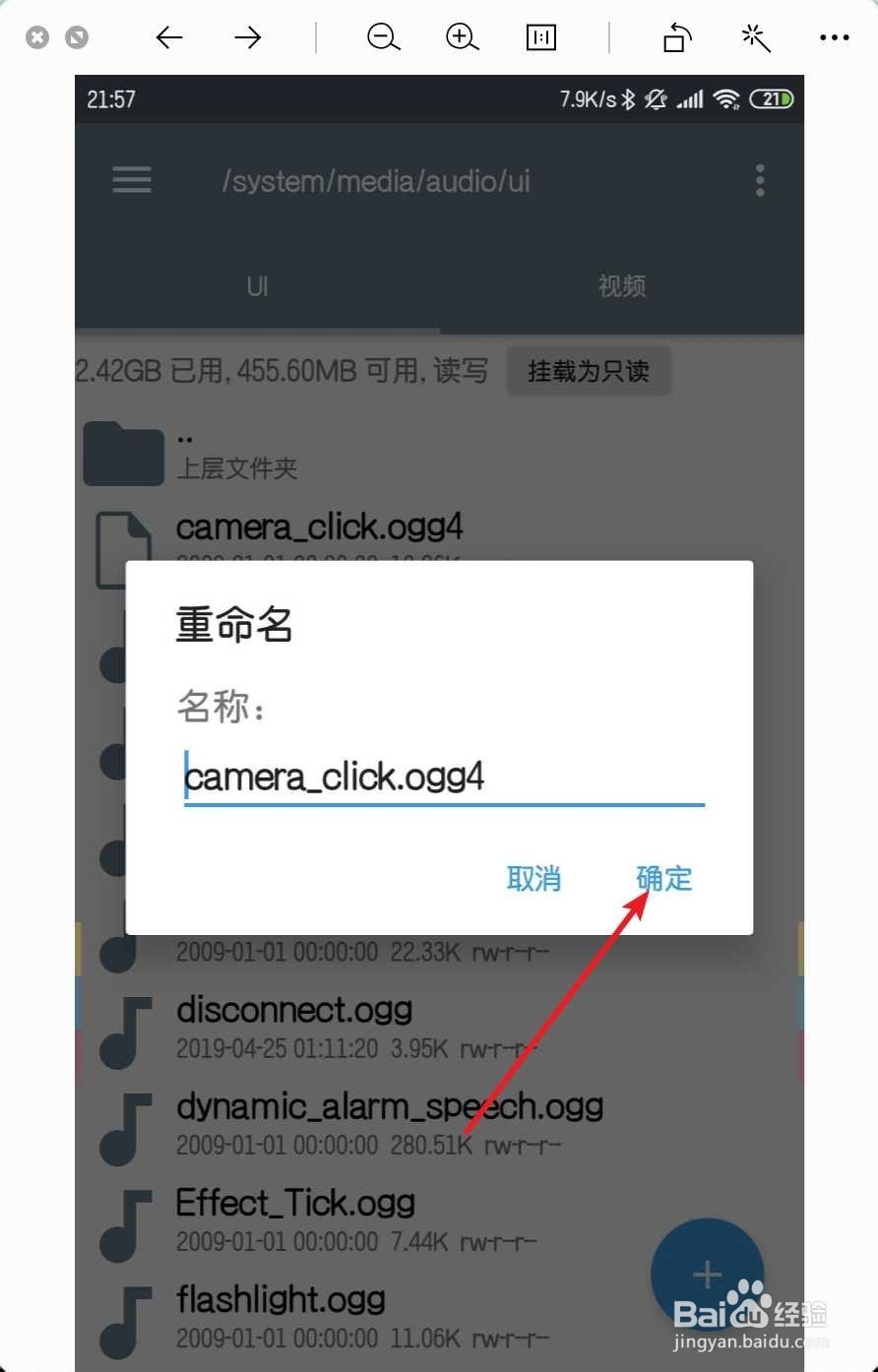
7、修改好了如图一,然后点击相机。
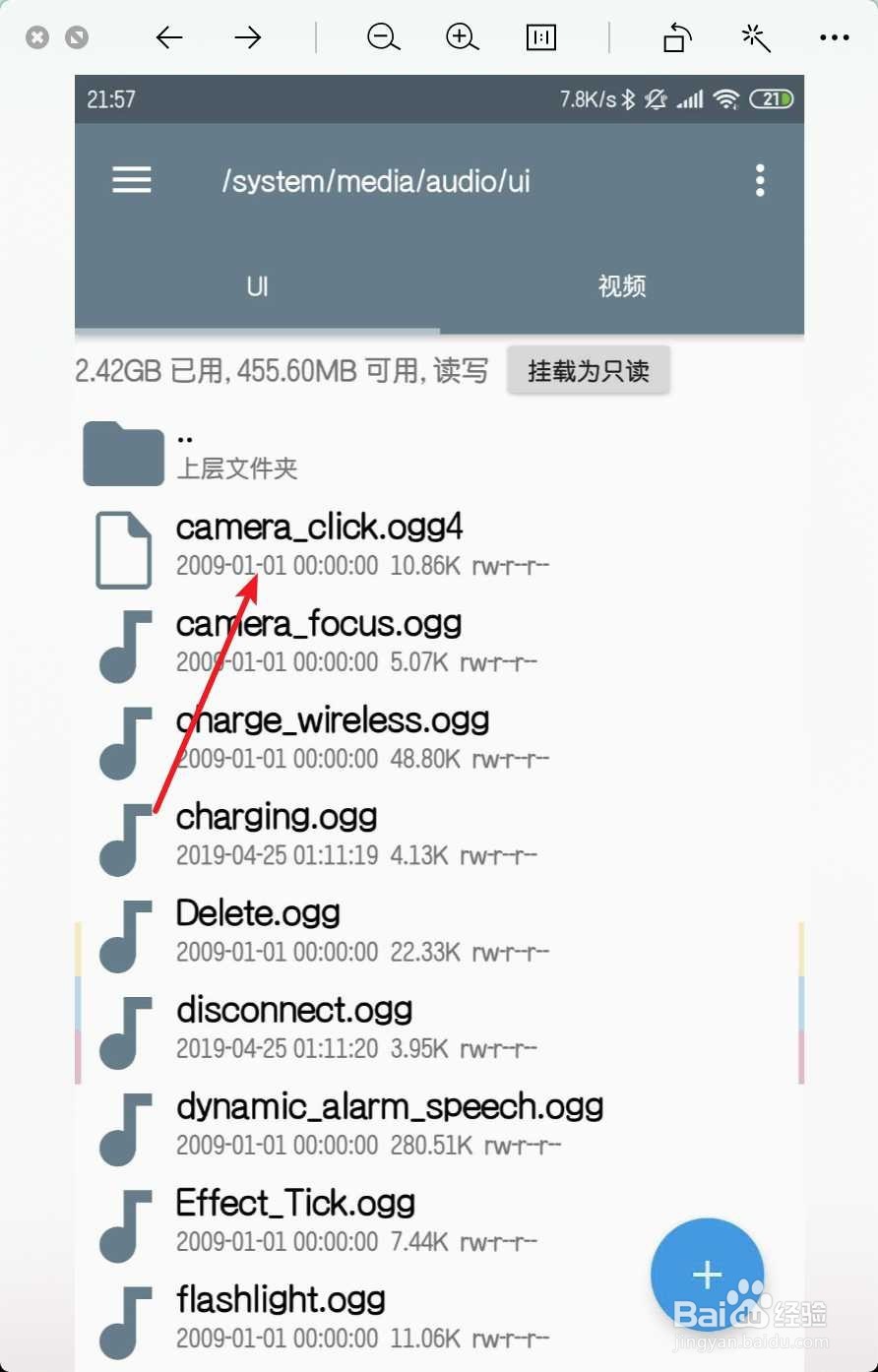
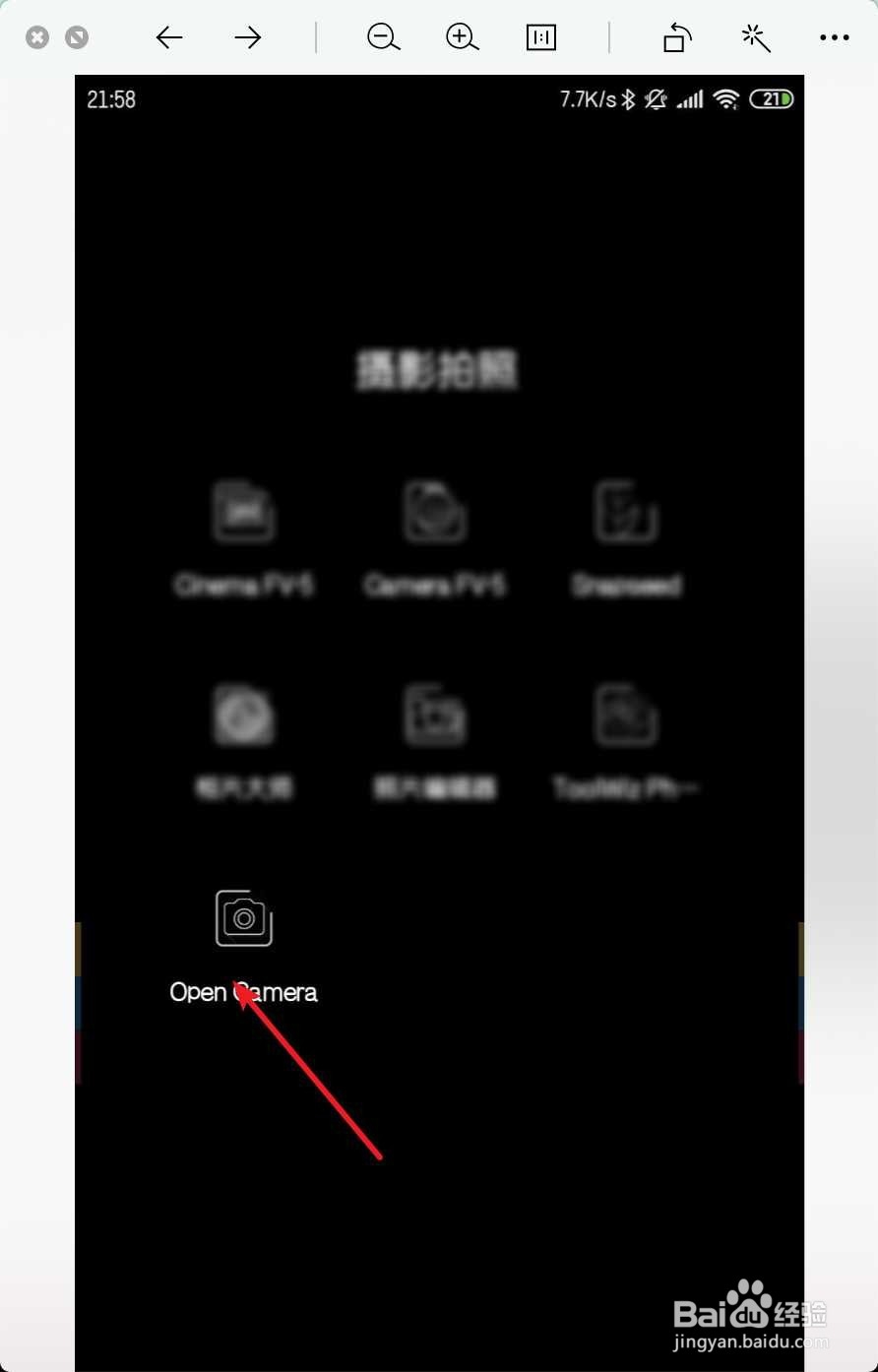
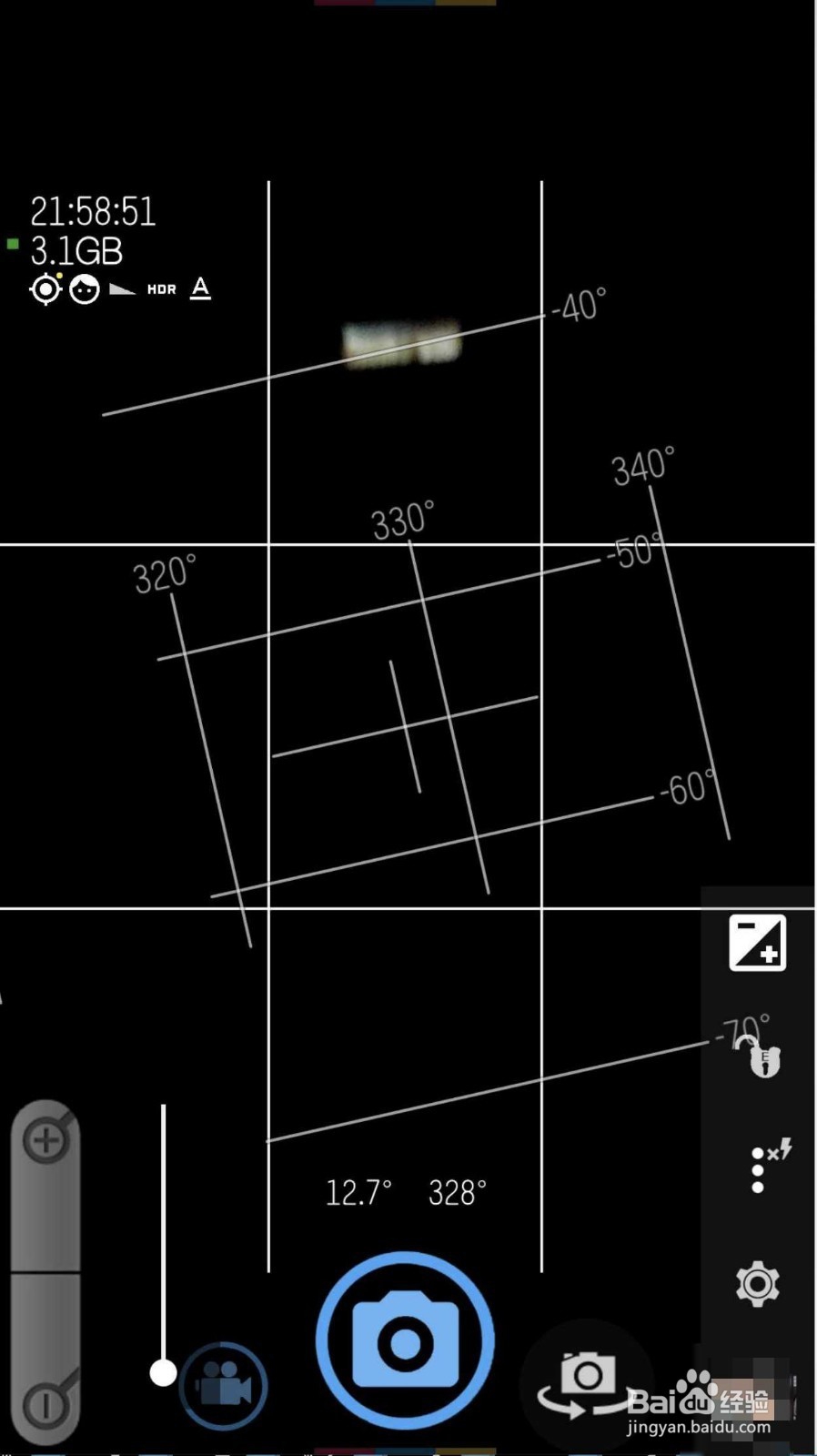
8、进行拍照,那么就不会有声音了。
阅读量:100
阅读量:89
阅读量:44
阅读量:133
阅读量:113
1、强调一遍,手机需要root,点击re,然后点击三。
2、点击主文件夹,点击system。
3、依次打开media→audio→ui目录。
4、找到相机声音文件,选择,选择点。
5、点击重命名,然后点击确定。
6、然后在ogg之后,加入一个数字,点击确定。
7、修改好了如图一,然后点击相机。
8、进行拍照,那么就不会有声音了。