一点经验网
首页
美食营养
生活百科
知识问答
生活知识
返回
一点经验网
首页
美食营养
游戏数码
手工爱好
生活知识
生活百科
健康养生
运动户外
职场理财
情感交际
母婴教育
时尚美容
知识问答
更多知识
搜索
乐学宝APP如何设置头像装饰
2026-04-23 05:00:40
1、
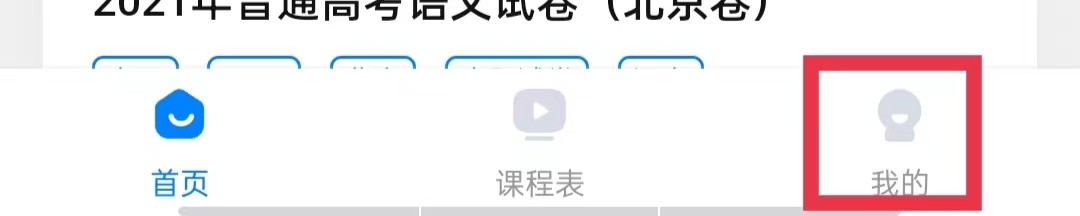
单击我的
在乐学宝APP右下角单击我的。
2、
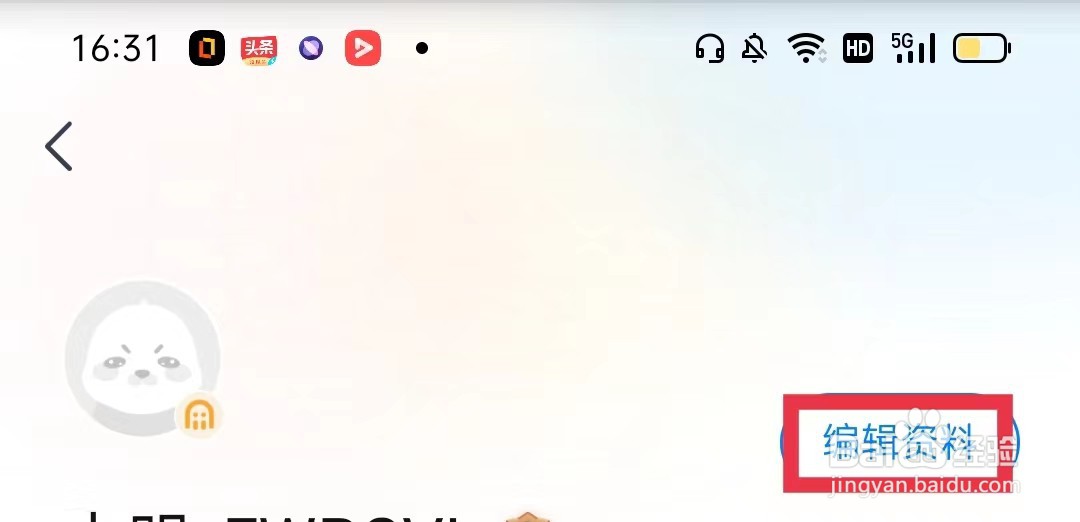
单击编辑资料
在页面上方单击编辑资料。
3、
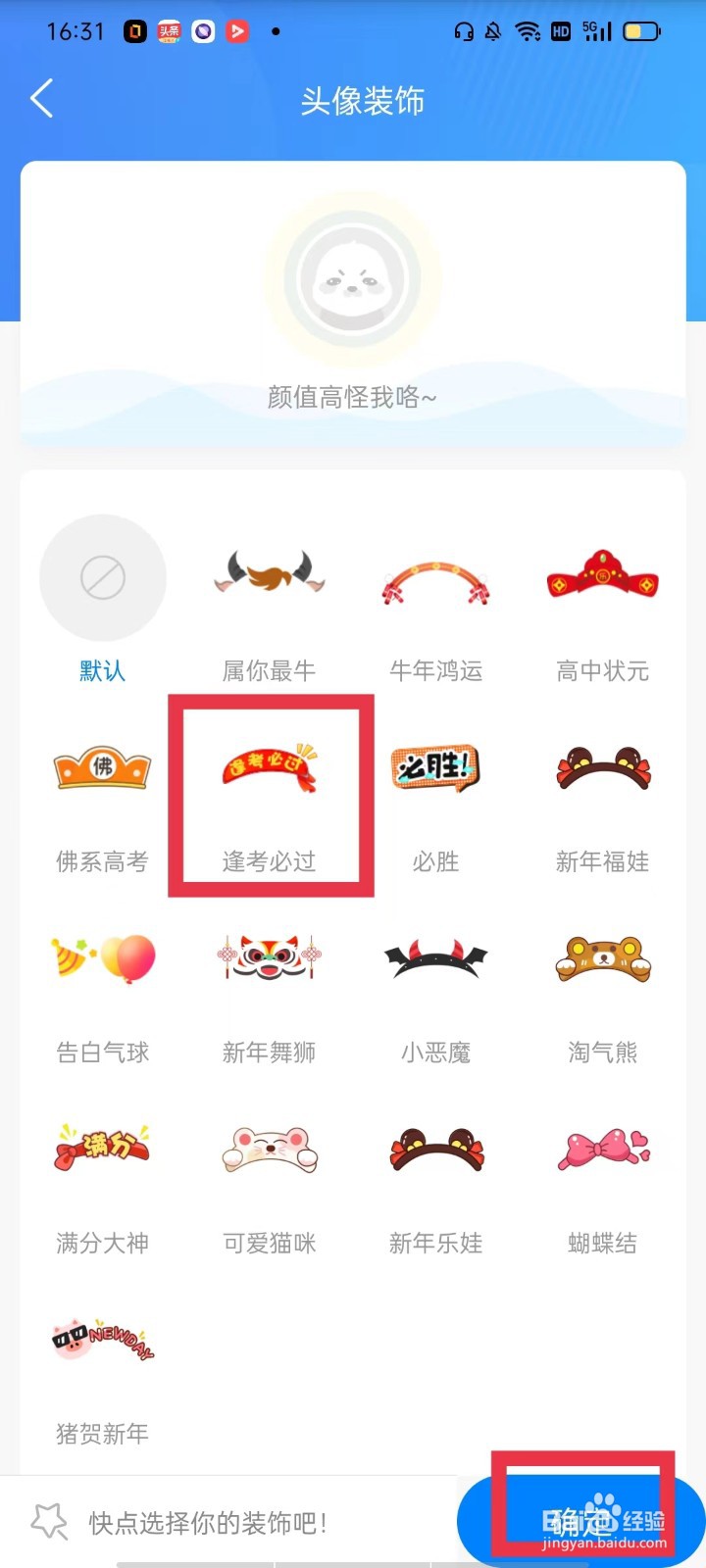
单击头像装饰
在当前页面找到并单击头像装饰。
4、
设置头像装饰
在当前页面选择头像装饰,单击确定即可。
相关推荐
乐学宝APP怎么更换手机号
阅读量:170
乐学宝APP怎么更换个人头像
阅读量:60
乐学宝APP怎么注销账号
阅读量:178
乐学宝APP怎么设置登录密码
阅读量:88
乐学宝APP怎么开启个性化推荐
阅读量:63
猜你喜欢
酱香饼的做法
红烧牛腩的做法大全
溜肥肠的做法
豆豉鲮鱼油麦菜的做法
鸡的做法大全
农家小炒肉的做法
红烧肉做法视频
黄油曲奇饼干的做法
旻怎么读
炒面做法
猜你喜欢
牛蹄筋的做法
酸汤子的做法
冬瓜排骨汤的做法
鱼头泡饼的做法
牛肉粉的做法
烤肉的做法
炸酱的做法
琰怎么读
油条的做法和配方
菠菜面的做法