iPhone怎么避免被定位
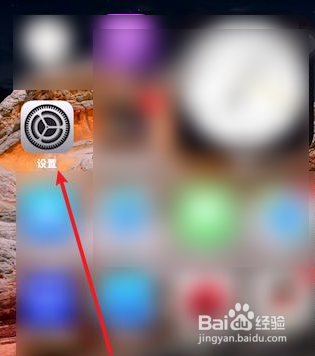
1、在iPhone主屏幕上,点击设置图标。
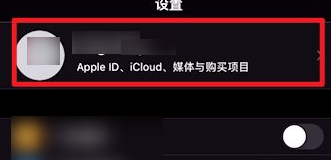
2、在设置界面,点击Apple ID账户信息。
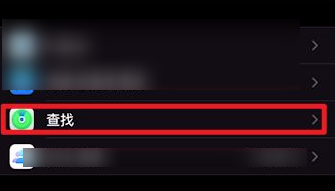
3、在账户设置界面,点击这里的查找。
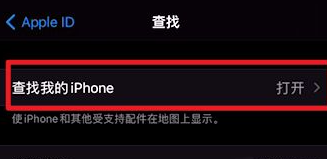
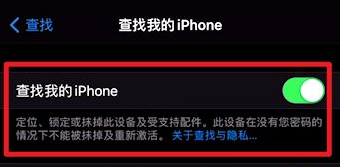
4、在查找界面,点击查找我的iPhone。
5、在查找我的iPhone里选择关闭即可。
阅读量:83
阅读量:110
阅读量:47
阅读量:61
阅读量:188
1、在iPhone主屏幕上,点击设置图标。
2、在设置界面,点击Apple ID账户信息。
3、在账户设置界面,点击这里的查找。
4、在查找界面,点击查找我的iPhone。
5、在查找我的iPhone里选择关闭即可。