pubg出现服务器繁忙怎么办
1、方法1:修改DNS
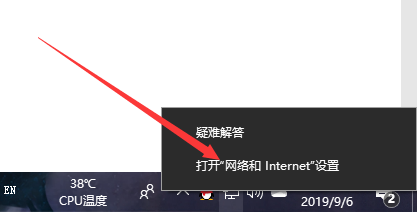
右键单击网络图标,点击打开网络和Internet连接
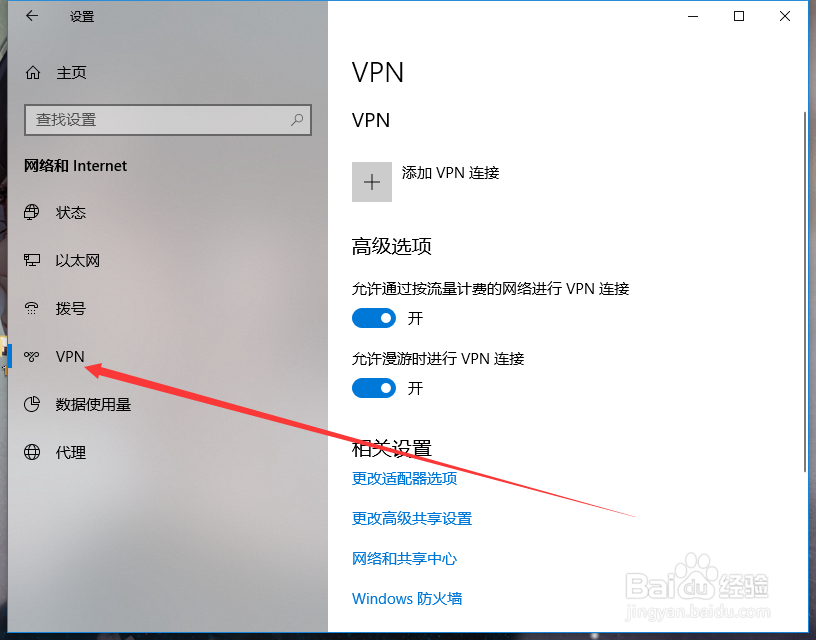
2、点击VPN
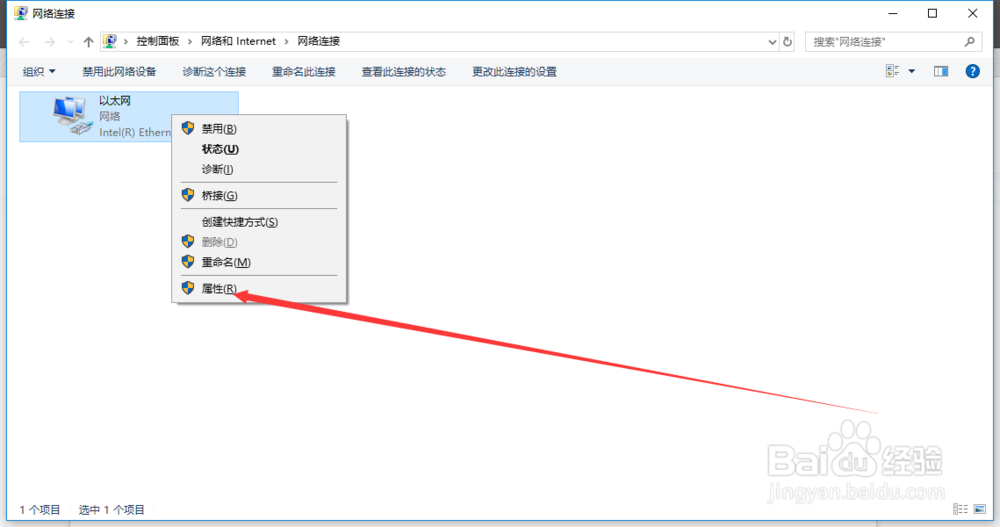
3、点击更改适配器选项

4、选中当前连接右键点属性
5、选中internet 协议版本 4,点击下面的属性
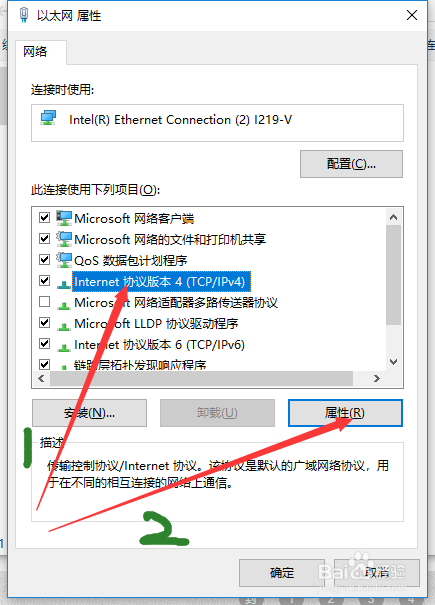
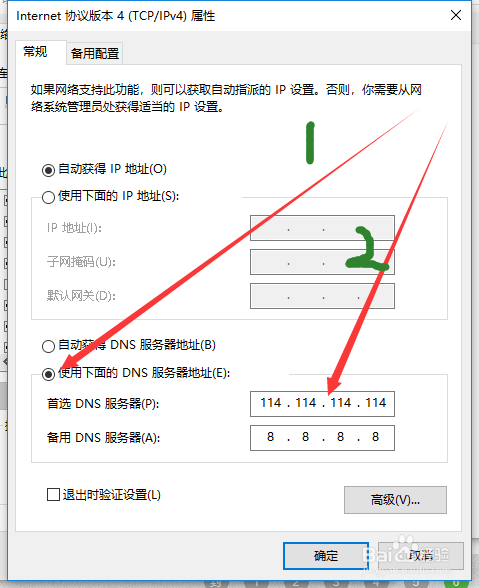
6、点击使用下面的DNS服务器,在首选DNS服务器和备用DNS服务器分别输入114.114.114.114和8.8.8.8,更改完毕点确定重启游戏即可
1、方法2:修改HOST
打开系统盘(一般为C盘)至此位置
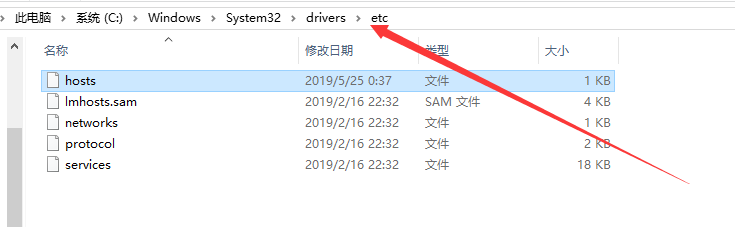
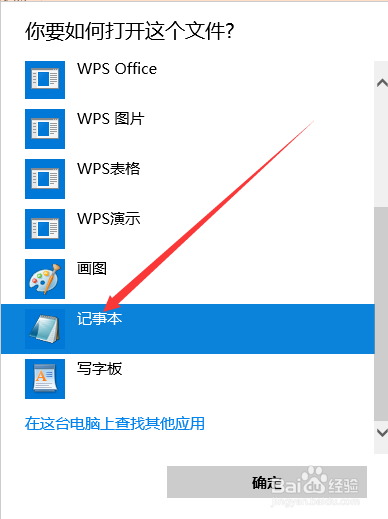
2、选中hosts文件右键点击打开方式
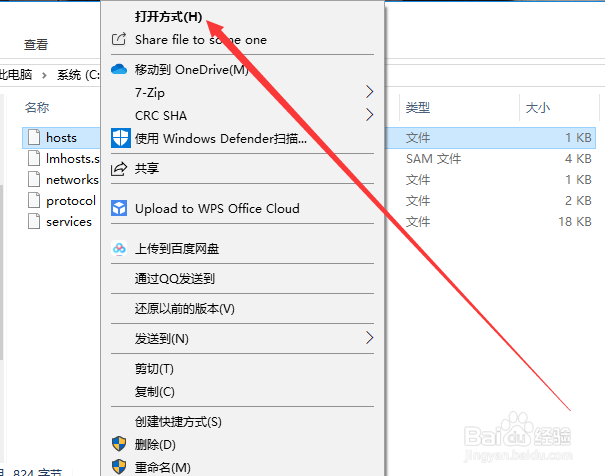
3、选择用记事本打开
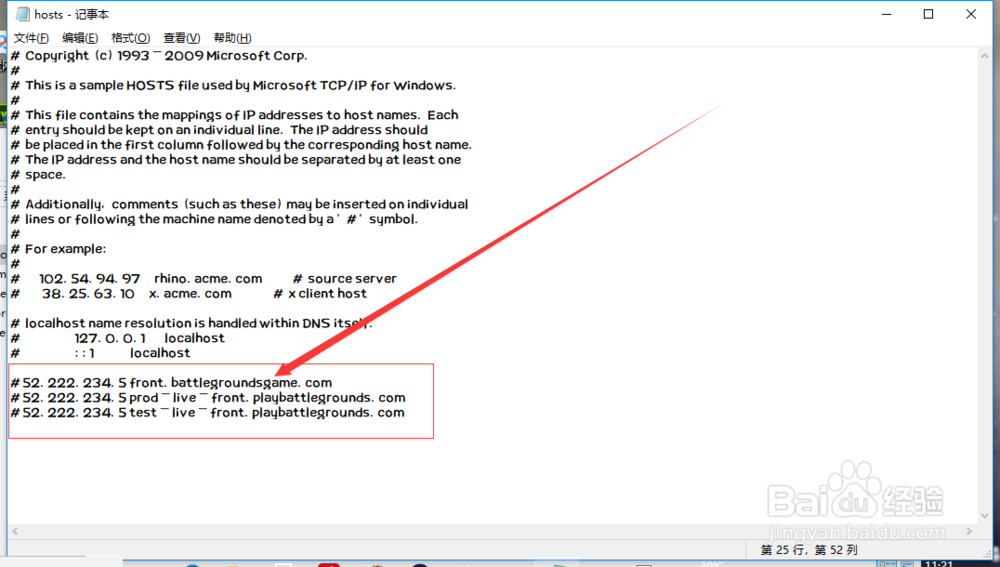
4、在文本末尾添加:
#52.222.234.5 front.battlegroundsgame.com
#52.222.234.5 prod-live-front.playbattlegrounds.com
#52.222.234.5 test-live-front.playbattlegrounds.com
保存关闭重启游戏即可。
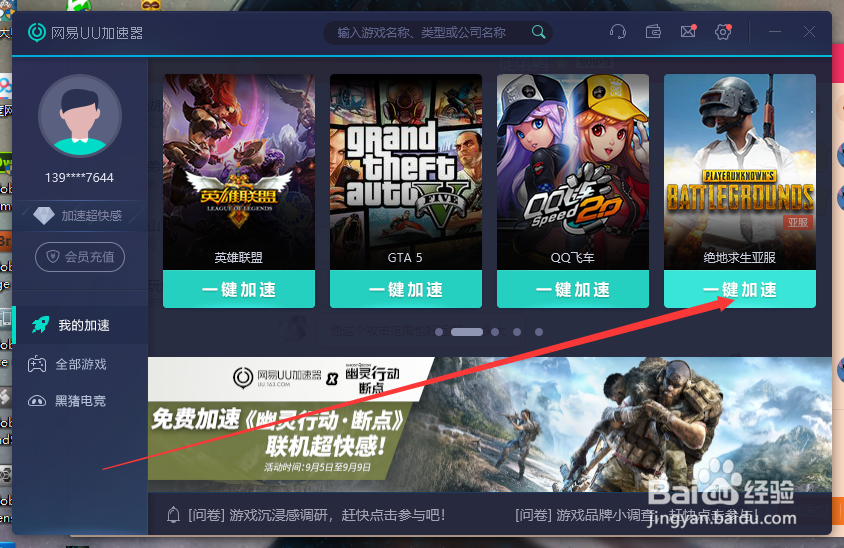
1、方案3:UU加速器
打开UU加速器点击一件加速,即可解决问题。需要注意的是需要先打开加速器,等待加速完成过后再打开游戏才会有效果。