hyper-v虚拟机centos7设置静态ip
1、点击设置

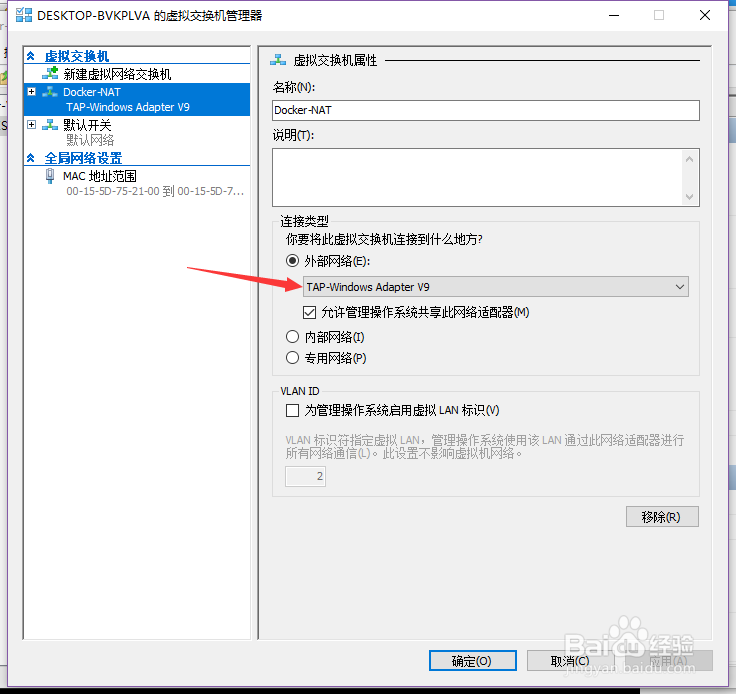
2、设置一个不动态分配ip的网卡
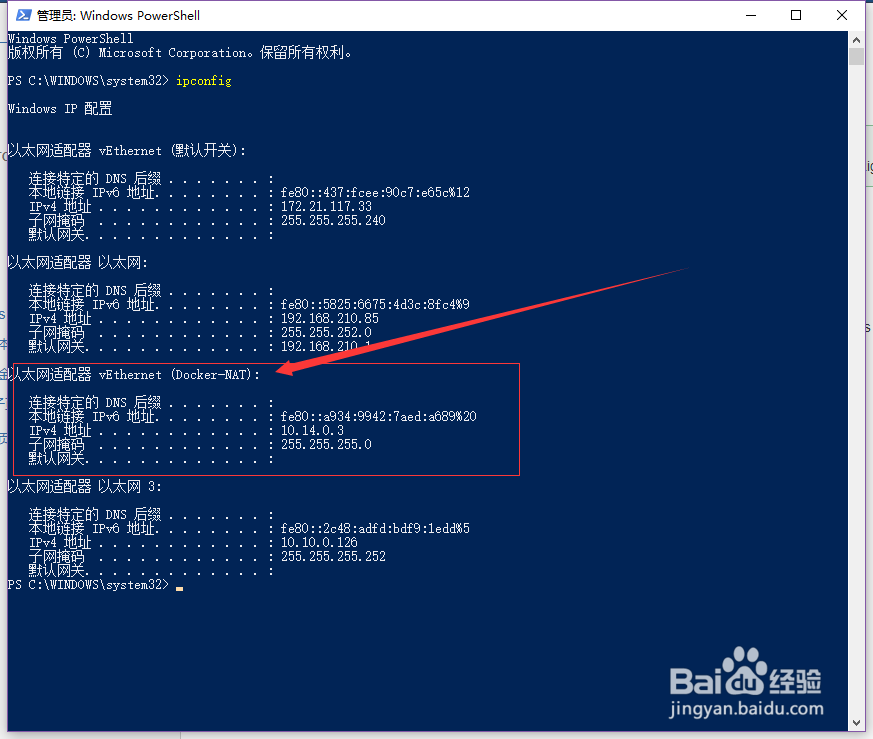
3、设置好过后,查看该网卡的ip
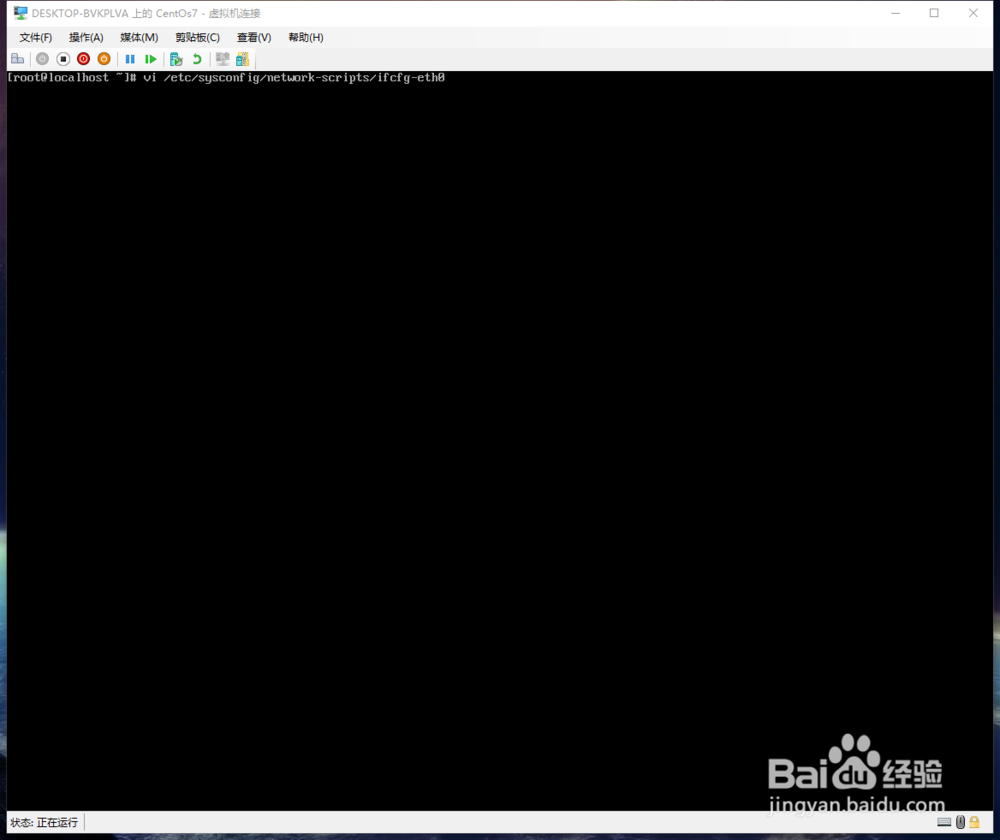
4、编辑网卡的配置文件
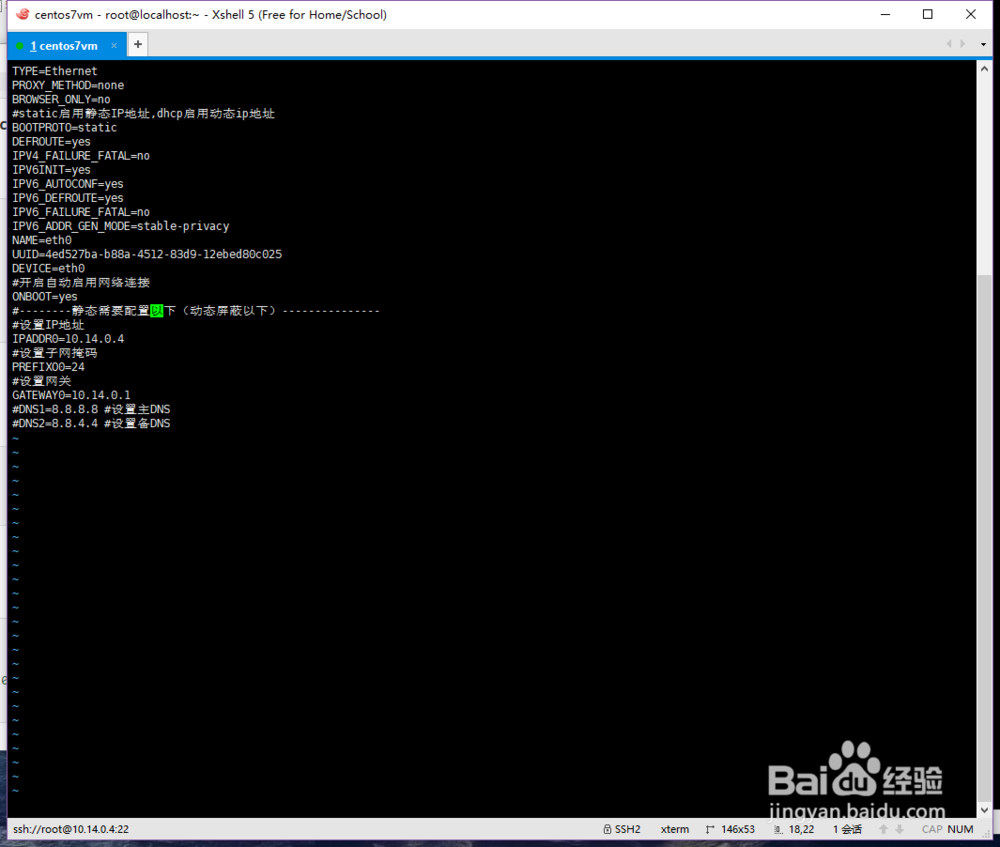
5、修改如下
6、重启网络
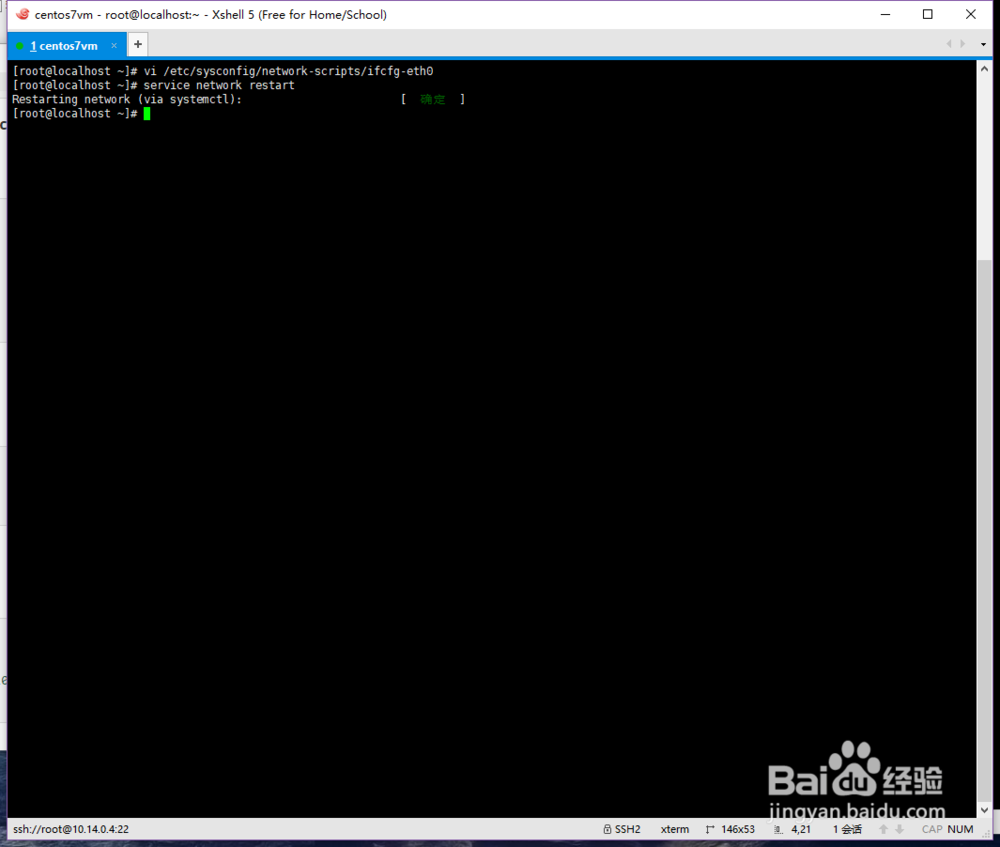
7、查看centos的ip发现已经生效了

8、测试和主机通信

阅读量:67
阅读量:137
阅读量:40
阅读量:109
阅读量:160
1、点击设置
2、设置一个不动态分配ip的网卡
3、设置好过后,查看该网卡的ip
4、编辑网卡的配置文件
5、修改如下
6、重启网络
7、查看centos的ip发现已经生效了
8、测试和主机通信