WebStorm 2021.1.2怎么关闭显示提示
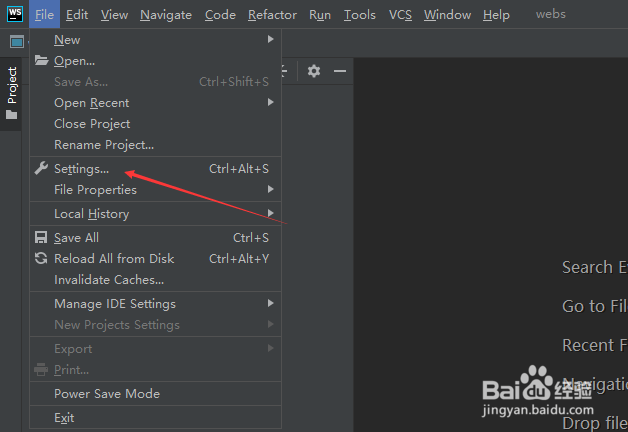
1、点击左上角中file菜单

2、弹出了下拉菜单选择settings选项
3、点击左侧中inlay hints选项

4、去掉show hints foc选项

5、去掉show hints foc选项之后,点击ok

阅读量:47
阅读量:134
阅读量:24
阅读量:180
阅读量:178
1、点击左上角中file菜单
2、弹出了下拉菜单选择settings选项
3、点击左侧中inlay hints选项
4、去掉show hints foc选项
5、去掉show hints foc选项之后,点击ok