PSPad editor怎么关闭显示启动屏幕
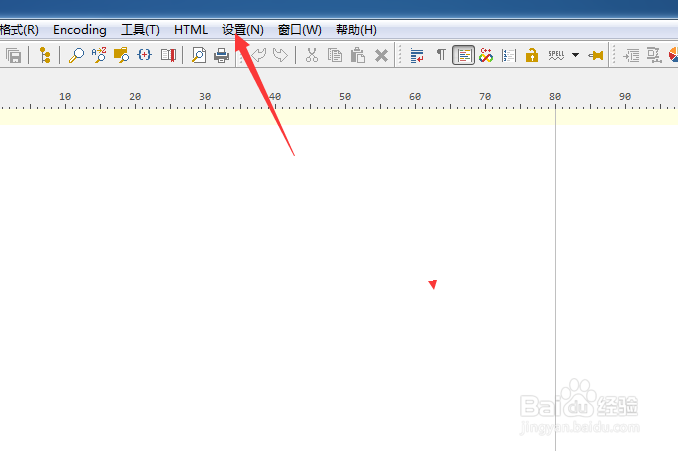
1、点击PSPad editor菜单中的设置菜单
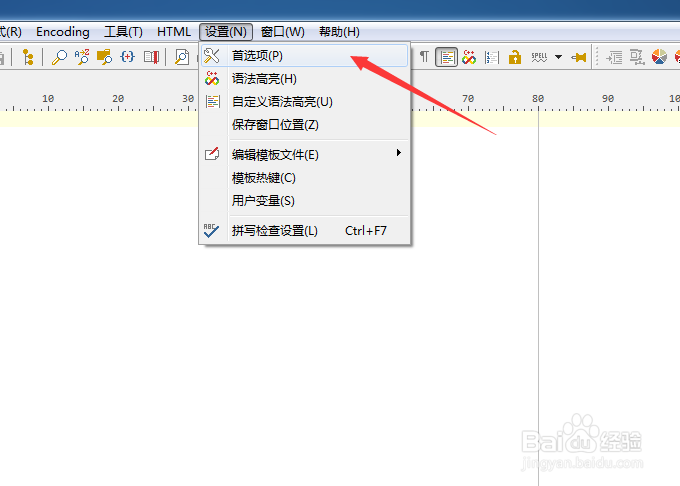
2、弹出了下拉菜单选中为首选项
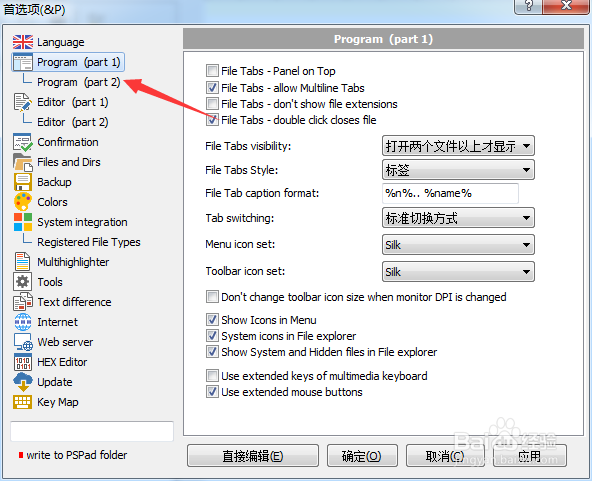
3、点击左侧program选项
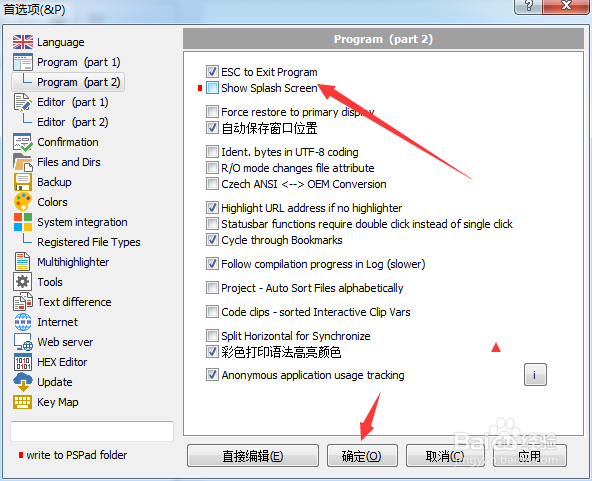
4、去掉勾选上show splash screen选项
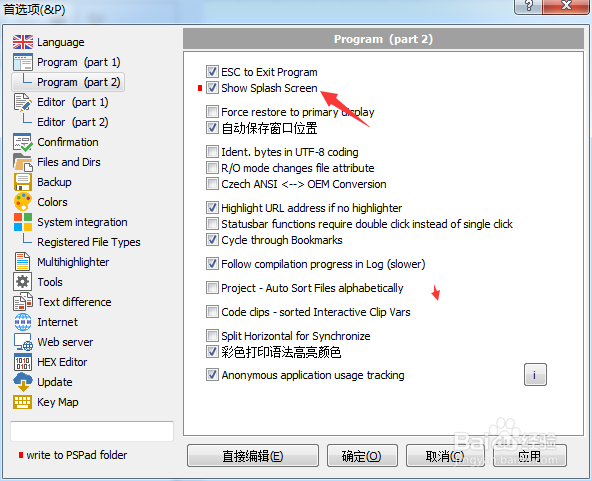
5、去掉勾选上show splash screen选项之后,点击确定
阅读量:119
阅读量:172
阅读量:87
阅读量:172
阅读量:86
1、点击PSPad editor菜单中的设置菜单
2、弹出了下拉菜单选中为首选项
3、点击左侧program选项
4、去掉勾选上show splash screen选项
5、去掉勾选上show splash screen选项之后,点击确定