Windows 10 手动更新方法
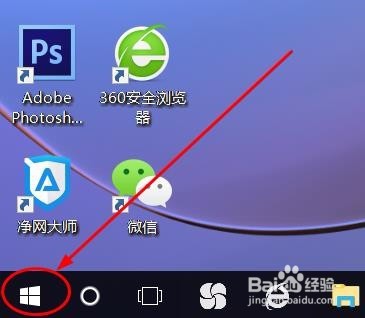
1、在电脑桌面点击右下角“开始”按钮
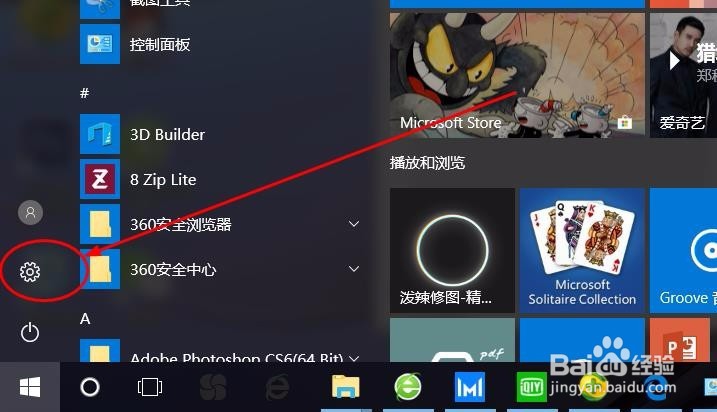
2、然后选择点击“设置”
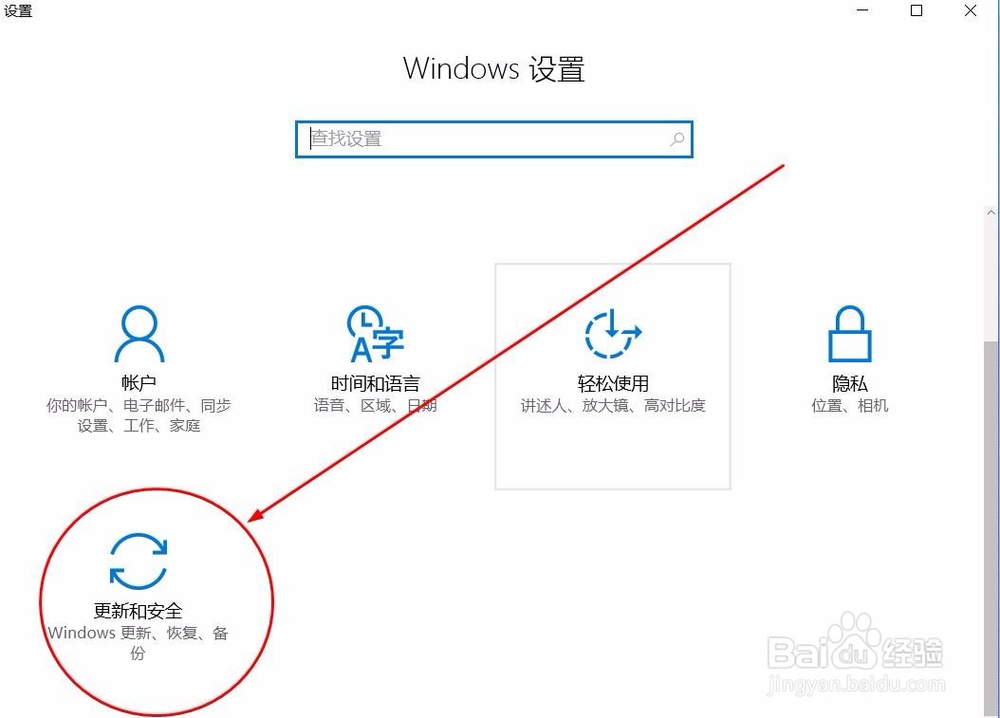
3、在“设置”页面点击“更新和安全”
4、接着点击“Windows 更新”
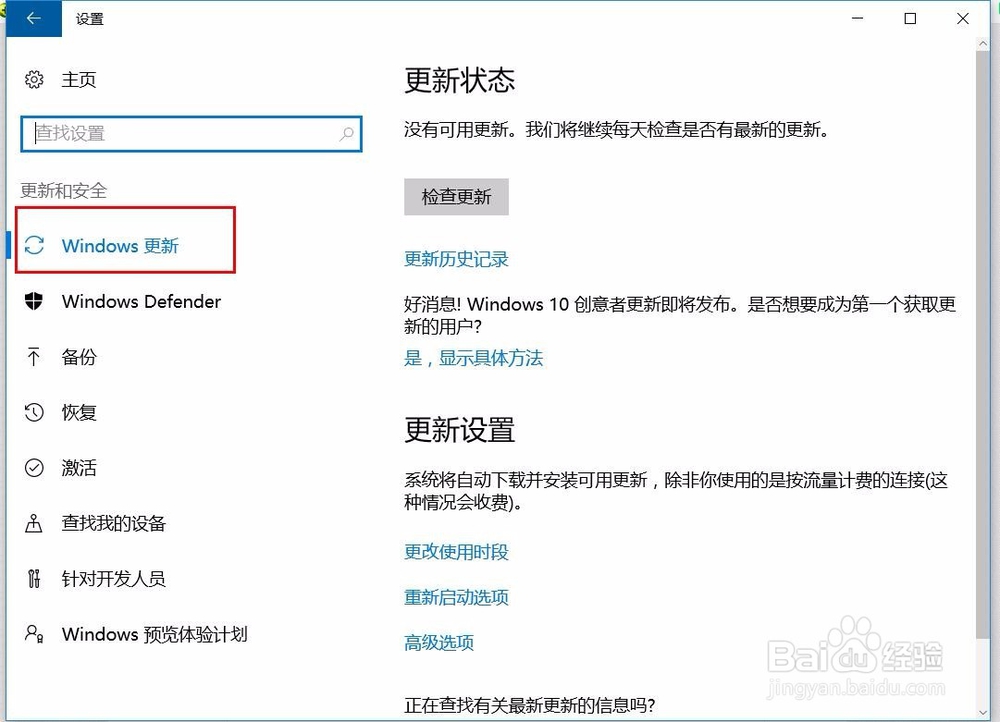
5、如果你想要手动检查更新,请选择“检查更新”
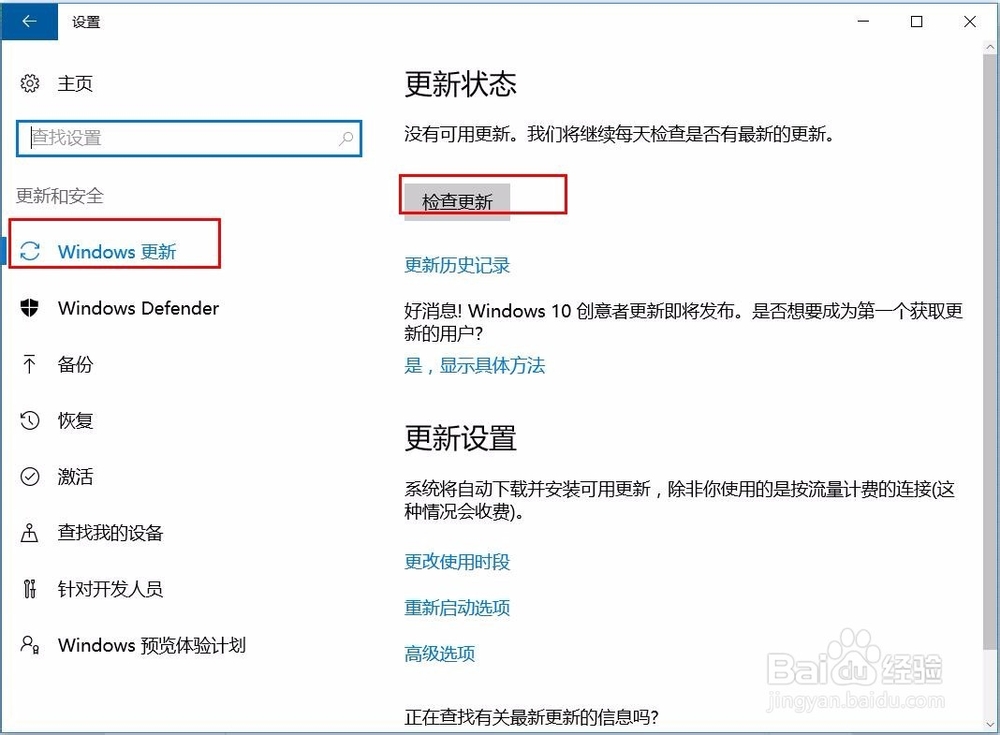
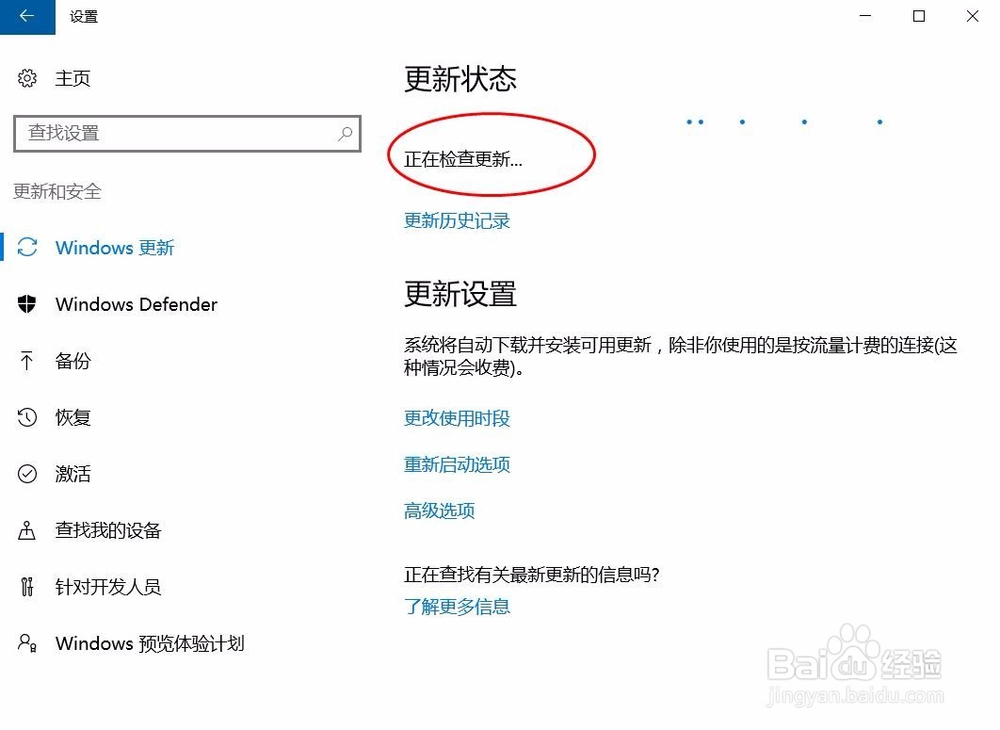
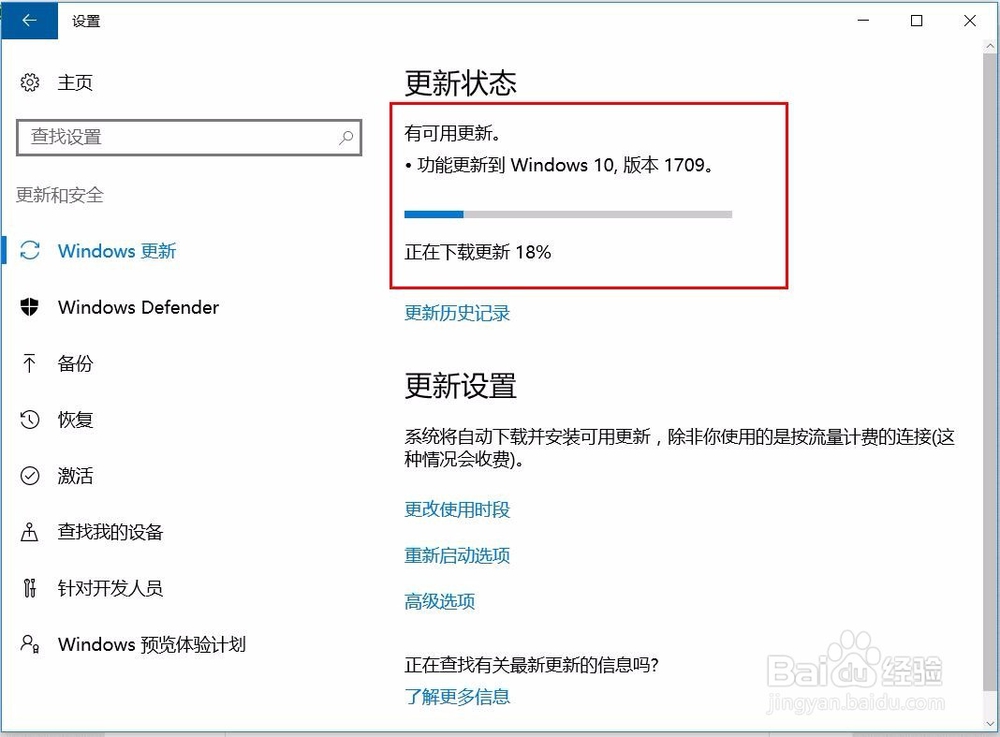
6、点击“检查更新” 后,系统就会进行更新
阅读量:65
阅读量:115
阅读量:192
阅读量:193
阅读量:46
1、在电脑桌面点击右下角“开始”按钮
2、然后选择点击“设置”
3、在“设置”页面点击“更新和安全”
4、接着点击“Windows 更新”
5、如果你想要手动检查更新,请选择“检查更新”
6、点击“检查更新” 后,系统就会进行更新