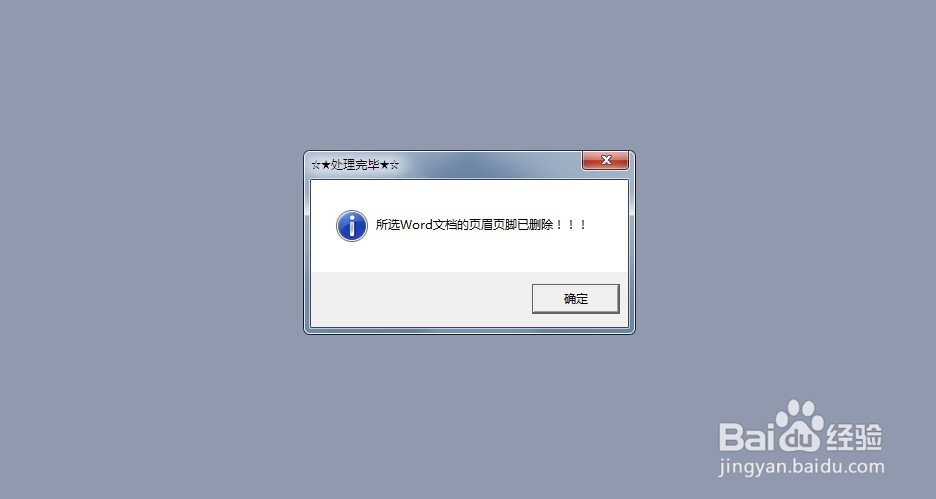
word2003批量删除页眉页脚
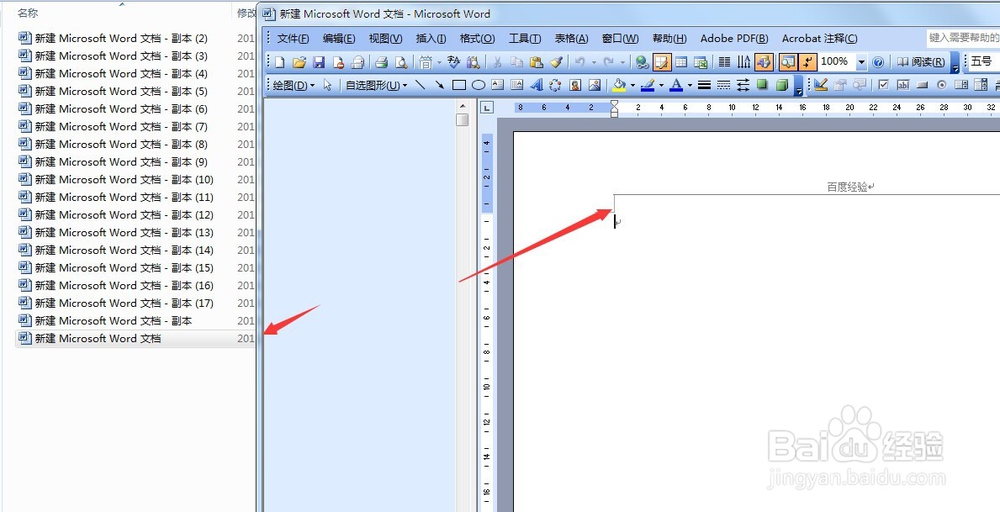
1、首先,我先制作一个测试文件夹,里面包含几个word文档,都有页眉--百度经验这四个字,当然其他的文字也行,只是一个测试;
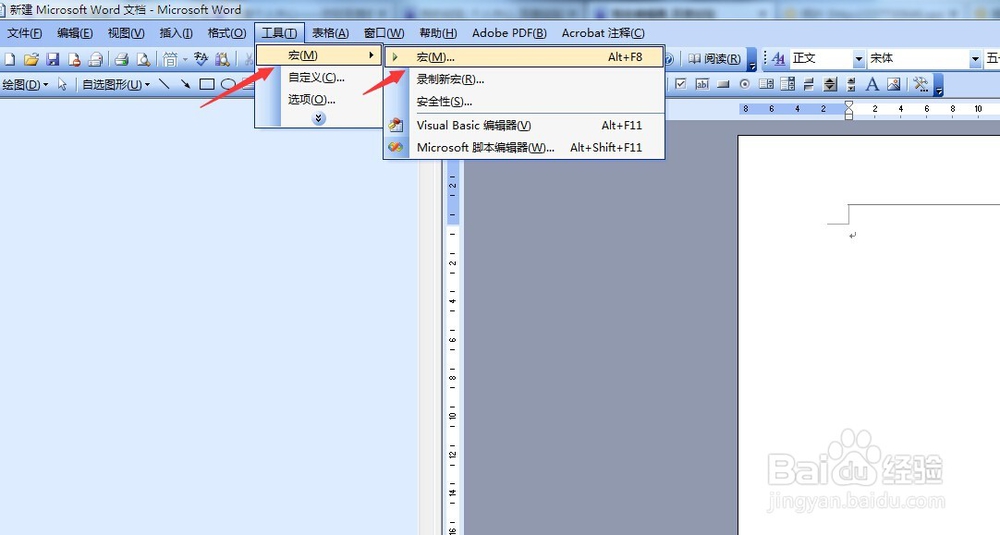
2、下面我们需要打开宏,03版的宏不需要去开启开发工具,只需要点击菜单栏中的工具-宏-宏;
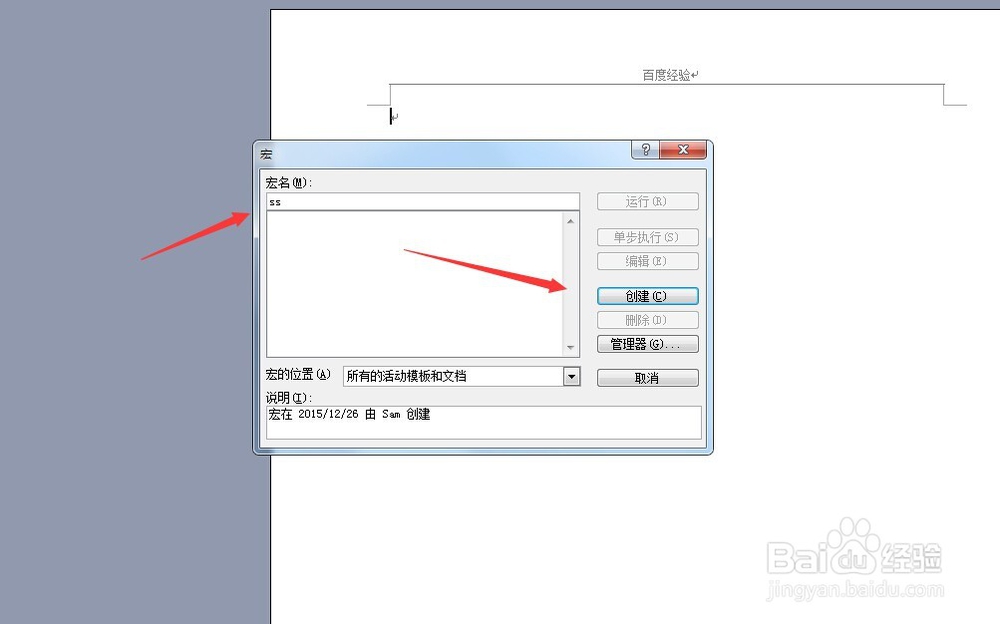
3、进入宏对话框,我们可以在宏名随便输入英文字母,在右侧点击一下创建;
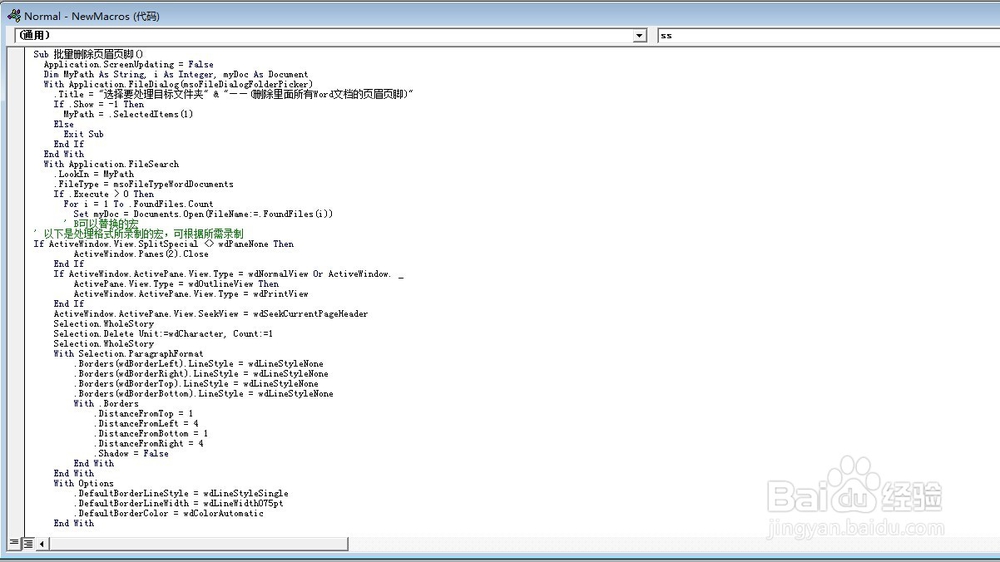
4、接着,进入了宏代码编写框,将下面代码复制进来:
Sub 批量删除页眉页脚()
Application.ScreenUpdating = False
Dim MyPath As String, i As Integer, myDoc As Document
With Application.FileDialog(msoFileDialogFolderPicker)
.Title = "选择要处理目标文件夹" & "——(删除里面所有Word文档的页眉页脚)"
If .Show = -1 Then
MyPath = .SelectedItems(1)
Else
Exit Sub
End If
End With
With Application.FileSearch
.LookIn = MyPath
.FileType = msoFileTypeWordDocuments
If .Execute > 0 Then
For i = 1 To .FoundFiles.Count
Set myDoc = Documents.Open(FileName:=.FoundFiles(i))
' B可以替换的宏
' 以下是处理格式所录制的宏,可根据所需录制
If ActiveWindow.View.SplitSpecial <> wdPaneNone Then
ActiveWindow.Panes(2).Close
End If
If ActiveWindow.ActivePane.View.Type = wdNormalView Or ActiveWindow. _
ActivePane.View.Type = wdOutlineView Then
ActiveWindow.ActivePane.View.Type = wdPrintView
End If
ActiveWindow.ActivePane.View.SeekView = wdSeekCurrentPageHeader
Selection.WholeStory
Selection.Delete Unit:=wdCharacter, Count:=1
Selection.WholeStory
With Selection.ParagraphFormat
.Borders(wdBorderLeft).LineStyle = wdLineStyleNone
.Borders(wdBorderRight).LineStyle = wdLineStyleNone
.Borders(wdBorderTop).LineStyle = wdLineStyleNone
.Borders(wdBorderBottom).LineStyle = wdLineStyleNone
With .Borders
.DistanceFromTop = 1
.DistanceFromLeft = 4
.DistanceFromBottom = 1
.DistanceFromRight = 4
.Shadow = False
End With
End With
With Options
.DefaultBorderLineStyle = wdLineStyleSingle
.DefaultBorderLineWidth = wdLineWidth075pt
.DefaultBorderColor = wdColorAutomatic
End With
If Selection.HeaderFooter.IsHeader = True Then
ActiveWindow.ActivePane.View.SeekView = wdSeekCurrentPageFooter
Else
ActiveWindow.ActivePane.View.SeekView = wdSeekCurrentPageHeader
End If
Selection.WholeStory
Selection.Delete Unit:=wdCharacter, Count:=1
ActiveWindow.ActivePane.View.SeekView = wdSeekMainDocument
Selection.Sections(1).Footers(1).PageNumbers.Add PageNumberAlignment:= _
wdAlignPageNumberRight, FirstPage:=True
' 以上可以换成是你自己录制的宏
' C公共部分的代码
Application.DisplayAlerts = False '强制执行“是”
'ActiveDocument.Saved = True'强制执行“否”
ActiveDocument.Close '退出
Next
End If
End With
Application.ScreenUpdating = True
MsgBox "所选Word文档的页眉页脚已删除!!!", 64, "☆★处理完毕★☆"
End Sub
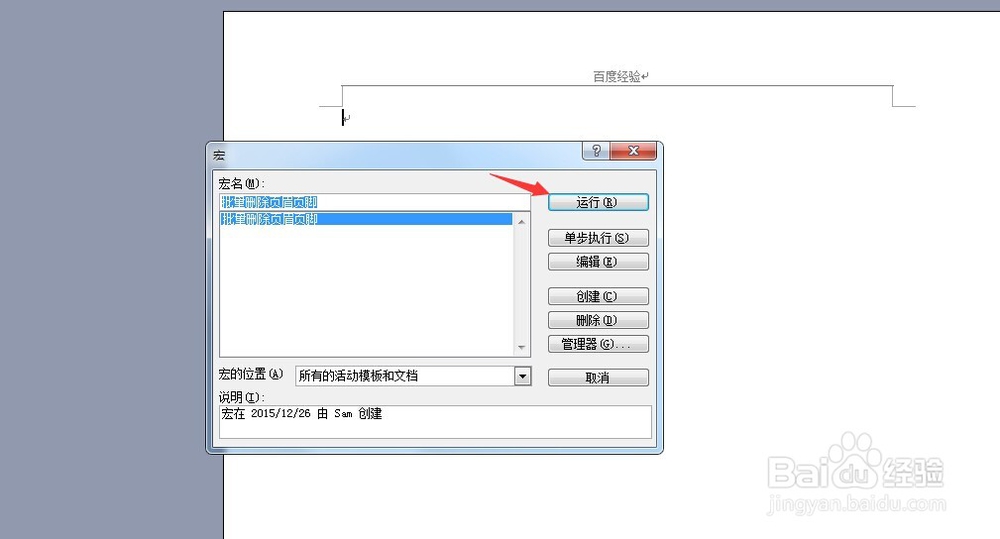
5、现在,我们关闭窗口,重新回到word界面,按下宏快捷键,Alt+F8,看到刚才的宏名,点击运行;
6、接着软件会让我们选择要批量处理的文件夹,选中之,然后稍等片刻,即会弹出--所选Word文档的页眉页脚已删除。