macOS Monterey怎么打开关闭防火墙的呢?
1、防火墙在设置面板,进入苹果logo,进入系统偏好设置。


2、进入安全性隐私,点击锁,如图。


3、输入电脑开机密码解锁,点击防火墙。


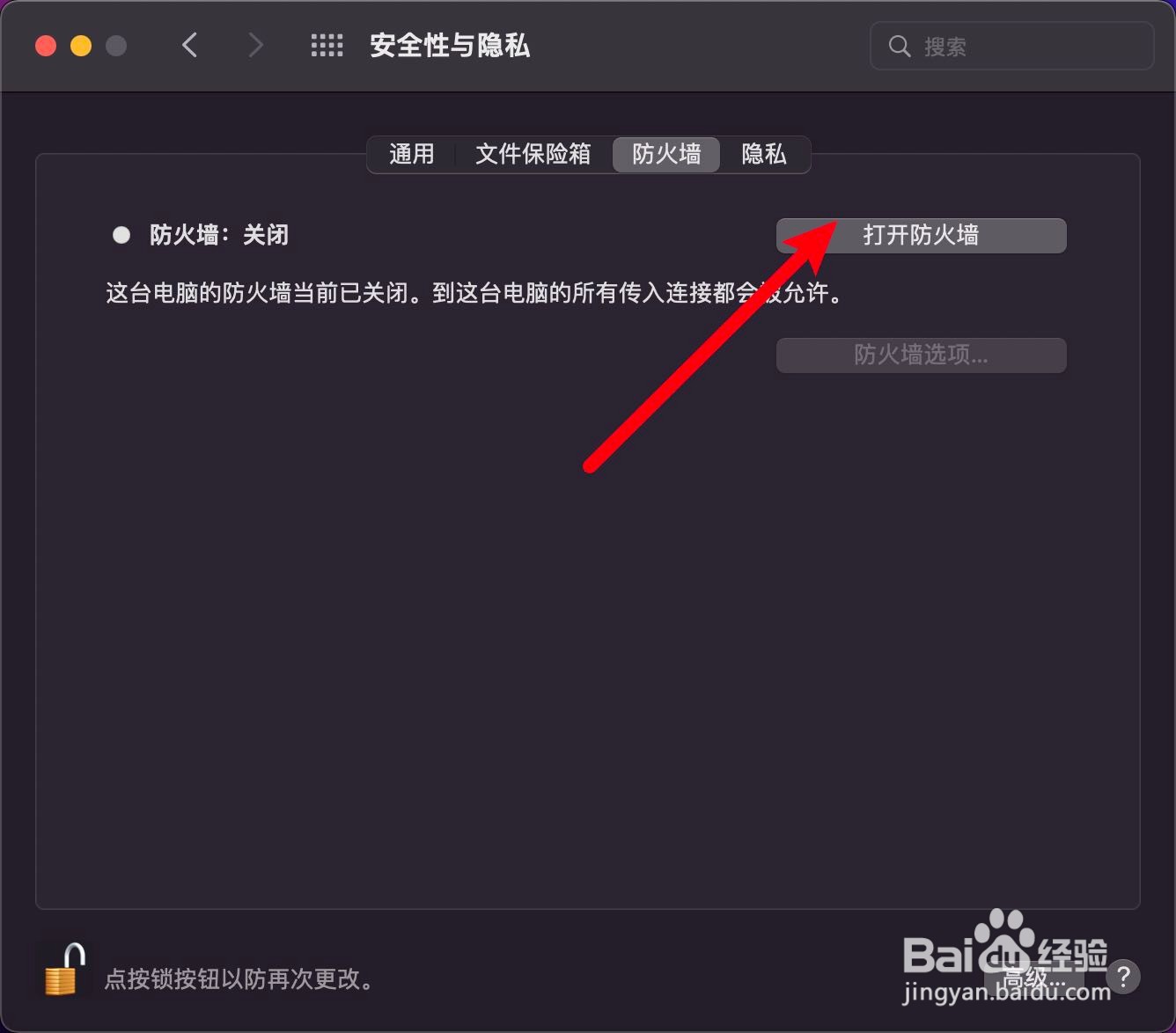
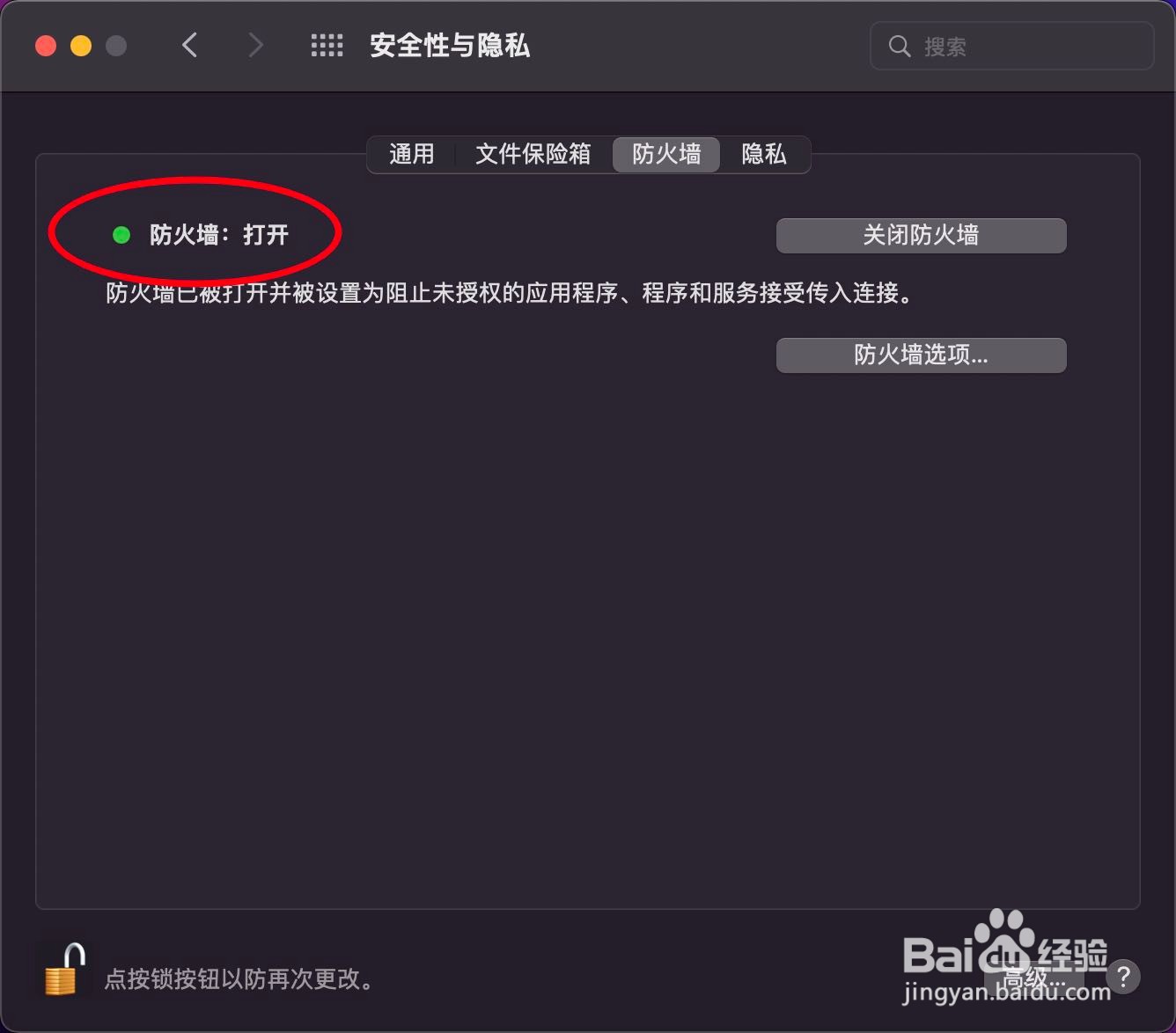
4、点击打开防火墙,防火墙显示打开就可以。
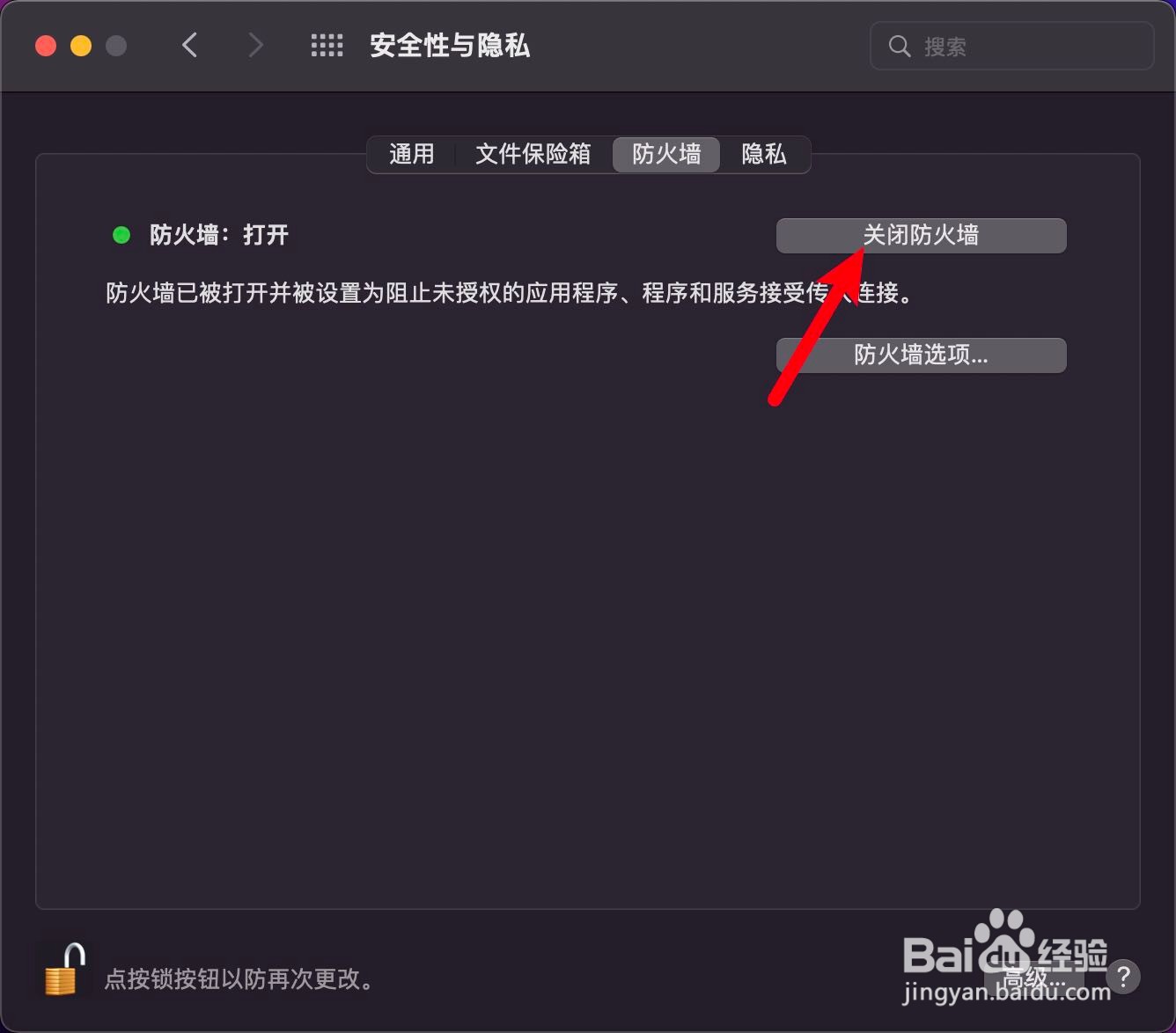
5、点击关闭防火墙,防火墙显示关闭,防火墙就关上了。

阅读量:70
阅读量:60
阅读量:115
阅读量:44
阅读量:149
1、防火墙在设置面板,进入苹果logo,进入系统偏好设置。
2、进入安全性隐私,点击锁,如图。
3、输入电脑开机密码解锁,点击防火墙。
4、点击打开防火墙,防火墙显示打开就可以。
5、点击关闭防火墙,防火墙显示关闭,防火墙就关上了。